
24/7 Customer Support

Free returns

Same-day & Next-day Delivery

Quality Guaranteed

Unlock Your Welcome Offers: FREE Delivery | Up to 80% OFF | Free 30-day JoyPlus trial
Download the APP
An 11-inch Android tablet can be a practical replacement for a small laptop, a second screen for remote work or a larger device for streaming and family entertainment. However, product listings often highlight impressive-sounding memory figures, battery claims and AI features without explaining what they mean in everyday use.
Before choosing a tablet, watch for three common buying traps:
For an 11-inch tablet used for films, reading and split-screen work, resolution affects text clarity and image detail. A 1920 × 1200 display is more suitable for streaming and documents than a basic 1280 × 800 panel, although the latter may still be adequate for browsing and children’s entertainment.
A 90Hz refresh rate makes compatible content and interface movement appear smoother than 60Hz. It is useful for social feeds, web pages and some games, but it may use more battery. If you are comparing an 11-inch tablet with 90Hz display, check whether the panel is IPS, TFT or AMOLED, as these technologies differ in contrast, brightness and viewing experience.
Look beyond the headline RAM number. For light browsing, video streaming and schoolwork, 4GB to 8GB of physical RAM may be sufficient. Heavier multitasking benefits from more physical memory, but virtual RAM is not a direct substitute.
A tablet with expandable storage can be useful for downloaded films, photos, music and documents. Several models listed here support a microSD or TF card of up to 2TB, although external storage may not support every app. Always check whether the tablet has a dedicated card slot or whether it shares the slot with a SIM card.
A dual-band 5G Wi-Fi tablet supports both 2.4GHz and 5GHz Wi-Fi networks. The 5GHz band can offer faster local speeds, while 2.4GHz generally travels further through walls. Neither option replaces mobile data.
If you travel, a 4G or 5G cellular model may be more convenient than relying on public Wi-Fi. Check supported network bands and remember that a SIM card and mobile contract are normally separate purchases.
For a tablet with long battery life, compare battery capacity, charging support and weight together. A larger battery may improve endurance but can add bulk. Quoted video or gaming times should be treated as indicative, since actual results vary with settings and applications.

Why This Fits Their Persona: A practical option for UK households, students and casual users who want a generous screen for streaming, browsing and online learning without moving into premium pricing.
The listing identifies the physical memory and extended memory separately, while the microSD slot allows storage expansion rather than relying only on virtual RAM.
Android 15, 11-inch IPS screen, 90Hz refresh rate, 128GB storage and support for up to 2TB of card storage.

Why This Fits Their Persona: Suited to users who prioritise a high-quality screen, pen input and a more premium build for creative work, reading and mobile productivity.
Its specification lists a 2560 × 1600 Dynamic AMOLED 2X display, 120Hz adaptive refresh rate and included S Pen, rather than relying on a refresh-rate claim alone.
12GB RAM, 128GB storage expandable to 2TB, IP68 rating and 8400mAh battery. The 45W charger is sold separately.

Why This Fits Their Persona: A suitable match for users seeking a tablet for streaming and gaming, large local storage and flexible connectivity for home or travel.
The specification combines an 11-inch FHD+ 90Hz display with Widevine L1 and an 8800mAh battery, making the streaming features more meaningful than a resolution claim alone.
Helio G100 processor, 256GB storage expandable to 2TB, dual SIM slots, GPS and Bluetooth 5.2.
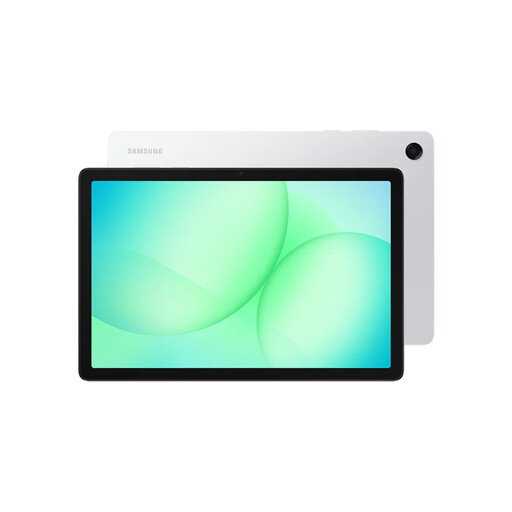
Why This Fits Their Persona: Designed for people who need mobile data on commutes, at university or while travelling between UK locations.
It clearly separates 5G connectivity from Wi-Fi and lists the supported 11-inch 1920 × 1200 display, 25W charging and microSD expansion.
6GB RAM, 128GB storage expandable to 2TB, 7040mAh battery, 90Hz display and quad speakers.
We have compiled a complete, real-time list of products that fully satisfy these strict selection criteria and UK safety regulations.
An Android 16 tablet may appeal if software support and newer interface features are priorities. Models such as the Samsung Galaxy Tab A11+ list Google Gemini integration, while selected Android 15 tablets also advertise Gemini AI features. These tools require compatible software, an internet connection and, in some cases, a Google Account. They should be treated as convenience features rather than a reason to overlook display, battery or warranty details.
For creative professionals, the iPad Air 11-inch and iPad Pro 11-inch offer Apple’s app ecosystem and accessory support, but they use iPadOS rather than Android and do not provide microSD expansion. Compare total cost carefully, including a keyboard, stylus and charger if required.
Yes, an 11-inch screen offers useful space for reading PDFs, attending video calls, using split-screen apps and editing documents. For regular typing, factor in the cost of a compatible keyboard. A tablet for studying and work should also have sufficient storage, a front camera and dependable software updates.
Physical lifespan depends on battery care, screen protection and handling. Software support varies considerably by manufacturer, so check the stated update policy before buying. Avoid exposing the device to heat or moisture, use a certified charger and keep important files backed up.
Usually, a higher refresh rate can increase power consumption, particularly during gaming or continuous scrolling. Many tablets allow you to switch between refresh-rate settings. If battery endurance matters more than fluid motion, a lower setting may be practical for reading or document work.