
24/7 Customer Support

Free returns

Same-day & Next-day Delivery

Quality Guaranteed

Unlock Your Welcome Offers: FREE Delivery | Up to 80% OFF | Free 30-day JoyPlus trial
Download the APP
The 11-inch tablet has become a popular choice for many, offering a 'just right' screen size that balances portability with a comfortable viewing experience. It’s large enough for productive work and immersive entertainment, yet compact enough to slip into a bag without a second thought. Whether you're a student heading to lectures, a professional working on the go or simply seeking a versatile device for home, the market is filled with options.
Navigating the differences between operating systems, performance levels and connectivity features can be challenging. As a Joybuy Product Recommendation Officer, my role is to help you understand these key factors so you can choose a device that genuinely fits your needs. This guide will walk you through essential considerations and highlight some noteworthy models available in 2026.
Making an informed decision comes down to matching a tablet's features to your daily life. Here are a few practical points to consider.
The software experience is arguably the most significant differentiator. An 11 inch iPad runs on Apple's iPadOS, which is known for its polished interface, robust security and a vast library of apps optimised for the tablet format. It integrates seamlessly if you already use other Apple products. In contrast, an 11 inch android tablet offers greater flexibility in customisation, file management and a wider choice of hardware from various manufacturers, often at more accessible price points.
Consider what you'll be doing most. For a tablet for students UK residents might use for note-taking, research and streaming media, a model with a capable mid-range processor and a good amount of RAM will perform admirably. However, if you need a tablet for work and productivity that involves video editing, graphic design or running multiple demanding applications simultaneously, you should look for a device with a high-performance processor, like Apple's M-series chips, and ample memory.
How you connect to the internet is a crucial factor. A Wi-Fi-only model is a cost-effective choice if you plan to use your tablet primarily at home, in the office or on a campus with reliable Wi-Fi. If you need constant access for work or travel, a 4G cellular tablet is a better fit. This allows you to insert a SIM card and stay connected wherever you have a mobile signal, turning your lightweight portable tablet into a truly mobile workstation.
Here are a few models that cater to different needs and preferences, from all-around performers to professional-grade powerhouses.
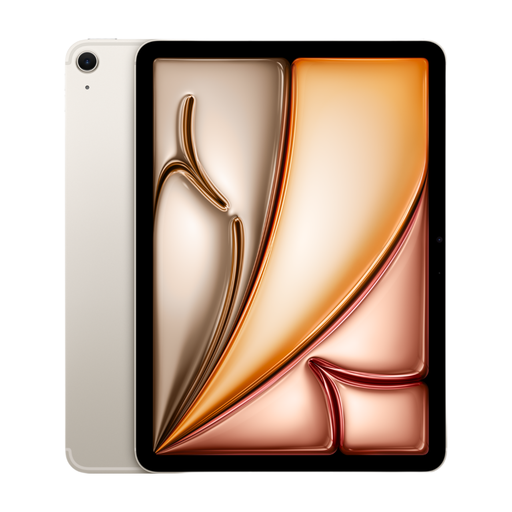
Why It Stands Out: The iPad Air strikes an excellent balance between performance and portability. Powered by the Apple M4 chip, it delivers desktop-class speed for smooth multitasking, creative projects and entertainment. Its slim aluminium body and vibrant Liquid Retina display make it a pleasure to use and carry, offering a premium experience without the highest-end price tag.
Pros:
Who is it for? This is an ideal choice for students, mobile professionals and creatives who need a powerful, versatile and portable tablet for everyday tasks and more.
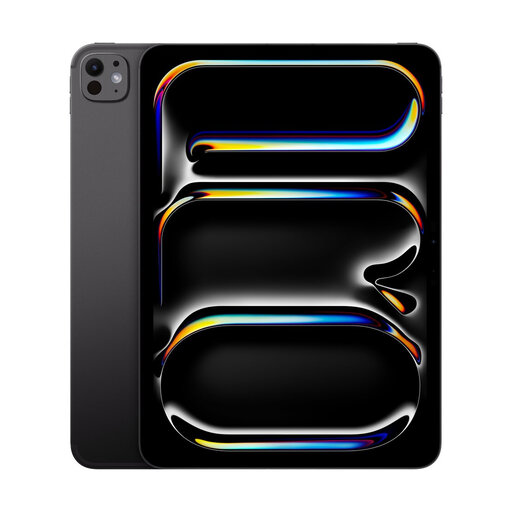
Why It Stands Out: For those who require uncompromising performance, the iPad Pro is the front-runner. The Apple M5 chip provides exceptional power for the most intensive tasks, from 4K video editing to complex 3D modelling. Its stunning OLED display offers superior colour accuracy and contrast, while the Wi-Fi + Cellular model ensures you're always connected.
Pros:
Who is it for? This tablet is built for creative professionals, developers and power users who need the absolute best in performance, display quality and portability for their work.
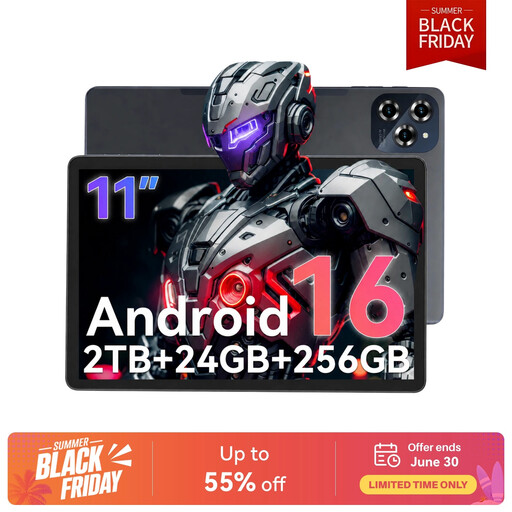
Why It Stands Out: The TABWEE W90 is a feature-rich Android tablet that focuses on flexibility and value. It runs on Android 16 and offers impressive specifications, including a large amount of RAM, expandable storage up to 2TB and dual SIM 4G LTE support. This makes it a highly versatile tool for media consumption, online learning and staying productive on the move.
Pros:
Who is it for? This is a great option for users who prioritise customisation, extensive storage and cellular connectivity in an Android ecosystem, particularly students and general users looking for a capable all-rounder.
If the models above aren't quite what you're looking for, there are many other tablets to consider. Different screen technologies, processors and features are available to suit various budgets and use cases. Explore our full range of wireless tablets to find the device that's right for you.
Q: Is an 11-inch tablet a good size for students in the UK? A: Yes, it is often considered an ideal size. An 11-inch screen is large enough for comfortable split-screen multitasking, reading digital textbooks and taking notes with a stylus. At the same time, it remains a lightweight portable tablet that is easy to carry between lectures and the library.
Q: Can an 11-inch tablet replace a laptop for work? A: For many modern professionals, it certainly can. When paired with a compatible keyboard and mouse, an 11-inch tablet for work and productivity can capably handle emails, document editing, spreadsheets and video conferencing. However, for jobs that rely on specialised desktop software or require extreme processing power, a dedicated laptop may still be the more suitable tool.
Q: What is the main difference between an 11-inch iPad and an 11-inch Android tablet? A: The core difference lies in the operating system and ecosystem. An 11 inch iPad uses iPadOS, which is praised for its simplicity, security and a large selection of high-quality, tablet-optimised apps. An 11 inch android tablet provides more freedom for customisation, easier file transfers and a broader range of hardware choices from different brands at various price points.