
24/7 Customer Support

Free returns

Same-day & Next-day Delivery

Quality Guaranteed

Unlock Your Welcome Offers: FREE Delivery | Up to 80% OFF | Free 30-day JoyPlus trial
Download the APP
A 165Hz gaming monitor can make fast games feel more responsive, but a high refresh rate alone does not guarantee a worthwhile upgrade. UK shoppers often focus on the largest number on the product page and overlook the graphics hardware, connection standard, panel type and desk space needed to use it properly.
This guide explains the practical specifications to check, common buying traps and suitable options for different gaming and working setups.
A monitor can refresh at 165Hz, but your PC or console must produce enough frames per second to benefit. A lower-powered computer may deliver around 60–100fps at QHD or 4K, making the extra refresh capacity less noticeable.
Check the expected output from your graphics card and the resolution you intend to use. A QHD gaming monitor at 165Hz may require considerably less graphical power than a 4K gaming monitor at a similar refresh rate.
Response-time figures can be measured using different methods, such as GTG or MPRT. A very low number does not describe the entire motion experience. Overdrive settings may also create visible ghosting or bright trails when set too aggressively.
Look for the panel type, adaptive-sync support and connection bandwidth together rather than selecting by response time alone.
A laptop, graphics card or console may not support the advertised resolution and refresh rate through every input. For example, the CRUA 32-inch monitor lists 165Hz through DisplayPort, while standard HDMI connections may be limited to 144Hz or lower depending on the connected hardware and cable.
Before ordering, confirm:
A 165Hz monitor can display up to 165 refreshes per second, provided the source device produces compatible frame rates. Higher refresh rates can improve motion clarity in competitive shooters, racing games and sports titles.
Variable refresh rate, or VRR, synchronises the display with the graphics output to reduce tearing and stuttering. AMD FreeSync is common among gaming monitors, while some displays are also listed as G-Sync compatible monitors. Compatibility can vary by graphics card, port and driver, so check the manufacturer’s support information.
For a desktop setup, common choices include:
A curved gaming monitor can improve immersion, particularly at 34 inches or above. However, a curved panel needs enough desk depth and may not suit every design or office workflow.
VA panels commonly provide higher stated contrast than IPS panels, while IPS displays are often selected for wide viewing angles and consistent colour. OLED and QD-OLED monitors can offer very deep blacks and fast pixel transitions, but buyers should read the manufacturer’s guidance on screen care and intended usage.
Content creators and graphic designers should check colour coverage, such as sRGB or DCI-P3, as well as calibration information. Terms such as “wide colour gamut” do not necessarily mean that a display is factory calibrated.
HDR performance depends on more than HDR compatibility. Brightness, local dimming, contrast and supported formats all influence the result. The same principle applies when comparing a monitor with a 4K Mini-LED TV, OLED gaming monitor or a 165Hz smart TV.
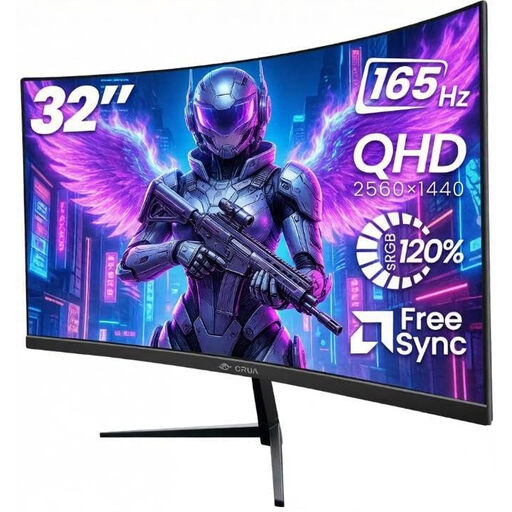
Why This Fits Their Persona: It combines a 32-inch QHD panel, 165Hz refresh rate and multiple inputs for a home gaming or student desk without moving to a larger ultrawide format.
The listing specifies 2K QHD resolution, AMD FreeSync, dual HDMI and dual DisplayPort. The product guidance also identifies DisplayPort as the connection for reaching 165Hz.
1500R curved VA panel, stated 120% sRGB gamut, VESA 100 × 100mm mounting and low-blue-light and flicker-free modes.
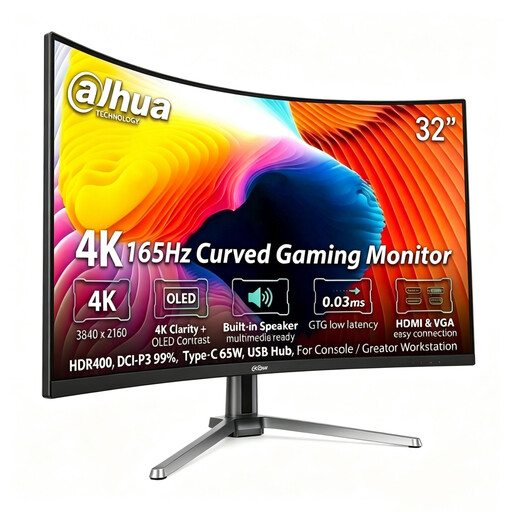
Why This Fits Their Persona: This suits PC and console users who want 4K detail, OLED contrast and connectivity for a creator workstation or premium gaming desk.
Its specifications state 165Hz at 4K through DisplayPort and HDMI 2.1, helping buyers identify the ports required for the advertised mode.
QD-OLED panel, 99% DCI-P3 colour gamut, USB-C with 65W power delivery and integrated USB hub.
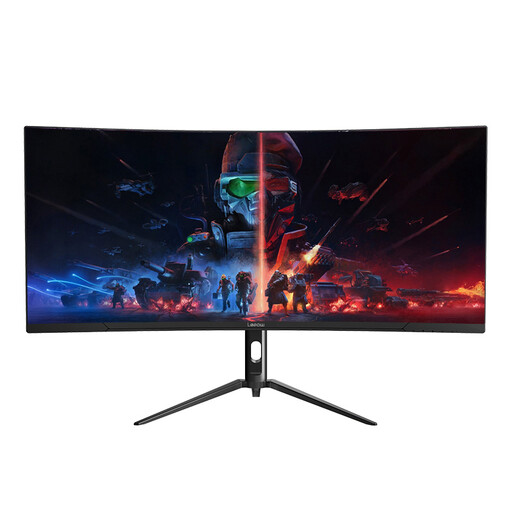
Why This Fits Their Persona: Its 21:9 format is designed for users who combine gaming with video editing, graphic work, documents and side-by-side windows.
The stated resolution is 3440 × 1440 rather than a stretched standard panel, and the monitor includes DisplayPort and HDMI inputs for different devices.
34-inch VA panel, 165Hz refresh rate, 1ms stated response time and a height-adjustable metal stand.
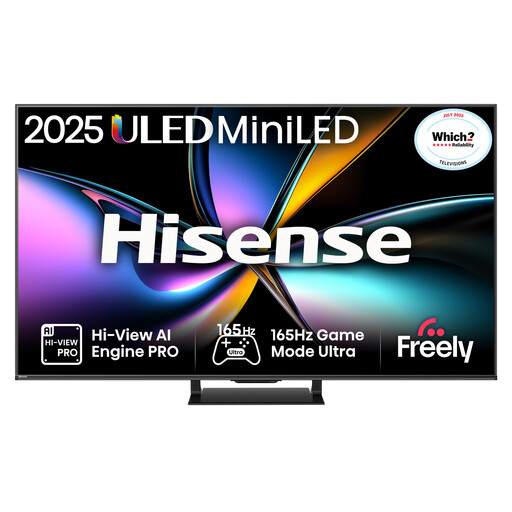
Why This Fits Their Persona: It is suited to households wanting one large display for console gaming, streaming, sport and shared living-room entertainment.
All four HDMI ports are listed with HDMI 2.1, ALLM and VRR support. The stated low input lag applies to 4K 120Hz input, so buyers can match expectations to console output.
65-inch 4K Mini-LED display, QLED Quantum Dot Colour, 165Hz native refresh rate and VIDAA smart functions.
We have compiled a complete, real-time list of products that fully satisfy these strict selection criteria and UK safety regulations.
After installation, open the monitor’s on-screen menu and select the highest supported refresh rate in Windows or your graphics driver. Enable VRR only after confirming that the graphics card and display support the same standard.
Use a certified cable suitable for the required bandwidth, keep ventilation clear and place the screen on a stable desk or correctly rated VESA mount. For large curved or ultrawide displays, measure the desk width, depth and load capacity before delivery.
Also compare energy information where available. A larger, brighter display may use more electricity than a smaller monitor, particularly when HDR is active. TV energy labels and monitor power figures can help you estimate running costs, although actual use depends on brightness, gaming hours and standby settings.
It can be useful when the console supports a compatible high-refresh mode, but many console games target lower frame rates. HDMI 2.1, VRR and ALLM are important checks for console users. A 4K display may offer more value for a living-room setup than 165Hz alone.
Yes, if its graphics hardware and output port support the monitor’s resolution and refresh rate. DisplayPort, USB-C with DisplayPort output and suitable HDMI standards may support different limits. Check the laptop specification and use the correct cable.
The refresh rate itself is only one factor. Screen size, brightness, HDR usage and panel technology also influence consumption. Use the published typical and maximum power figures as a guide, then reduce brightness or enable energy-saving features when full performance is unnecessary.