
24/7 Customer Support

Free returns

Same-day & Next-day Delivery

Quality Guaranteed

Unlock Your Welcome Offers: FREE Delivery | Up to 80% OFF | Free 30-day JoyPlus trial
Download the APP
In a world of 4K video, high-resolution photos and ever-expanding game libraries, running out of storage is a common frustration. A slow external drive can bring a creative or professional workflow to a grinding halt. If you're a content creator, a busy professional or a gamer, you need storage that is not only spacious but also fast, reliable and portable.
This guide is designed to help you navigate the specifications and features of modern portable storage. We will look at what truly matters when selecting a 1TB portable SSD and highlight a few standout options to help you make an informed choice without the marketing jargon.
Choosing the right external drive goes beyond just capacity. Here are a few critical factors to consider to ensure you get a device that meets your performance expectations.
The advertised speed of an SSD is a key selling point, but it's only half the story. The performance you experience depends on both the drive's internal technology and the port you plug it into.
To get these speeds, your computer or device must have a corresponding USB C portable drive port that supports the same standard.
A portable drive, by its nature, will be carried around. Look for models with a specified drop resistance, often rated for falls from 1 to 3 metres. This provides a buffer against everyday bumps and accidents. For sensitive work or personal files, consider a drive with built-in AES 256-bit hardware encryption. This scrambles your data, making it unreadable without a password, offering peace of mind if the drive is lost or stolen.
Your SSD should work seamlessly with all your devices. Most modern drives are compatible with both Windows and macOS. However, if you plan to use it with a mobile device, such as for an external SSD for iPhone 15 Pro or an Android tablet, check for specific compatibility. Some drives are optimised for mobile workflows, allowing you to record high-quality video directly to the SSD, bypassing your phone's internal storage. An external SSD for Mac users should ideally be formatted to APFS or HFS+ for optimal performance, though most drives work straight out of the box with either system.
Based on their specifications, features and suitability for different user needs, here are our recommendations.

Why It Stands Out: The Samsung T9 SSD is built for pure speed. Utilising a USB 3.2 Gen 2x2 interface and NVMe protocol, it achieves sequential read/write speeds of up to 2,000 MB/s. This level of performance can dramatically cut down transfer times and is a significant advantage for professionals working with massive files.
Pros:
Who is it for? This is an ideal portable SSD for video editing, 3D rendering and other data-intensive professional tasks. If your workflow demands the fastest possible data transfers, the T9 is a compelling option.
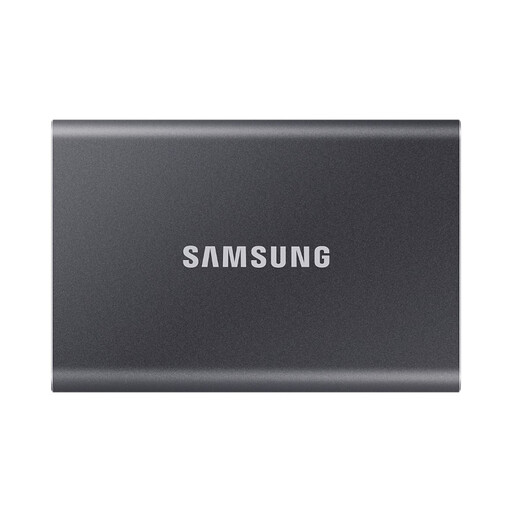
Why It Stands Out: The Samsung T7 strikes an excellent balance between performance, portability and price. It's incredibly compact and lightweight (58g), fitting easily into a pocket. While not as fast as the T9, its USB 3.2 Gen 2 speeds of up to 1,050 MB/s are more than sufficient for the vast majority of users.
Pros:
Who is it for? The T7 is a versatile workhorse for students, office professionals and photographers. It's a reliable choice for storing documents, photo libraries and moderate video projects without compromising on portability.
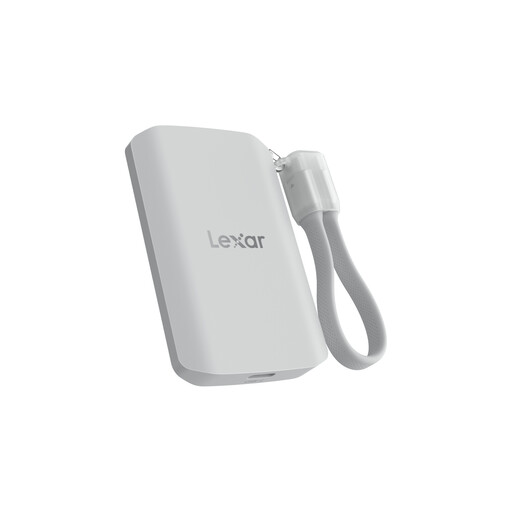
Why It Stands Out: The Lexar ES5 is engineered with the mobile creator in mind. It boasts impressive 2000MB/s speeds and a design that supports MagSafe-compatible devices. Its standout feature is the ability to support direct video recording in demanding formats like Apple ProRes 4K, making it a powerful external SSD for iPhone 15 Pro users.
Pros:
Who is it for? This drive is tailored for vloggers, mobile filmmakers and content creators who primarily use their smartphones to capture high-quality footage. Its rugged build and seamless mobile integration streamline the on-the-go production process.
If your needs are more specific or you're looking for a different set of features, there are many other excellent drives available. For a wider selection, particularly for mobile use, you can explore our full range of external drive for phone models to find the perfect fit for your device and workflow.
The advertised speeds (e.g., 1,050 MB/s or 2,000 MB/s) are theoretical maximums achieved under ideal test conditions. Real-world performance depends on several factors: the USB port on your computer, the quality of the cable, the size and type of files being transferred and the drive's temperature. However, even with these variables, a quality SSD will be significantly faster than any external hard disk drive (HDD).
Absolutely. Installing and running games from a portable SSD can dramatically reduce loading times compared to an external HDD. It's a great way to expand your console or PC's game library without sacrificing performance, allowing you to jump into the action faster.
A 1TB drive is a great starting point for active 4K video projects. It provides enough space to hold several hours of raw footage and project files. For professional videographers who shoot frequently or work on very large-scale productions, 1TB may serve as a "project drive" for current work, with larger-capacity drives or a network-attached storage (NAS) system used for long-term archiving.