Mobile handwritten reviewers
If you use short gaps between visits to write margin notes, circle passages and highlight PDFs, focus on pen compatibility, a workable writing position and the kit you will carry.


Choose a pen-enabled Windows 2-in-1 if you regularly move from handwritten PDF notes to typed client work. A detachable model makes tablet-style marking easier, while a convertible keeps its keyboard attached. A tablet-first device can suit reading and handwriting if your required apps, files and sharing steps work in its operating system; whichever route you choose, check the exact pen and keyboard arrangement.
If you use short gaps between visits to write margin notes, circle passages and highlight PDFs, focus on pen compatibility, a workable writing position and the kit you will carry.
If marked-up papers feed into reports, email, portals or desktop applications, you need an annotation setup that also supports your keyboard-led work.
If you spend extended periods with dense PDFs, assess how figures, references and notes look at your usual zoom level, alongside pen use and file organisation.
Decide whether handwriting, an attached keyboard or a tablet-first workflow would most change your choice; then check the complete setup against the papers and client files you use.
Consider it when: You want to mark up a PDF in tablet mode, then attach a keyboard for reports or email. Microsoft describes these two modes for Surface Pro.
Check: Microsoft describes the Surface keyboard and Slim Pen as optional; confirm the exact configuration and how you will carry and charge the pen.
Consider it when: You prefer an attached keyboard but still want to fold the screen back for annotation. Lenovo describes tablet, tent and laptop modes for the Yoga 7 2-in-1.
Check: The keyboard remains attached, and Lenovo describes the Yoga Pen as optional. Confirm pen support for the configuration you choose.
Consider it when: Reading and handwriting lead your day, and your annotation, storage and sharing steps work in the tablet operating system.
Check: A tablet does not establish compatibility with desktop-only tools or client portals. Test the full file workflow before replacing a laptop.
| Concern | What to check | Who this matters to |
|---|---|---|
| Handwritten PDF notes | Confirm active-pen compatibility for the exact device and whether your PDF app preserves notes when you export or share a file. | If handwriting in margins and circling passages are central to my work, I need the pen and PDF app to work together. Around 36% of consumers put handwritten annotation first. |
| Carrying the full kit | Compare what you will actually carry, including the keyboard, pen, charger and case, rather than the device alone. | When I have only a short gap between visits, I want to take out and put away my working kit without fuss. Portability is the primary need for around 29% of consumers. |
| Typing and applications | Check required desktop software, browser extensions and client portals, as well as keyboard stability for longer typing sessions. | If my annotated papers lead straight to reports or client systems, I cannot choose on pen input alone. Around 21% of consumers put the keyboard and application workflow first. |
| Reading dense papers | Open a typical paper at your usual zoom level and assess figures, tables and viewing position on the screen size you intend to buy. | When I read figures and references for long stretches, I need a page view I can use comfortably, even if a larger device takes more room. Reading comfort comes first for around 14% of consumers. |
A device may support handwriting and typing without including every accessory needed for both. Microsoft describes the Surface keyboard and Slim Pen as optional, while Lenovo says the Yoga Pen is optional.
Check the contents of the exact package, including the pen, keyboard and any charger or adapter your workflow requires.
Writing on a PDF does not establish that a client portal, reference-management tool, document template or sharing procedure will work on another operating system.
Take a representative paper through import, annotation, export and sharing, including any required client-system steps, before changing platforms.
Apple's published iPad Pro weights describe the tablet, while the setup taken between visits may also include a keyboard, pen, charger and case.
Compare the packed setups you would carry and check whether you can write comfortably with the keyboard removed or folded back.
Those accessories can also take up space when you are moving between appointments.
London Fire Brigade warns about counterfeit chargers and the fire risks associated with damaged or improperly charged lithium batteries.
Use the supplied charger or a genuine replacement from a trusted supplier. Do not cover charging equipment, and stop using a device if its battery swells.
Surface Pro is a detachable Windows option for moving between pen annotation and keyboard work.
Yoga 7 2-in-1 suits buyers who want an attached keyboard and a screen that folds into other viewing and writing positions.
iPad Pro is a tablet-first option if the required PDF and client-document workflow works in iPadOS.
These options cover a touchscreen laptop for keyboard-led work and an Android tablet for pen-led reading and annotation. Check the complete PDF workflow and the accessories you need for either device.
 No image available
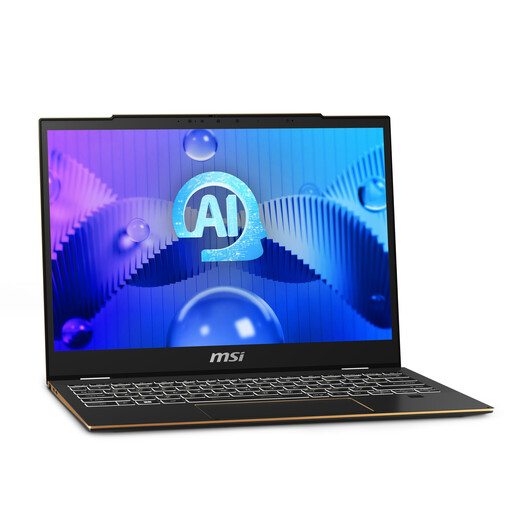
Consider this touchscreen laptop if typed follow-up matters alongside PDF markup; confirm the intended pen and annotation app for your workflow.
The listed configuration has an FHD+ 60 Hz touch display, Intel Core Ultra 7 155H, 32 GB LPDDR5 RAM and a 1 TB SSD. Confirm the exact display size and whether the pen is included.
 No image available
Consider this tablet if pen-led reading and markup are your priority; check that your PDF, storage and client-sharing apps work as needed on Android 15.
Its listed configuration includes a 12.7-inch 2K display, a stylus pen and 256 GB storage. If you also type lengthy follow-up notes, check the keyboard arrangement and the weight of the complete kit.
Choose a device compatible with an active pen if handwriting and precise margin notes are central to your work. Check the exact device-and-pen combination and whether the pen is included; Microsoft and Lenovo describe the pens for their respective Surface Pro and Yoga 7 2-in-1 lines as optional.
An iPad can suit this task if your annotation, storage, sharing and client-document steps all work in iPadOS. Apple specifies Apple Pencil Pro support for iPad Pro, and Goodnotes describes handwriting, highlighting and commenting on PDFs; check any required desktop-only tools separately.
Use its supplied charger or a genuine replacement from a trusted supplier. London Fire Brigade advises against covering charging equipment and warns about damaged batteries; stop using a device if its battery swells.
Choose a suitable reuse or electrical-waste collection route rather than putting the device in ordinary household waste. Check which collection or trade-in options are available through your local authority, retailer or a specialist service.