Players short on desk space
If physical cards, a keyboard and a mouse share your desk, the monitor’s stand depth and available adjustment matter as much as its screen diagonal.


A 24-inch-class Full HD monitor is a sensible starting point when the screen must leave room for cards and input devices. Consider a 27-inch QHD monitor if its stand fits your desk and you value more pixels for card text, deck lists and other windows; check your viewing position and the resolution and refresh rate available through your device’s connection before choosing either.
If physical cards, a keyboard and a mouse share your desk, the monitor’s stand depth and available adjustment matter as much as its screen diagonal.
If you regularly compare card effects, tooltips or deck lists, consider the screen’s native resolution alongside its size and the distance at which you will sit.
If deck-builders share screen time with fast-moving games, refresh rate and adaptive sync may matter more to you, provided your device and connection support the settings you want.
Start with the space available for the stand and a comfortable viewing position. Then decide whether extra screen detail or smoother motion in other games changes your choice.
| Concern | What to check | Who this matters to |
|---|---|---|
| Desk fit | Compare the full dimensions with stand against your usable desk depth and the space needed for cards and input devices. | I need enough room to play with physical cards without pushing the keyboard towards the desk edge. Around 36% of consumers put desk fit first. |
| Card text and detail | Compare native resolution and screen size, then consider your viewing distance and available scaling settings. | When I read card effects and keep a deck list open, I want enough on-screen detail without crowding the desk. Roughly 29% of consumers prioritise text and interface detail. |
| Other games | Check the resolution and refresh rate supported by your device, port and cable; check adaptive-sync compatibility separately. | I also play faster games and want to know which motion settings my setup can actually use. Around 21% of consumers make mixed-game smoothness their main concern. |
| Screen position | Check the stand’s adjustments or mount compatibility, including the arm and desk-clamp limits if you plan to use one. | During longer sessions, I need a screen position that works with my desk and chair. Approximately 14% of consumers place adjustability first. |
A 27-inch panel may leave less usable desk depth than expected once its stand is in place. BenQ lists the MOBIUZ EX2710Q at 252.5 mm deep with its stand.
Measure from the back of your usable desk to your keyboard position and compare that distance with the dimensions of the complete monitor and stand. For an arm, also check the mount pattern, monitor weight and desk-clamp limits.
If the supplied base does not fit, using an arm may require a separate mount or a change to your desk layout.
Refresh rates can depend on the operating mode and connection. LG specifies a DisplayPort 1.4-capable graphics card and DisplayPort 1.4 cable for the 200Hz overclocked mode on its 27GS75QN-B; that condition is specific to that model and mode.
Check the resolution-and-refresh combinations for the exact monitor and the port and cable you will use, rather than treating an overclocked figure as its normal setting.
For a deck-building-focused setup, space for input devices, card text and a workable screen position can decide whether a monitor suits the desk. The Health and Safety Executive advises placing the top of a display around eye level and the screen about an arm’s length away for display-screen work.
Check fit, native resolution and adjustment before using refresh rate or adaptive sync to decide between otherwise suitable monitors.
The TUF Gaming VG249QL3A represents a compact 23.8-inch Full HD option with height adjustment.
The 27GR75Q-B represents a 27-inch QHD route for players who have room for a larger screen.
The EX2710Q is a 27-inch QHD option with an adjustable stand, mounting support and built-in speakers.
These options include smaller screens for desks where space is tight and a 27-inch QHD model for those who can accommodate a larger display. Compare each stand and connection with your setup; the models here are not the same products as the brand examples above.
 No image available
Consider this Full HD option if you want a 24-inch screen for a compact gaming setup. Its title lists a VA panel, 1500R curve, 180Hz refresh rate, Adaptive Sync, two HDMI ports and DisplayPort; check the complete stand footprint and the refresh rate available through your connection.
 No image available
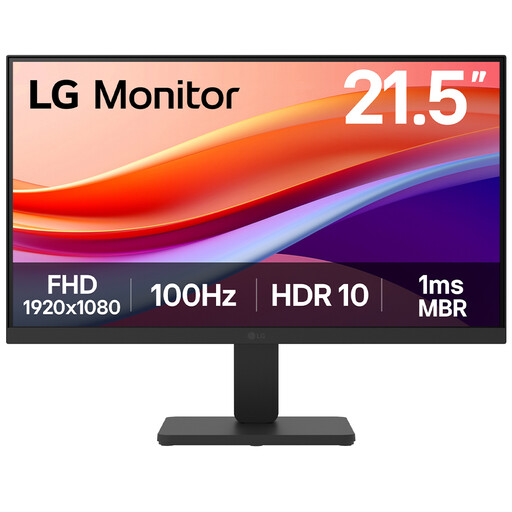
Consider the 22-inch size when leaving desk space around the screen takes priority. The title lists a VA panel, 100Hz refresh rate and HDMI; check that your device has a suitable connection and that the stand leaves room for your keyboard.
 No image available
The 24.5-inch size may suit a compact gaming setup if you prefer a curved screen. Its title lists a 3000R curve, 100Hz refresh rate, HDMI and FreeSync; check the stand footprint and confirm the mount pattern against the arm you intend to use.
 No image available
Consider this 24-inch model if screen positioning and desktop work matter alongside casual gaming. Check its stand dimensions against your desk and confirm the refresh rate for the exact listing before relying on it for faster games.
 No image available
Consider this larger screen if your desk can accommodate it and you want QHD resolution for card text and other windows. Its title lists a 2560 × 1440 Fast IPS panel and 220Hz refresh rate; confirm the dimensions with stand, its adjustment options and the settings your device can deliver.
Choose a 24-inch-class Full HD screen if space for cards and input devices is the limiting factor; consider 27-inch QHD if you can fit its stand and want more pixels for detailed interfaces. Measure the complete stand and consider where you normally sit before deciding by screen diagonal.
A 180Hz specification need not drive a purchase primarily for turn-based deck-building. If you also play faster games, check which resolution and refresh rate your device, port and cable support; an overclocked maximum may have model-specific requirements.
Aim for a position that leaves room for your keyboard and allows a comfortable viewing distance. For display-screen work, the Health and Safety Executive advises placing the top of the screen around eye level and the screen about an arm’s length away; a suitable adjustable stand or compatible arm can help where the desk and chair do not align.
For Great Britain, Department for Business and Trade guidance dated 21 August 2026 says CE marking continues to be recognised alongside or in place of UKCA marking where the relevant product requirements are met. That guidance applies to England, Scotland and Wales; for Northern Ireland, confirm the applicable marking route for the specific monitor with the seller or manufacturer.
Check the retailer’s take-back arrangements or your local authority’s electrical-waste collection route rather than putting a monitor in ordinary household waste. UK government guidance treats electrical and electronic equipment under waste rules intended to support recovery, reuse and recycling.