
24/7 Customer Support

Free returns

Same-day & Next-day Delivery

Quality Guaranteed

Unlock Your Welcome Offers: FREE Delivery | Up to 80% OFF | Free 30-day JoyPlus trial
Download the APP
Choosing computer monitors in the UK can feel more complicated than it should be. Refresh rates, panel types, colour coverage, USB-C charging and ergonomic stands all affect the buying decision, but marketing language can make modest differences sound essential.
A sensible purchase starts with your actual workload. A student writing essays may not need the same screen as a photographer, while a casual gamer will value different features from someone building a home office.
A 100Hz monitor can make scrolling and general movement appear smoother than a 60Hz display. However, a 180Hz gaming monitor is mainly useful when your computer or console can produce high frame rates. If your system cannot output enough frames, the extra refresh-rate capability may offer limited practical value.
An IPS monitor generally offers wide viewing angles and consistent image appearance, but panel type alone does not guarantee accurate colour. For design, photography or video editing, check measurable details such as sRGB coverage, factory calibration and supported colour standards.
A monitor may look suitable until you discover that it lacks the connection required by your laptop. HDMI and DisplayPort cover many desktop setups, while a USB-C monitor may carry video, data and power through one cable. Also check whether the stand offers only tilt or includes height, swivel and pivot adjustment.
A 24-inch monitor is a practical fit for many UK desks, student rooms and compact home offices. Full HD, or 1920 × 1080, is usually sufficient for documents, web browsing, video calls and everyday entertainment at this size.
Some professional displays use 1920 × 1200 or 2560 × 1440. The taller 16:10 format provides additional vertical workspace, while Quad HD offers finer detail. These specifications can be useful for editing timelines, spreadsheets and design tools, but they may require more graphics performance.
An IPS monitor is generally suited to shared workspaces, colour-sensitive tasks and multi-monitor arrangements because viewing angles are typically broad. A VA monitor can provide a higher stated contrast ratio and deeper-looking blacks, which may benefit films and casual gaming.
Neither panel type is automatically suitable for every buyer. Compare brightness, colour coverage, response time and connectivity alongside the panel technology.
A 60Hz display refreshes the image 60 times per second, while 75Hz and 100Hz options can make pointer movement and scrolling feel more fluid. Gaming users should also look at response-time figures and adaptive-sync support. The stated response time can vary according to the measurement method, so treat it as one specification rather than a guarantee of identical real-world performance.
For long office sessions, prioritise an ergonomic monitor with height, tilt, swivel and pivot adjustment. You should be able to position the top of the screen close to eye level without raising your shoulders.
Low-blue-light and flicker-free modes may support a more comfortable viewing setup, but they do not replace sensible brightness, suitable room lighting and regular breaks. Check the product’s energy label and typical power consumption if the display will be used for many hours each day.
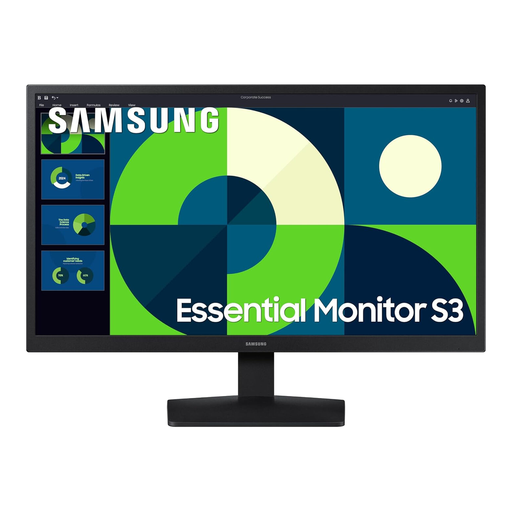
Why This Fits Their Persona: A straightforward 24-inch option for students, first-time buyers and home-office users who need Full HD resolution without an extensive feature list.
Its specifications clearly identify a 75Hz refresh rate, HDMI and VGA inputs, rather than implying premium gaming performance.
VA panel, 3000:1 stated contrast ratio, Eye Saver Mode and 14W typical power consumption.
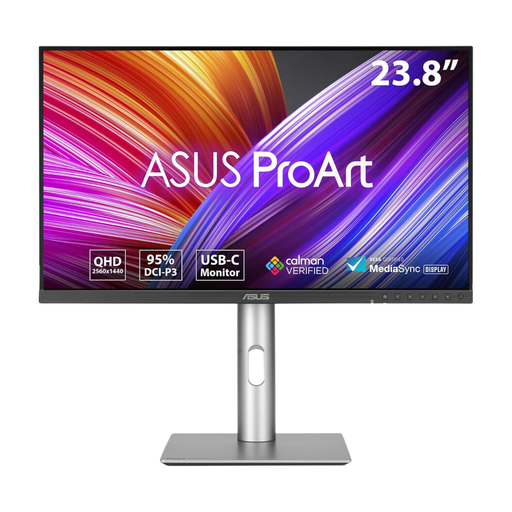
Why This Fits Their Persona: A creator-focused choice for photographers, graphic designers and video editors who need detail, colour tools and one-cable laptop connectivity.
It provides listed calibration information, Quad HD resolution and a 96W USB-C Power Delivery specification instead of relying only on colour-related wording.
2560 × 1440 IPS display, Calman Verified factory calibration and adjustable stand with pivot.
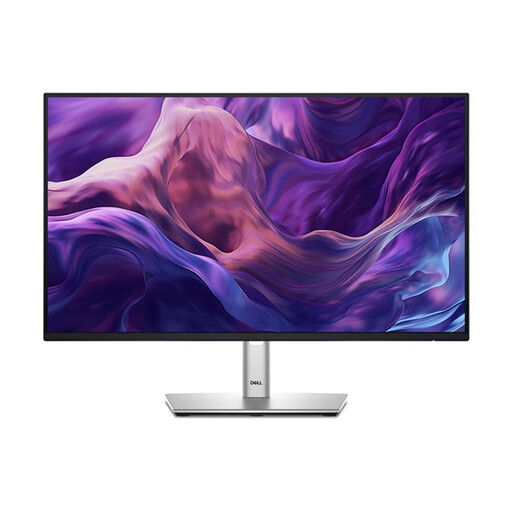
Why This Fits Their Persona: Suitable for hybrid workers and professionals who spend long periods switching between documents, spreadsheets, meetings and web pages.
The specification lists HDMI, DisplayPort, USB-C and VGA, helping buyers check compatibility before ordering.
100Hz IPS panel, 99% sRGB specification and height, tilt and swivel adjustment.
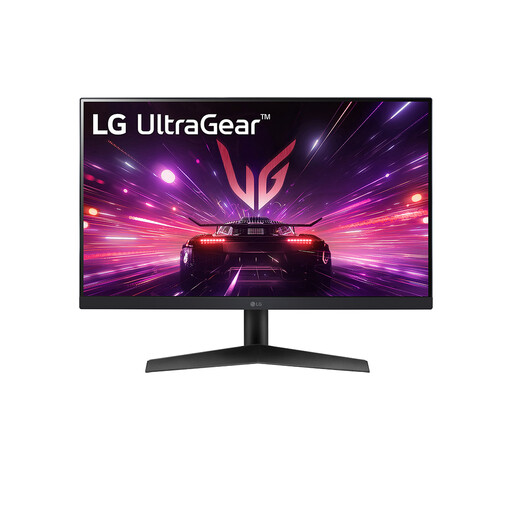
Why This Fits Their Persona: Designed for PC gamers who can take advantage of a high refresh rate and want a compact Full HD display with a small footprint for a gaming setup.
The 180Hz capability is paired with stated DisplayPort and HDMI connectivity, so buyers can check their graphics hardware and cable requirements.
23.8-inch IPS Full HD display, 180Hz refresh rate, 1ms stated response time and adaptive-sync compatibility.
We have compiled a complete, real-time list of products that fully satisfy these strict selection criteria and UK safety regulations.
For most office tasks, yes. A 24-inch Full HD monitor provides useful space for documents, browsers and video calls while offering a small footprint. If you regularly manage wide spreadsheets or several editing panels, consider a second display or a 24.1-inch 16:10 model.
Power use depends on the model, brightness and settings rather than refresh rate alone. Check the manufacturer’s typical consumption and the UK energy label where available. Lowering brightness and switching the monitor off when it is not needed can reduce unnecessary consumption.
Lifespan varies with usage, operating temperature, power conditions and construction. Keep ventilation clear, avoid moisture and direct sunlight, use suitable cables and clean the panel with a soft dry cloth. Before buying, also check the retailer’s warranty, returns process and available support.