
24/7 Customer Support

Free returns

Same-day & Next-day Delivery

Quality Guaranteed
Download the APP
Categories
As our work habits evolve, the centre of the home office—the monitor—has become more important than ever. Staring at a screen for eight hours a day can lead to eye strain, and a cluttered desk full of cables can hinder productivity. Choosing the right display isn't just about size; it's about finding a tool that enhances comfort, connectivity and efficiency for your daily tasks.
This guide is designed to help you navigate the key features of modern displays. As a Joybuy Product Recommendation Officer, my role is to filter through the specifications and marketing jargon to provide clear, practical advice, helping you find a 24 inch office monitor that genuinely suits your professional needs.
Selecting a monitor involves more than just picking a screen size. Here are a few key considerations to help you make an informed decision.
For years, Full HD (1920x1080) has been the standard. It offers crisp text and clear images, making it a solid choice for general office work. However, the aspect ratio is just as important. Most monitors use a 16:9 ratio, which is great for watching videos. For productivity, a WUXGA 16:10 monitor (1920x1200) provides more vertical screen space. This extra height means you can see more of a document or spreadsheet at once, reducing the need for constant scrolling.
A standard monitor refreshes its image 60 times per second (60Hz). A 100Hz business monitor refreshes 100 times per second, resulting in noticeably smoother motion when you scroll through web pages, documents or spreadsheets. This can make the entire user experience feel more fluid and responsive.
Equally important is an eye comfort monitor. Look for features like TUV-certified low blue light technology (such as Dell's ComfortView Plus) and flicker-free screens. These technologies are designed to reduce eye strain during long work sessions, which is a crucial feature for anyone working from home full-time.
A modern office monitor should offer versatile connection options. While HDMI and DisplayPort remain essential, a monitor with USB-C is a significant upgrade for a clean and efficient workspace. A single USB-C cable can often handle video, data transfer and even charge your laptop, eliminating the need for multiple cables and a separate power brick.
Here are a few standout models that balance performance, comfort and value for professional use.
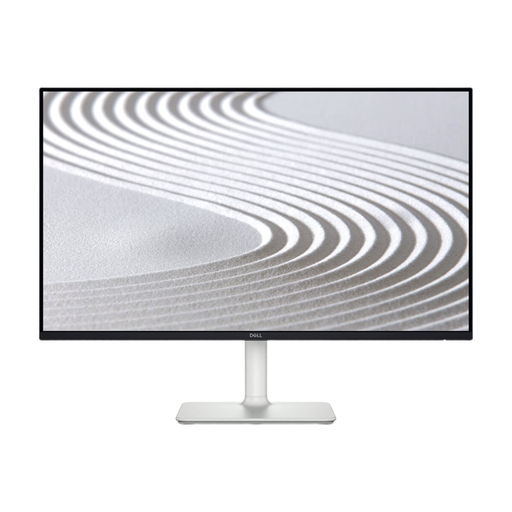
Why It Stands Out The Dell S2425H is a strong contender for a general-purpose home office. It combines a quality Full HD IPS monitor panel with a smooth 100Hz refresh rate and the added convenience of built-in speakers, making it a great all-in-one solution for work and light entertainment.
Pros:
Who is it for? This monitor is ideal for professionals and students who need a reliable display for daily tasks like document editing, web browsing and video calls, and who appreciate the simplicity of built-in audio.
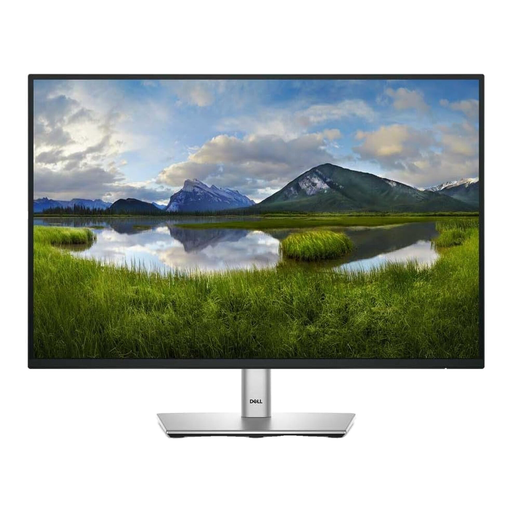
Why It Stands Out The Dell P2425 is built for productivity. Its WUXGA 16:10 monitor aspect ratio provides that valuable extra vertical screen real estate, while its extensive connectivity options, including a built-in USB hub, make it a true workspace command centre.
Pros:
Who is it for? This is an excellent choice for multitaskers, programmers and data analysts who work with long documents or multiple applications and can benefit from the extra vertical space and streamlined connectivity.
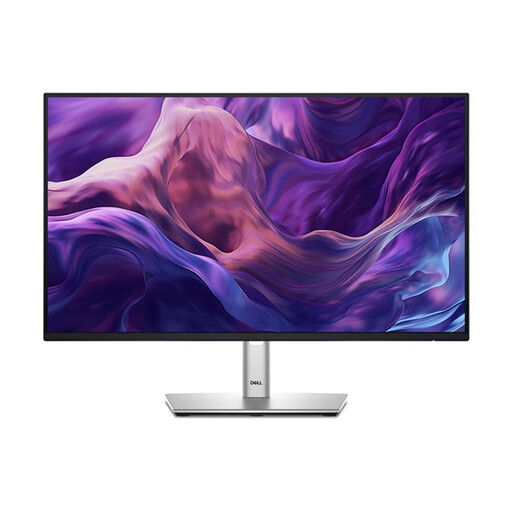
Why It Stands Out The Dell P2425H is a superb all-round professional display that places a strong emphasis on viewing comfort and modern connectivity. It combines a 100Hz refresh rate with ComfortView Plus technology, making it a leading eye comfort monitor for those who spend long hours at their desk.
Pros:
Who is it for? This Dell 24 inch monitor is perfect for any professional who prioritises eye health and a clean, modern workspace. Its combination of comfort features and versatile connectivity makes it a fantastic choice for all-day use.
If the models above don't quite match what you're looking for, or if you're interested in exploring different sizes, resolutions or feature sets, we have a wider selection available.
️ Explore our full range of LCD monitors at Joybuy
Yes, a 24-inch monitor is widely considered a comfortable and effective size for most office tasks. It provides ample screen real estate for viewing documents and applications without overwhelming your desk space. It's also an ideal size for dual-monitor setups, allowing you to place two screens side-by-side for enhanced multitasking.
While often associated with gaming, a 100Hz refresh rate is certainly noticeable and beneficial for office work. It delivers significantly smoother scrolling in documents, spreadsheets and web pages compared to a standard 60Hz monitor. This fluidity can reduce perceived choppiness and contribute to a more pleasant and comfortable viewing experience over a long day.
The primary benefit of a monitor with USB-C is its ability to simplify your workspace. For compatible laptops, a single USB-C cable can transmit video, transfer data (for built-in USB hubs) and deliver power to charge your device simultaneously. This "single-cable solution" dramatically reduces cable clutter and makes connecting and disconnecting your laptop quick and easy.