
24/7 Customer Support

Free returns

Same-day & Next-day Delivery

Quality Guaranteed

Unlock Your Welcome Offers: FREE Delivery | Up to 80% OFF | Free 30-day JoyPlus trial
Download the APP
As a Joybuy Product Recommendation Officer, my role is to help you navigate the crowded market of gaming hardware. The jump to a 240Hz gaming monitor is a significant upgrade, promising a level of smoothness that can give you a real competitive edge. However, the marketing around these high-performance displays is filled with technical jargon and claims that can easily lead to a disappointing purchase.
Before you invest, it's crucial to understand the common pitfalls. Many buyers are drawn in by a headline feature, only to find the monitor has a hidden flaw that compromises the entire experience. Here are the three most common traps to avoid.
To make an informed choice, focus on the specifications that truly define performance. Here’s what you need to check before adding a monitor to your basket.
The main decision is balancing visual detail (resolution) with motion smoothness (refresh rate).
The technology behind the screen dictates its visual characteristics.
Screen tearing occurs when your graphics card's frame output is out of sync with your monitor's refresh cycle. Adaptive Sync technology solves this.
We've filtered the market based on these critical parameters to match different types of gamers. These recommendations avoid the common pitfalls and deliver on their promises.
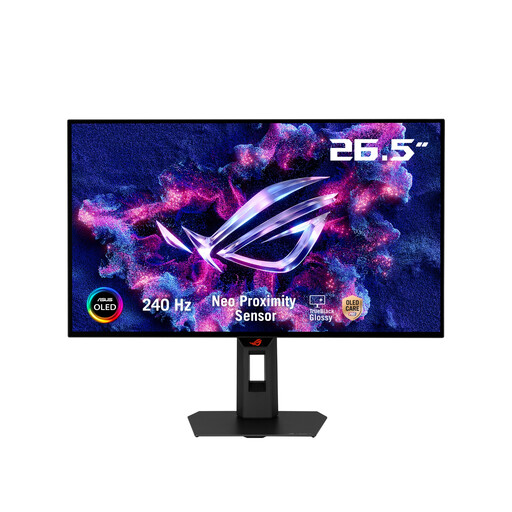
Why This Fits Their Persona: This user prioritises motion clarity and response time above all for games like Valorant or Apex Legends. The 27-inch QHD format is a tournament standard and the WOLED panel provides the near-instantaneous pixel response needed to track fast-moving targets without blur. The glossy finish enhances perceived sharpness.
It features a true 0.03ms GtG response time, not a misleading MPRT figure. The WOLED panel is specifically chosen for its motion clarity, avoiding the smearing issues of slower VA panels. It includes both HDMI 2.1 and DP 1.4 for full bandwidth.
Extreme motion clarity from the 240Hz/0.03ms OLED panel. The TrueBlack Glossy finish provides superior image sharpness compared to matte screens.
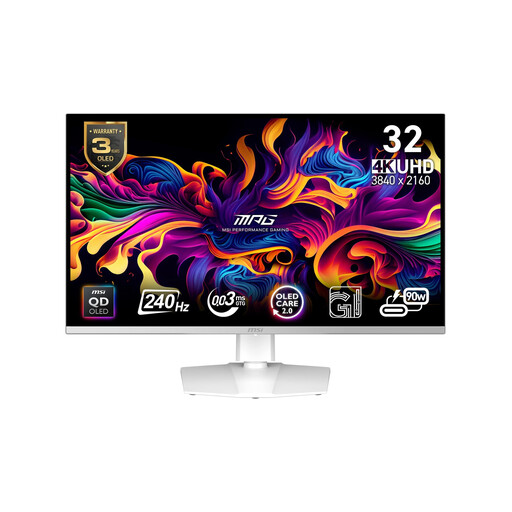
Why This Fits Their Persona: This user wants breathtaking visuals for single-player epics and cinematic games. The 32-inch 4K gaming monitor with a QD-OLED panel delivers incredible detail, perfect blacks and vibrant HDR highlights that bring game worlds to life. It's also great for content creation thanks to its 99% DCI-P3 colour coverage.
It provides the necessary HDMI 2.1 and DisplayPort 1.4a ports to run 4K at 240Hz without compromise. The QD-OLED panel offers a true 0.03ms GtG response, ensuring no ghosting even in visually dense scenes.
Stunning 4K UHD resolution on a QD-OLED panel for superior colour and contrast. Excellent connectivity includes USB-C with 90W Power Delivery for a single-cable laptop setup.
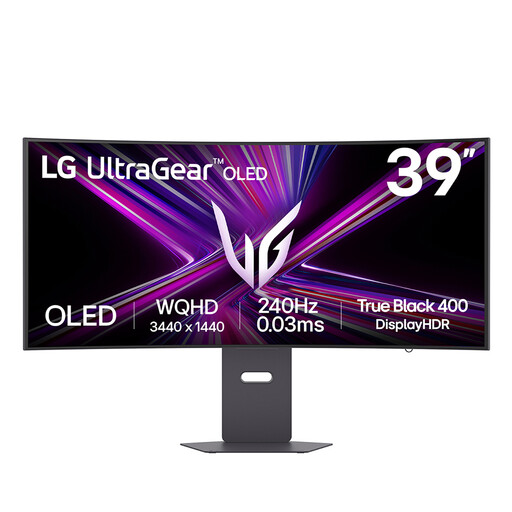
Why This Fits Their Persona: For those who play racing sims, flight simulators or RPGs, the expansive 21:9 aspect ratio and aggressive 800R curve of this ultrawide gaming monitor provide an unmatched field of view. The 39-inch screen completely fills your peripheral vision for maximum immersion.
As a curved gaming monitor with an OLED panel, it avoids the black smearing and slower response times that can plague VA ultrawides. It is both a G-Sync compatible monitor and supports FreeSync Premium Pro, ensuring smooth performance on any GPU.
A highly immersive 39-inch, 800R curved OLED panel. It also features comprehensive connectivity, including USB-C with 65W power delivery for connecting peripherals and laptops.
We have compiled a complete, real-time list of products that fully satisfy these strict selection criteria and UK safety regulations.
For the most part, no. Current consoles like the PlayStation 5 and Xbox Series X have a maximum output of 120Hz, which requires an HDMI 2.1 monitor. While a 240Hz monitor will work perfectly fine at 120Hz, you will not be able to use its full refresh rate with a console. However, these high-end monitors often come with superior panels (like OLED) and HDR performance that still provide a noticeable visual upgrade for console gaming. They are a good choice if you split your time between console and a high-end PC.
Modern OLED gaming monitors have a much longer lifespan than early models. They include sophisticated features like pixel shifting, static logo detection and scheduled pixel cleaning routines to mitigate the risk of burn-in (permanent image retention). Burn-in is caused by displaying a static, high-contrast image (like a taskbar or in-game HUD) for thousands of hours. For typical gaming and desktop use and by enabling the built-in protection features, the risk is significantly reduced. Many manufacturers now also offer specific warranty coverage against burn-in for a period of time.
Yes, the cable is absolutely critical. To achieve 240Hz, especially at QHD or 4K resolutions, you must use a high-bandwidth cable. For most monitors, this means using a certified DisplayPort 1.4 or HDMI 2.1 cable. The cable included in the box with a quality monitor is typically rated for its maximum performance. Using an older or lower-spec cable will likely limit your refresh rate and prevent you from getting the performance you paid for.