Detail-first settlement builders
If you regularly read build menus and resource panels while moving around a map, a compact QHD screen is worth considering when your PC can run the game comfortably at that resolution.


For a small student-room desk, choose a compact QHD monitor if denser settlement maps, menus and coursework detail matter most and your PC runs your games satisfactorily at 2560 × 1440. Choose Full HD if a less demanding resolution matters more; whichever route you take, check the stand, desk space and connections before ordering.
If you regularly read build menus and resource panels while moving around a map, a compact QHD screen is worth considering when your PC can run the game comfortably at that resolution.
A 23.8-inch Full HD gaming monitor keeps the resolution less demanding than QHD. High-refresh models exist at this size, but the frame rate you see still depends on your computer and game settings.
When one screen serves coursework, reading and games, its position on the desk, stand adjustment and connections can matter as much as its gaming specifications.
Decide whether map and text detail or a less demanding gaming resolution comes first. Then check whether the monitor will fit and connect to the devices you use.
| Concern | What to check | Who this matters to |
|---|---|---|
| Map and text detail | Compare native QHD at 2560 × 1440 with Full HD at 1920 × 1080; check how your PC runs your games at QHD. | I spend time reading small build menus and want room for coursework on the same compact screen. Around 36% of consumers put denser visual detail first. |
| Desk fit and positioning | Measure usable width and depth, including the stand; check its adjustments or the monitor and mount’s VESA compatibility. | A shallow desk leaves me little room to position the screen comfortably during study and play. Roughly 29% of consumers make desk fit and positioning their primary concern. |
| Gaming demands | Check game performance at native resolution and the refresh rate supported by your computer’s chosen connection. | My PC may struggle with QHD, but I still want a compact screen for smoother game motion when it can deliver the frames. Around 21% of consumers prioritise this balance. |
| Shared-device connections | Match each computer or console output to the monitor’s inputs; confirm any USB-C video or USB features you intend to use. | One monitor needs to work with my study device as well as my gaming setup. About 14% of consumers put device connectivity first. |
A monitor rated at 180Hz cannot make a computer render 180 frames per second. Moving from Full HD to QHD also gives the graphics hardware more pixels to render.
Choose a native resolution your PC can use satisfactorily in your games, then check which refresh rates its connection supports.
Two compact monitors can take up different amounts of desk space and offer different adjustments. A tilt-only stand may not put the screen where you need it.
Measure the desk and compare stand depth and adjustment before ordering. If you plan to mount the screen, check its VESA pattern, weight and the mount’s load rating.
Positioning the screen may require a separate arm or riser.
An available socket does not by itself confirm the resolution, refresh rate or USB functions you want. Gigabyte specifies a USB A-to-B connection for the G24F 2’s OSD Sidekick feature.
Match your device’s output to the monitor’s input and confirm the supported mode and required cable before ordering.
Reading modes are not a substitute for arranging the monitor and desk to suit you. The UK Health and Safety Executive advises placing the screen directly in front of you, roughly an arm’s length away, with its top around eye level.
Treat display modes as a preference, and make sure the stand or intended mount lets you position the screen appropriately.
A compact QHD gaming route: the Q24G4RE is listed with 2560 × 1440 resolution, 180Hz refresh and 100 × 100 mm VESA mounting.
A compact Full HD gaming route: ASUS UK lists the VG249Q3A as a 23.8-inch, 180Hz Fast IPS monitor.
LG UK lists the 24GS60F-B as a 23.8-inch Full HD IPS gaming monitor with a 180Hz refresh rate.
Gigabyte UK specifies the 23.8-inch Full HD G24F 2 with 165Hz refresh, overclocked 180Hz and 130 mm height adjustment.
A study-first Full HD alternative: BenQ lists the 23.8-inch GW2490 at 100Hz with ePaper and Coding modes.
These compact screens include QHD for detail, WUXGA models oriented towards study and a Full HD high-refresh gaming model. Check each model against the resolution, stand and connections your setup needs.
 No image available
Consider this QHD option if map, menu and coursework detail matter more than a confirmed high-refresh gaming mode.
QHD IPS display. Check its refresh rate before ordering if gaming motion is a priority, and confirm that your laptop supports the USB-C functions you intend to use.
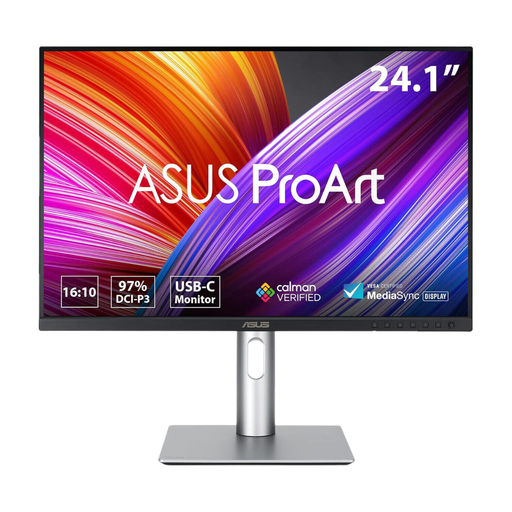 No image available
Consider this WUXGA screen when coursework and a repositionable desk setup take precedence over high-refresh gaming.
WUXGA IPS display. Its listed maximum refresh rate is 75Hz; check your device and cable compatibility for the connections you plan to use.
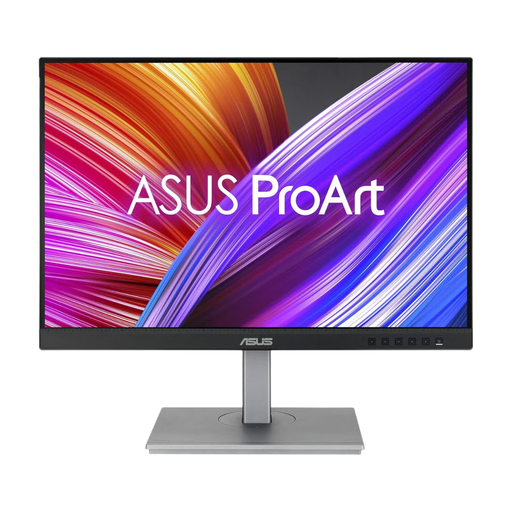 No image available
This WUXGA option suits a desk shared between document work and occasional gaming when stand adjustment matters.
WUXGA IPS display. Its listed maximum refresh rate is 75Hz, rather than a 144–180Hz gaming mode; confirm compatibility before relying on USB-C video or power functions.
 No image available
Consider this compact study-oriented option if the screen will serve coursework as well as games.
24-inch model. Confirm the P2425’s refresh rate for your intended gaming mode before ordering, and match its connections to your computer.
 No image available
Consider this Full HD gaming option if a less demanding resolution and high stated refresh rate suit your PC better than QHD detail.
24-inch, 1500R curved VA display with a stated 180Hz refresh rate. The stand is described as tilt-adjustable; check screen positioning and the exact HDMI port count before ordering.
A roughly 24-inch screen is a compact choice for a student-room desk, provided it leaves you a suitable viewing distance. At that size, choose QHD when denser map and menu detail matters and your PC can handle it; choose Full HD when lower graphics demand matters more.
Choose QHD if your PC runs your chosen games satisfactorily at 2560 × 1440 and you want more pixels for maps, menus and coursework. Full HD at 1920 × 1080 is less demanding to render, but a monitor’s high refresh-rate rating does not guarantee matching game frame rates.
Place it directly in front of you, roughly an arm’s length away, with the top near eye level, as advised by the UK Health and Safety Executive. If the stand cannot reach a useful position, check the monitor’s mounting pattern and weight against any arm you plan to use.
No. Reading and low-blue-light modes are display features, not substitutes for positioning the screen appropriately and taking breaks. The UK Health and Safety Executive’s workstation guidance still matters when you use the same desk for study and games.
Faults and change-of-mind cancellations are different routes. GOV.UK says UK sellers must offer a full refund for goods that are faulty, misdescribed or do not do what they are supposed to do; for an online purchase, it also says customers generally have 14 days after receipt to tell the seller they want to cancel. Check which conditions apply to your order and how to start the return.