
24/7 Customer Support

Free returns

Same-day & Next-day Delivery

Quality Guaranteed

Unlock Your Welcome Offers: FREE Delivery | Up to 80% OFF | Free 30-day JoyPlus trial
Download the APP
A 27-inch gaming monitor can be a practical size for a UK gaming desk: large enough for immersive play, yet compact enough for most bedrooms, home offices and multi-screen setups. However, the headline specification does not always tell the full story.
A monitor advertised with a very low response time may only achieve that figure under a particular measurement mode. A high refresh rate is useful only if your graphics card can produce enough frames. Meanwhile, a display with impressive HDR branding may offer limited real-world impact if its brightness and contrast are modest.
This guide explains the specifications worth checking and matches several options to different types of buyer.
A quoted figure such as 0.03ms or 0.5ms can look more important than the panel technology, but response-time figures are not always measured in the same way. Check whether the specification says GtG, whether it is marked as a minimum and whether the monitor has suitable overdrive settings.
For many buyers, a well-tuned IPS gaming monitor with a 0.5ms GtG rating can provide clear motion without paying for OLED. OLED models can offer faster pixel transitions, but they usually cost more and require attention to panel-care features.
A 240Hz gaming monitor, 320Hz gaming monitor or 500Hz model needs a computer capable of producing high frame rates. In demanding games, a mid-range graphics card may not reach those figures at 1440p.
If your system normally produces between 100 and 180 frames per second, a 180Hz gaming monitor may provide a more sensible balance. Console users should also check the supported output: PlayStation 5 and Xbox consoles commonly target up to 120Hz, rather than 240Hz or 320Hz.
HDR performance depends on brightness, contrast, local dimming and the type of panel. An HDR gaming monitor with an entry-level certification may not create the same highlight intensity or shadow depth as an OLED display.
QD-OLED and OLED panels can produce very deep blacks because individual pixels can switch off. IPS panels typically offer wide viewing angles and consistent colour, while VA panels can provide a higher native contrast ratio. Choose according to your games, room lighting and everyday use rather than the label alone.
For a 27-inch monitor, 2560 × 1440, also called QHD or 1440p, is a useful middle ground between image detail and graphics demand. A QHD gaming monitor provides more desktop space than Full HD without requiring the same rendering power as 4K.
Check the connection used for the highest refresh rate. For example, the MSI MAG 274QF supports WQHD at 180Hz through DisplayPort and up to 144Hz through HDMI 2.0b. This distinction matters when switching between a gaming PC, laptop and console.
Refresh rate indicates how many times per second the screen can update. Higher figures can make camera movement and scrolling appear smoother, provided the connected device can supply the required frame rate.
Adaptive-Sync, FreeSync and G-SYNC Compatible technologies synchronise the monitor’s refresh rate with compatible graphics hardware. This can help reduce visible tearing and stuttering when frame rates fluctuate. Confirm compatibility with your graphics card and enable the feature in both the monitor menu and system settings.
For everyday use, also check the number and type of ports. HDMI 2.1 is useful for compatible consoles and high-refresh PC connections, while USB-C may be convenient for laptops if it supports video and power delivery.
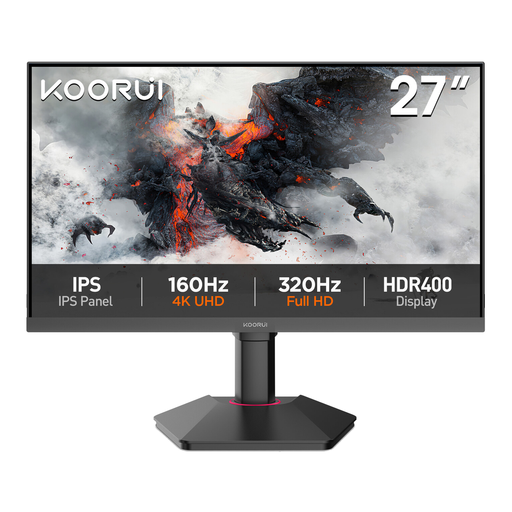
Why This Fits Their Persona: A practical starting point for UK users who want QHD detail for gaming, study and office work without prioritising extreme refresh rates.
Its 75Hz refresh rate is clearly specified, helping buyers avoid paying for a refresh rate their hardware may not use.
27-inch QHD IPS panel, 99% sRGB coverage, Adaptive-Sync, HDMI, DisplayPort and VGA.
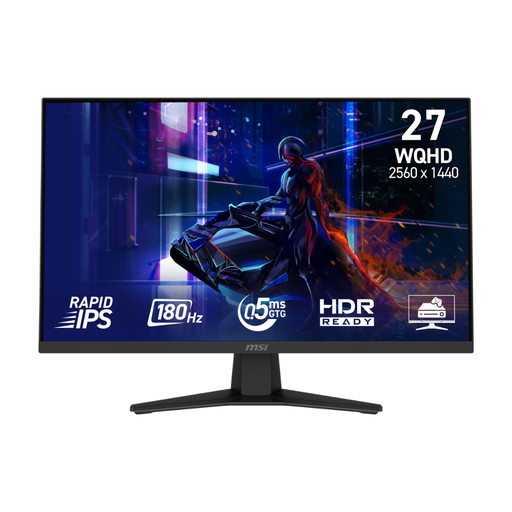
Why This Fits Their Persona: Suitable for PC gamers who also connect a console, stream media or use the same display for work.
The connection limits are stated separately: 180Hz via DisplayPort and 144Hz via HDMI, making setup expectations clearer.
WQHD Fast IPS panel, 180Hz refresh rate, 0.5ms GtG minimum response time and console VRR support.
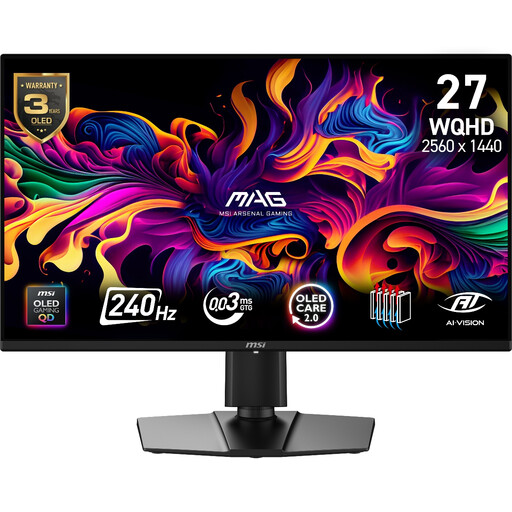
Why This Fits Their Persona: A strong match for buyers seeking QD-OLED contrast and colour alongside high-speed PC and console gaming.
OLED Care 2.0, pixel-shift functions and a listed three-year warranty including panel burn-in coverage address key OLED ownership concerns.
240Hz refresh rate, 0.03ms GtG response time, 99% DCI-P3 coverage and HDMI 2.1 console support.
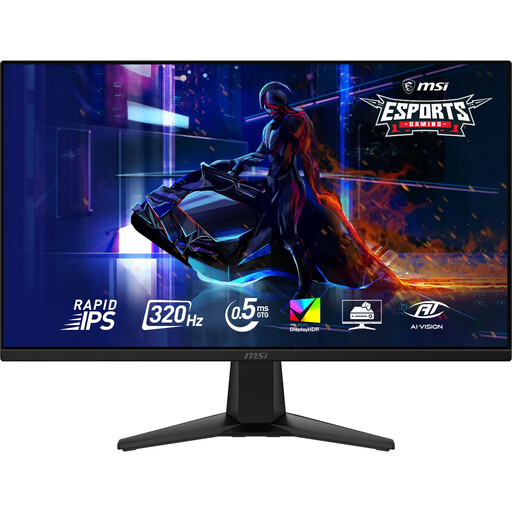
Why This Fits Their Persona: Designed for competitive PC players with hardware capable of delivering very high frame rates at 1440p.
Its 320Hz specification is paired with a Rapid IPS panel and 0.5ms GtG rating, giving buyers more context than a refresh-rate figure alone.
WQHD resolution, 320Hz refresh rate, VESA DisplayHDR 400, Adaptive-Sync and PS5/Xbox VRR support.
We have compiled a complete, real-time list of products that fully satisfy these strict selection criteria and UK safety regulations.
Yes, provided the monitor supports the console’s output modes. Check for HDMI 2.0 or HDMI 2.1, 120Hz support and VRR compatibility. A monitor may support 1440p at a high refresh rate on PC but offer a different limit through HDMI.
Potentially, although consumption varies by panel, brightness, HDR mode and connected USB devices. OLED models and larger displays can have different power requirements from IPS models. Check the manufacturer’s typical power figure and disable unnecessary USB charging when it is not needed.
Lifespan depends on usage, heat, power conditions and panel type. Keep firmware and protective functions updated, avoid blocking ventilation and use OLED-care features where provided. For any product, review the stated warranty and panel coverage before purchase, particularly when comparing an OLED gaming monitor with an IPS model.