
24/7 Customer Support

Free returns

Same-day & Next-day Delivery

Quality Guaranteed

Unlock Your Welcome Offers: FREE Delivery | Up to 80% OFF | Free 30-day JoyPlus trial
Download the APP
A 27-inch gaming monitor can suit a wide range of UK setups, from a compact bedroom desk to a dual-purpose home office. It offers more working space than a 24-inch screen without taking up as much room as many 32-inch models. However, the specification sheet can make similar-looking monitors appear more alike than they are.
A high refresh rate may be wasted if your graphics card cannot produce matching frame rates. An advertised response time may only apply under a specific setting. OLED screens can deliver deep contrast, but buyers should understand panel-care requirements before committing. The right choice depends on how you play, work and connect your devices.
A 240Hz gaming monitor, 280Hz gaming monitor or 500Hz gaming monitor can display more frames per second than a 75Hz or 144Hz model. Yet your PC needs to render those frames, and the connection must support the required resolution and refresh rate.
For example, the MSI MAG 272QP QD-OLED X50 lists 500Hz at WQHD, while the MAG 275QF X32 lists 320Hz. These specifications are most relevant to competitive PC gaming with suitably powerful hardware. For a console, the listed support is up to 120Hz at 1440p on compatible models, so buying a 500Hz display solely for PS5 or Xbox use may not offer practical value.
A 0.03ms response time monitor generally refers to an OLED panel’s quoted GtG figure. IPS, VA and OLED technologies handle pixel transitions differently, while “minimum” response times may depend on an overdrive mode.
Look for the measurement type, refresh-rate conditions and whether Adaptive-Sync is supported. A monitor with a quoted 0.5ms response time, such as the MSI MAG 274QF or MAG 275QF X32, may still provide suitable motion clarity for many players without the cost or maintenance considerations of OLED.
HDR support alone does not describe brightness, contrast or local dimming performance. A basic HDR-compatible IPS panel will not produce the same dark-scene contrast as a QD-OLED monitor. Check the stated brightness, certification and panel technology together.
OLED models also require sensible use. Features such as pixel shift, panel protection and static-screen detection can help manage image retention risk, but buyers should follow the manufacturer’s care instructions and review warranty terms.
For most 27-inch screens, QHD or 1440p resolution means 2560 × 1440 pixels. This provides more desktop space and sharper text than Full HD at the same size. It can be a useful middle ground for gaming, editing and office work.
A 27-inch Full HD monitor, such as the KOORUI MB27V29FS2, can still suit basic browsing, streaming and casual gaming. However, text and fine interface details may appear less defined than on a QHD monitor. If you are comparing a 24-inch to a 32-inch monitor, remember that 32-inch QHD has lower pixel density than 27-inch QHD, although its larger physical image can be more comfortable for some users.
A 75Hz monitor can be adequate for office use and casual gaming. A 180Hz model provides visibly smoother motion when the system can deliver higher frame rates, while 240Hz and above are aimed more towards competitive PC play.
An Adaptive-Sync monitor can adjust its refresh rate to the graphics output, helping reduce tearing and stuttering within its supported range. Confirm compatibility with your GPU and use DisplayPort or the appropriate HDMI standard. Console players should check support for 1440p at 120Hz, variable refresh rate and HDMI CEC rather than relying on the monitor’s headline PC refresh rate.
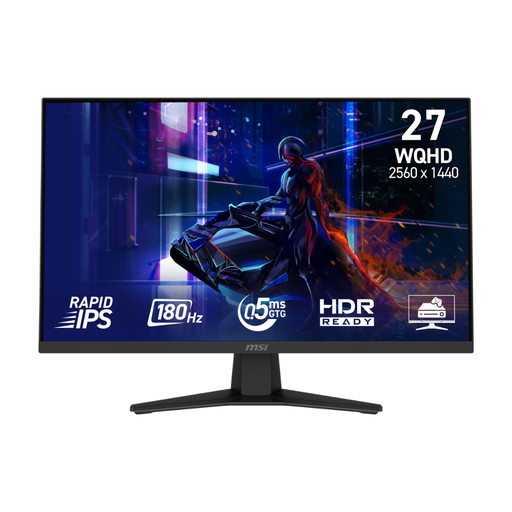
Why This Fits Their Persona: A practical QHD starting point for UK gamers who also use their screen for study, browsing or everyday entertainment.
Its 180Hz rate and 0.5ms GtG minimum figure provide a clear speed specification without requiring an OLED purchase.
2560 × 1440 Rapid IPS panel, Adaptive Sync and HDMI CEC console features.
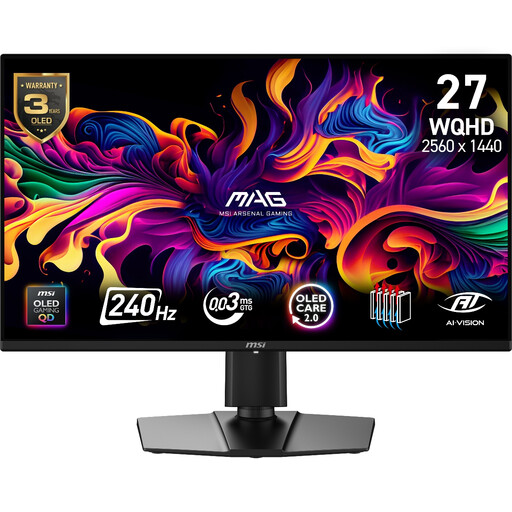
Why This Fits Their Persona: Suits buyers seeking QD-OLED contrast and wide-gamut colour for games, films and occasional creative work.
The specification lists 240Hz, 0.03ms GtG, OLED Care 2.0 and a three-year warranty including panel burn-in.
99% DCI-P3 coverage, 10-bit colour, HDMI 2.1 and full height, swivel, tilt and pivot adjustment.
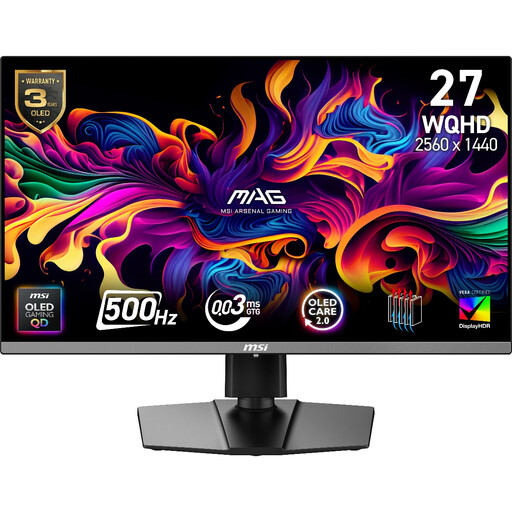
Why This Fits Their Persona: Designed for competitive PC players with hardware capable of producing very high frame rates at QHD.
It clearly states the 500Hz operating rate, connection options and 48–500Hz Adaptive-Sync range, helping buyers check system compatibility.
QD-OLED panel, 99% DCI-P3, VESA DisplayHDR True Black 500 and USB-C with 15W Power Delivery.
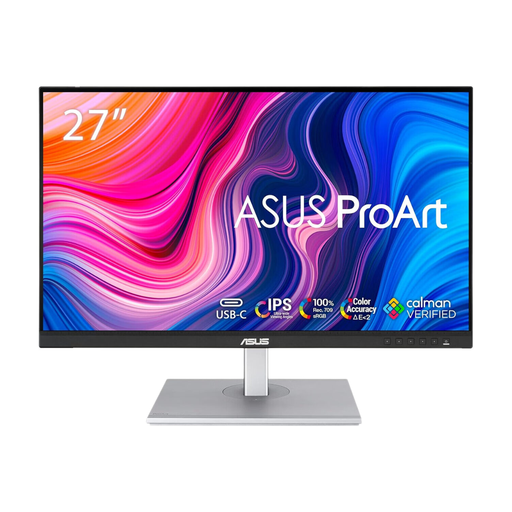
Why This Fits Their Persona: A sensible choice for graphic designers, video editors and home-office users who prioritise colour consistency over esports refresh rates.
It focuses on factory calibration and supported colour standards instead of presenting gaming speed as a substitute for colour accuracy.
QHD IPS display, ΔE < 2 factory calibration, 100Hz refresh rate and height, tilt, swivel and pivot adjustment.
We have compiled a complete, real-time list of products that fully satisfy these strict selection criteria and UK safety regulations.
Yes. A 27-inch QHD or 1440p monitor offers a useful balance between detail, desktop space and graphics demand. It is generally sharper than 32-inch QHD at the same viewing distance, while remaining larger than a 24-inch display.
It can be worthwhile for competitive PC gaming if your system regularly produces frame rates near 240fps. For slower-paced games, office work and most console use, 144Hz to 180Hz may provide a more proportionate balance of cost and performance.
Consumption varies by panel, brightness, HDR mode and connected devices. Check the manufacturer’s typical wattage and energy label where available. OLED brightness management can also affect power use, while using sleep settings and reducing brightness may lower running costs.