
24/7 Customer Support

Free returns

Same-day & Next-day Delivery

Quality Guaranteed

Unlock Your Welcome Offers: FREE Delivery | Up to 80% OFF | Free 30-day JoyPlus trial
Download the APP
A 27 inch monitor has become the go-to size for many UK households, offering a generous amount of screen real estate for work, study and entertainment without overwhelming your desk space. But with so many options available—from high-refresh-rate gaming screens to colour-accurate creative displays—choosing the right one can be a challenge.
Whether you are setting up a home office, upgrading your gaming rig, or need a high-resolution canvas for your creative projects, the right 27 inch computer screen can make all the difference. This guide is designed to help you understand the key features to look for and to highlight a few standout models that cater to different needs and budgets.
Before diving into specific products, let's break down the essential specifications to help you narrow down your search.
The resolution determines the sharpness and clarity of your display. For a 27-inch screen, you have three main choices:
The panel is the heart of the monitor, influencing colour, speed and viewing angles.
Modern monitors do more than just connect to a computer. Consider a smart monitor 27 inch model if you want built-in apps for streaming services like Netflix or YouTube, allowing it to function independently of a PC. Also, look for a monitor with built in speakers for a cleaner desk setup, and check for essential ports like HDMI, DisplayPort and USB-C to ensure compatibility with your devices.
Here are a few recommendations that cater to different users, from the versatile home user to the competitive gamer and the creative professional.
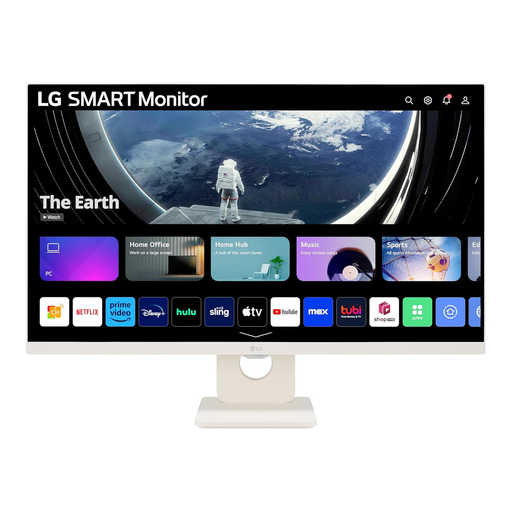
Why It Stands Out: This monitor blurs the line between a traditional display and a smart TV. With LG's webOS 23 built-in, you can stream your favourite shows, access cloud services like Microsoft 365 and control it all with a remote, even without a PC connected. Its smooth 100Hz refresh rate and vibrant IPS panel make it a highly versatile screen.
Pros:
Who is it for? This is an excellent choice for students, home workers, or anyone looking for a single, multi-purpose screen for a bedroom or small office. It combines productivity features with a full-fledged entertainment hub.
View Details for the LG Smart Monitor 27U511SA-W
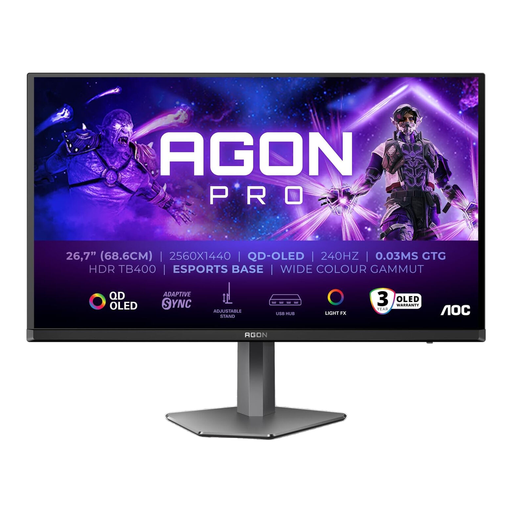
Why It Stands Out: Built for competitive gaming, this monitor leverages a QD-OLED panel to deliver incredible performance. The combination of a blistering 240Hz refresh rate and a near-instantaneous 0.03ms response time provides exceptional motion clarity. The QHD resolution ensures visuals are both sharp and fluid.
Pros:
Who is it for? This is aimed squarely at serious PC and console gamers who demand top-tier performance. If you play fast-paced shooters, racing games, or any title where reaction speed matters, this monitor is designed for you.
View Details for the AOC AGON Pro AG276QZD2
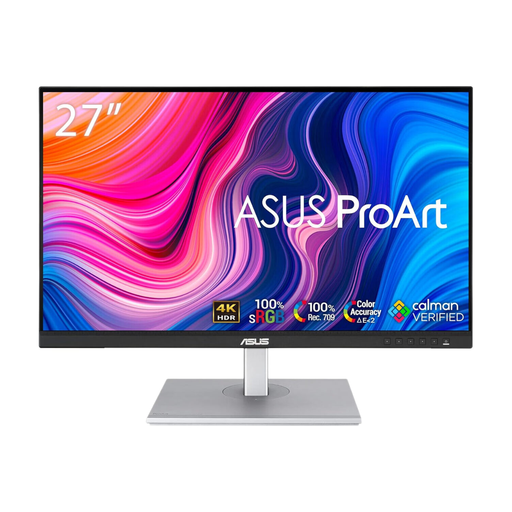
Why It Stands Out: The ASUS ProArt series is designed for content creators, and this model is no exception. It prioritises visual fidelity with a stunning 4K Ultra HD resolution and an IPS panel that is factory-calibrated for outstanding colour accuracy. It’s a tool built for precision work.
Pros:
Who is it for? Photographers, video editors, graphic designers and any professional whose work depends on seeing every detail and true-to-life colour. This is a purpose-built tool for creative workflows.
View Details for the ASUS ProArt PA279CV
While many monitors come with built-in speakers, they often lack the power and clarity for an immersive experience. For richer sound during video calls, gaming, or watching films, a dedicated set of speakers can make a significant difference.
If you want a simple and effective audio solution, explore our range of USB computer speakers for a clutter-free upgrade.
1. Is a 27 inch monitor too big for a home office? For most people, a 27-inch monitor is a great size for a home office. It provides ample space for multitasking—like having a document open next to a web browser—without being overwhelming. It is advisable to have a desk depth of at least 60-70cm to ensure a comfortable viewing distance.
2. Is 1080p resolution good enough for a 27 inch monitor? This depends on your personal preference and primary use. For watching videos and general productivity, 1080p (Full HD) can be sufficient. However, because the pixels are more spread out on a larger screen, text and fine details may not appear as sharp. Many users find that QHD (1440p) offers a noticeable improvement in clarity at this size.
3. What is the main difference between a gaming monitor and a regular 27 inch computer screen? The key differences are performance-related. A 27 inch gaming monitor typically offers a much higher refresh rate (120Hz or more) for smoother on-screen motion and a faster response time (5ms or less) to minimise blur. They also usually include adaptive sync technology (like FreeSync or G-SYNC) to prevent screen tearing during gameplay. A standard monitor often prioritises resolution and colour accuracy over these speed-focused features.