
24/7 Customer Support

Free returns

Same-day & Next-day Delivery

Quality Guaranteed

Unlock Your Welcome Offers: FREE Delivery | Up to 80% OFF | Free 30-day JoyPlus trial
Download the APP
Navigating the world of computer monitors can feel like a minefield of technical jargon and marketing hype. You know you want an upgrade—something sharper than your old screen, smoother for daily tasks and big enough for comfortable multitasking. A 27 inch QHD 100Hz monitor seems to hit that perfect sweet spot, but choosing the right one involves sidestepping a few common pitfalls that can lead to buyer's remorse.
As the Joybuy Product Recommendation Officer, my role is to help you see past the flashy labels and focus on what truly matters for your setup. Many shoppers in the UK end up overpaying for features they don't need or, worse, buying a monitor that fails to deliver on its promises. Let's look at the most frequent traps and how to avoid them.
To ensure you get a monitor that genuinely enhances your productivity and leisure, let's break down the three non-negotiable specifications you must check.
Full HD (1920x1080) on a 27-inch screen can look pixelated and soft. In contrast, 4K (3840x2160) is incredibly sharp but requires a powerful (and expensive) graphics card to run smoothly, especially for gaming. This is where QHD (2560x1440), also known as 1440p, shines. On a 27-inch display, it delivers a crisp, detailed image with significantly more screen real estate for multitasking than Full HD, without the demanding hardware requirements of 4K. It's the ideal balance of clarity, performance and value.
The panel is the heart of your display. For a versatile monitor intended for work, content creation and casual entertainment, a 1440p IPS monitor is the clear front-runner.
For most users, the vibrant, accurate colours of an IPS panel make it the more versatile and reliable choice.
If you use a laptop, a QHD monitor with USB-C can transform your desk into a streamlined, clutter-free workspace. However, you must verify it supports these three functions:
Finally, look for an eye care computer screen with Flicker-Free technology and a Low Blue Light mode. These features reduce eye strain and fatigue during long work or study sessions, making a tangible difference to your comfort.
Instead of a generic list, we've matched our recommendations to specific user needs, ensuring you find a monitor that fits your lifestyle and budget.
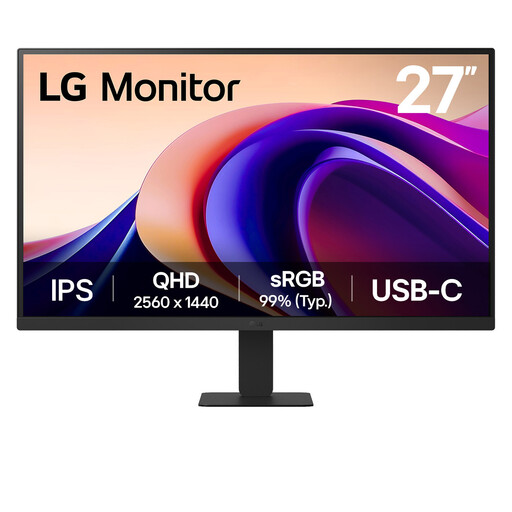
Why This Fits Their Persona: Ideal for the UK remote worker or student who docks their laptop daily. It combines a sharp QHD IPS panel for accurate colour work with the convenience of a single-cable USB-C connection, creating a clean and efficient desk setup. The 100Hz refresh rate makes every interaction, from scrolling spreadsheets to light gaming, feel fluid.
It sidesteps the "Misleading USB-C" trap by offering a functional port for video and data, though its 15W power delivery is best for topping up rather than fully powering high-performance laptops. Its IPS panel avoids the "Panel Technology Oversight" with excellent colour and viewing angles.
Excellent colour accuracy with 99% sRGB coverage and the smooth, responsive feel of a 100Hz refresh rate. Includes Flicker Safe and Reader Mode for enhanced eye comfort.
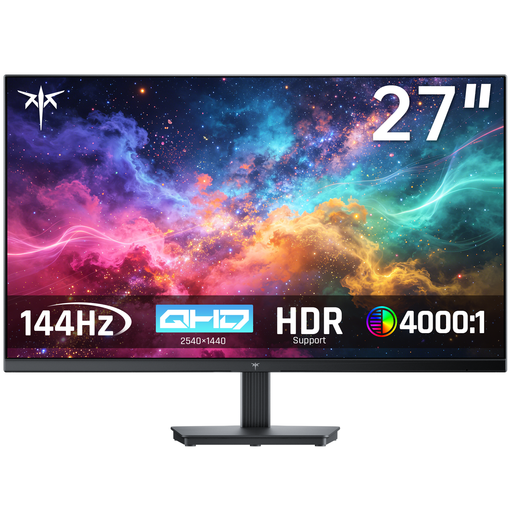
Why This Fits Their Persona: This is for the user who wants the core performance upgrade—QHD resolution and 100Hz smoothness—for both work and a great **casual gaming monitor** experience, without paying for extras like USB-C. It's a practical choice for a desktop PC user or someone who doesn't mind plugging in a separate laptop charger.
This monitor neatly avoids the "Gaming Tax" by focusing on the 100Hz sweet spot, delivering a fluid experience without the high cost of 144Hz+ models. It prioritises core performance over superfluous features, offering excellent value.
Delivers the sought-after 27-inch QHD resolution and 100Hz refresh rate. It also includes HDR10 support and is compatible with both FreeSync and G-Sync for tear-free gaming.
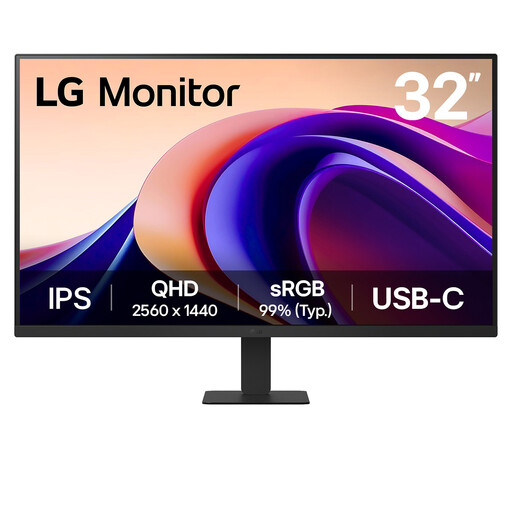
Why This Fits Their Persona: For those who find 27 inches just a bit too restrictive. This 32-inch model offers a vast canvas for managing complex spreadsheets, timelines or multiple documents side-by-side. It retains the crisp QHD resolution and smooth 100Hz refresh rate, making it a powerful productivity and media consumption hub.
It provides a significant size upgrade without forcing you into a 4K panel, which would demand more from your computer and your wallet. It keeps the practical and efficient QHD resolution, ensuring wide compatibility and smooth performance.
The expansive 32-inch IPS screen provides an immersive experience for work and entertainment. It also includes USB-C connectivity and LG's suite of eye-care technologies for comfortable, long-term use.
We have compiled a complete, real-time list of products that fully satisfy these strict selection criteria and UK safety regulations.
Yes, absolutely. While the jump is most famous in gaming, a 100Hz refresh rate makes all motion on screen significantly smoother. You will notice it immediately when scrolling through web pages, moving application windows or even just moving your cursor. This added fluidity can make daily computer use feel more responsive and less taxing on the eyes.
For general office work, web browsing and watching videos, most modern computers and laptops with integrated graphics (made in the last 4-5 years) can comfortably drive a QHD display at 100Hz. For gaming, you will want a dedicated graphics card to take full advantage of the resolution and refresh rate. A mid-range card from recent generations should provide a great casual gaming experience.
There is no difference. QHD stands for Quad High Definition, and 1440p refers to the vertical pixel count. Both terms describe a display resolution of 2560 x 1440 pixels. They are used interchangeably in the industry to refer to the same sharp, high-quality picture.