
24/7 Customer Support

Free returns

Same-day & Next-day Delivery

Quality Guaranteed

Unlock Your Welcome Offers: FREE Delivery | Up to 80% OFF | Free 30-day JoyPlus trial
Download the APP
A 27-inch QHD monitor can be a practical upgrade for a UK home office, gaming desk or creative workstation. The 2560 × 1440 resolution offers more workspace and finer detail than Full HD, while the 27-inch size remains manageable on most desks.
However, monitor specifications can be easy to misread. A quoted 0.5ms response time may be a minimum figure rather than a typical result, while a high refresh rate is only useful if your PC can produce enough frames. HDR labels also vary significantly between models. Before choosing, focus on the specifications that affect everyday use rather than paying for features your setup cannot use.
A 240Hz gaming monitor, 320Hz screen or even 500Hz model needs a capable graphics card and suitable game settings to take advantage of its refresh rate. If your system usually produces 80–120 frames per second, a 180Hz gaming monitor may already provide the practical smoothness you need.
Check which input supports the quoted rate. For example, some models reach their maximum refresh rate through DisplayPort, while HDMI may be limited to a lower figure. The MSI MAG 274QF supports up to 180Hz through DisplayPort and up to 144Hz through HDMI, according to its listed specifications.
HDR performance depends on brightness, contrast, local dimming or self-emissive pixels, colour depth and software support. A basic “HDR-ready” feature is not directly comparable with VESA DisplayHDR True Black certification on an OLED panel.
If HDR matters for films or games, check the actual brightness and certification. OLED displays can produce very deep blacks, whereas IPS and VA monitors may offer higher full-screen brightness or different image characteristics.
An IPS monitor generally offers wide viewing angles and consistent colour across the screen, making it suitable for office work, design and photo editing. VA panels can offer higher native contrast, while QD-OLED panels combine OLED contrast with a wide colour gamut and very rapid pixel response.
OLED is not automatically the right choice for every desk. Static elements such as taskbars and editing interfaces require sensible screen-care settings. Buyers should also check the manufacturer’s warranty terms and any panel protection features before purchase.
A 2560 x 1440 monitor, also called a QHD, WQHD or 1440p monitor, provides noticeably more desktop space than 1920 × 1080 at the same screen size. On a 27-inch display, text and interface elements can appear sharp while remaining comfortable at normal scaling.
For office productivity, photo editing and graphic design, QHD can make it easier to view tool panels alongside a document or timeline. Check that your computer supports 1440p at the intended refresh rate, particularly when using an older laptop or integrated graphics.
Refresh rate is measured in hertz. A 75Hz display suits general office use and casual gaming, while a 180Hz gaming monitor or 240Hz gaming monitor is more relevant to competitive PC gaming.
Response-time figures need careful interpretation. “0.03ms” on a QD-OLED monitor refers to the manufacturer’s stated grey-to-grey measurement, while a Rapid IPS or VA model may quote a minimum response time under particular settings. Look at the complete specification rather than assuming that one number predicts every gaming scenario.
Adaptive-Sync, including compatible AMD FreeSync or NVIDIA G-SYNC technologies, helps match the monitor’s refresh rate to the graphics card’s frame output. This can reduce visible tearing and uneven motion when frame rates fluctuate.
For a monitor for photo editing or graphic design, look for a stated colour gamut and calibration information. The ASUS ProArt PA278CV lists 100% sRGB coverage and factory calibration with a stated Delta E below 2. The PA278CFRV also lists factory calibration below Delta E 2, alongside sRGB and Rec.709 support.
For a QD-OLED monitor, a wider gamut such as DCI-P3 may be useful for compatible content, but colour management remains important. Check whether the monitor offers the ports your devices require: DisplayPort, HDMI, USB-C with video support, power delivery and a USB hub can all influence how tidy and flexible your desk becomes.
Ergonomics should not be overlooked. A height-adjustable, tilt, swivel and pivot stand can make a substantial difference during long work sessions. A VESA-compatible monitor with a 100 × 100mm mounting pattern can also be fitted to a compatible arm or wall bracket.
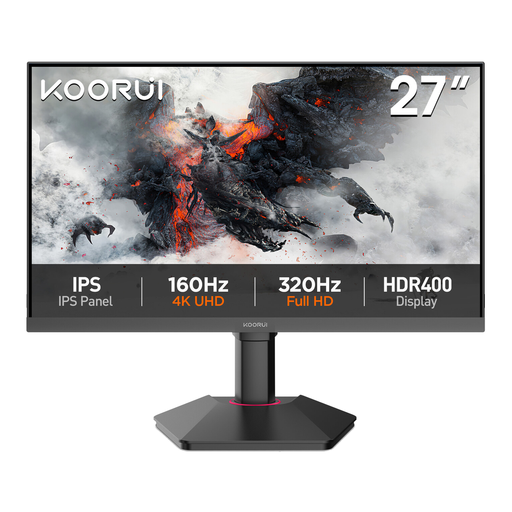
Why This Fits Their Persona: A straightforward option for UK students, home workers and occasional gamers who want QHD detail without prioritising very high refresh rates.
Its listed 75Hz refresh rate is clear, avoiding the cost of an esports-focused panel that may exceed the user’s needs.
27-inch IPS panel, 99% sRGB coverage, HDMI, DisplayPort, VGA and 100 × 100mm VESA mounting.
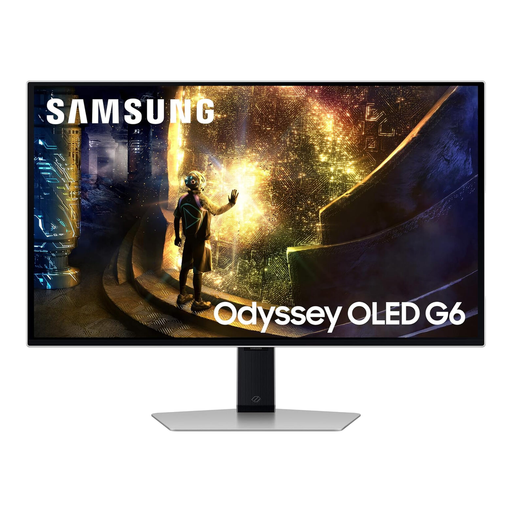
Why This Fits Their Persona: Suits buyers who want fast competitive gaming alongside OLED contrast and modern PC or console connectivity.
The specification identifies the QD-OLED panel, 240Hz rate and OLED protection system, helping buyers compare like with like.
0.03ms stated GTG response time, 240Hz refresh rate, HDMI 2.1, DisplayPort 1.4 and USB hub.
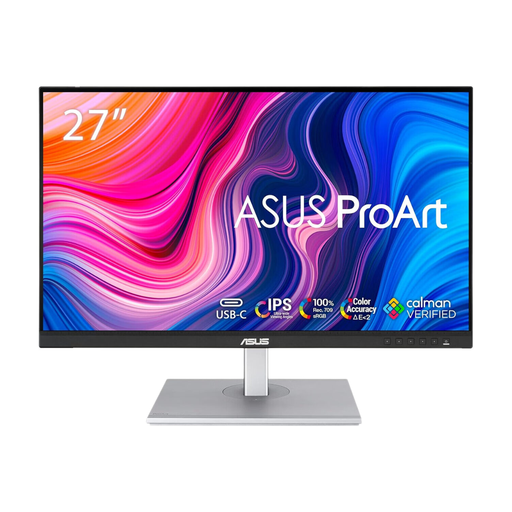
Why This Fits Their Persona: Designed for photographers, designers, editors and office users who value calibrated colour and a comfortable workstation setup.
It prioritises listed calibration and colour standards instead of relying on broad claims about vivid colour.
100Hz IPS display, factory-calibrated Delta E below 2, USB hub, built-in speakers and height, swivel, tilt and pivot adjustment.
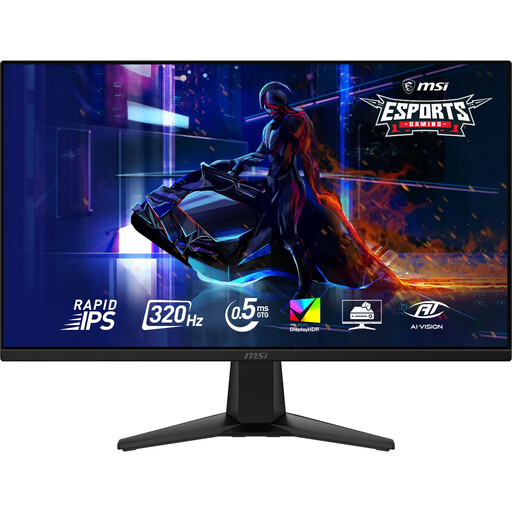
Why This Fits Their Persona: Aimed at PC players with hardware capable of high frame rates, particularly in competitive shooters and racing titles.
The listed 320Hz rate, 0.5ms minimum GTG figure, input details and Adaptive-Sync support make the performance requirements visible before purchase.
Rapid IPS panel, 320Hz refresh rate, VESA DisplayHDR 400, 95% DCI-P3 and VRR support for compatible consoles.
We have compiled a complete, real-time list of products that fully satisfy these strict selection criteria and UK safety regulations.
Yes. QHD provides extra workspace for documents, spreadsheets and browser windows. An IPS monitor with an adjustable stand, matte coating and USB hub can be particularly practical for a home office.
Some models support 1440p at 120Hz with compatible consoles, but this varies by monitor and connection. Check the product specification for console mode, HDMI version, VRR and HDMI CEC rather than assuming that every QHD gaming monitor supports the same features.
Potentially, but power consumption depends on brightness, panel type, connected USB devices and operating mode. OLED and larger high-performance displays may have different power requirements from a basic 75Hz IPS monitor. Check the listed typical consumption and disable unused USB charging features when appropriate.