
24/7 Customer Support

Free returns

Same-day & Next-day Delivery

Quality Guaranteed
Download the APP
Categories
Is your desk drawer a tangled nest of wires? One for your iPhone, another for your Android tablet and a third for your wireless headphones? Managing multiple chargers for different devices is a common frustration. A 3 in 1 charging cable offers a streamlined solution, combining Lightning, USB-C and Micro-USB connectors into a single, organised cable.
As a Joybuy Product Recommendation Officer, my role is to help you find practical solutions that simplify your daily life. This guide will walk you through the key features to consider when choosing a multi charger cable and highlight a few of our top recommendations to help you declutter your space, whether at home, in the car or on the go.
Finding the right universal charging cable involves more than just matching connectors. Here are a few practical points to consider to ensure you get a cable that meets your specific needs.
Not all multi-port cables are created equal when it comes to power. If you own devices that support rapid charging, look for a fast charging cable. Pay attention to the maximum power output, often measured in Watts (W) or Amps (A). Some cables offer high-speed charging (e.g., 100W) but may limit this to a single port, typically the USB-C connector. When charging multiple devices simultaneously, the total power is usually shared, resulting in slower speeds for each device.
A charging cable is an item you'll likely use every day, so durability is key. Materials play a big role here. Cables with a braided nylon exterior tend to be more resistant to fraying and tangling than standard plastic or TPE (thermoplastic elastomer) ones. However, high-quality TPE can also be very resilient. Look for information on bend testing (e.g., surviving 10,000 bends) and reinforced connector joints, as these are the most common points of failure.
Consider where and how you'll use the cable most.
Based on features, user needs and versatility, here are a few standout options that cater to different scenarios.
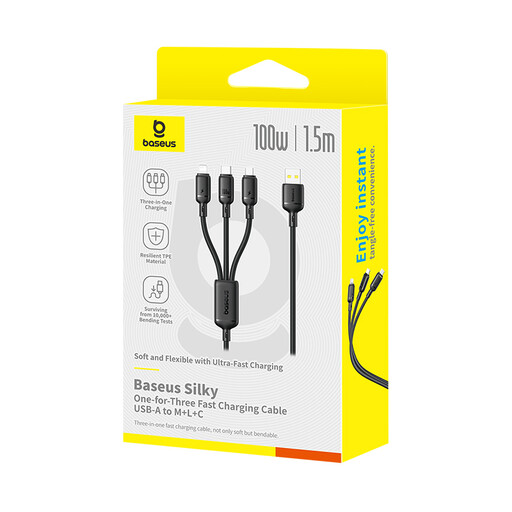
Why It Stands Out: This cable is built for power and versatility. Its main feature is the ability to deliver up to 100W of power through its USB-C to USB-C connection, making it suitable for charging not just phones and tablets, but also compatible laptops.
Pros:
Who is it for?:
View the Baseus Silky Cable on Joybuy
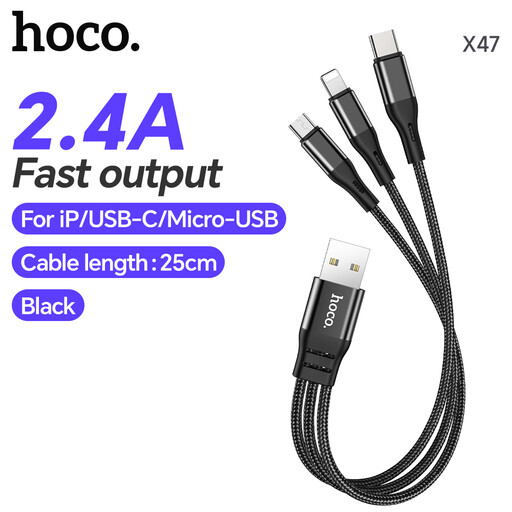
Why It Stands Out: The HOCO X47 is the definition of a portable powerhouse. Its short 0.25 metres length and rugged construction with a nylon braid and aluminium alloy connectors make it an excellent companion for a power bank.
Pros:
Who is it for?:
Check out the HOCO X47 Harbor on Joybuy
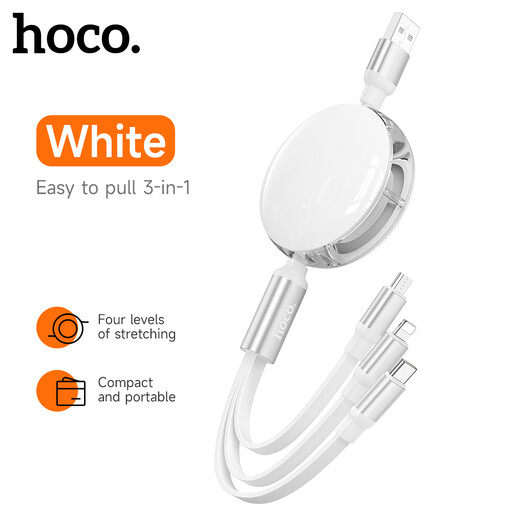
Why It Stands Out: For those who value organisation above all, this retractable charging cable is an ideal choice. It extends up to 1 metre and retracts into a neat, compact puck, eliminating cable mess entirely.
Pros:
Who is it for?:
Explore the HOCO Retractable Cable on Joybuy
While these recommendations cover a range of common uses, your perfect cable might have different requirements for length, colour or specific features. If you'd like to see more, we invite you to browse our broader collection.
Explore our full range of USB A cables to find the perfect match.
1. Can a 3 in 1 charging cable charge three devices at full speed simultaneously? Generally, no. The total power output (e.g., 2.4A) is shared among the connected devices. This means that as you connect more devices, the charging speed for each one will decrease. For the fastest charge, it is best to power one device at a time, especially if it is a high-consumption device like a tablet.
2. Do all multi charger cables support data transfer? Not always. Many cables are designed for charging only to simplify their internal wiring and reduce cost. It is important to check the product specifications before purchasing. Some models, like the HOCO retractable cable mentioned above, may only support data transfer on one of the three connectors (e.g., the usb to lightning micro usb c cable only allowing data on the Lightning part).
3. Is a universal charging cable safe for my phone? Reputable cables are built with safety features to protect your devices. To ensure safety, always pair your cable with a certified wall charger from a trusted brand. It is also critical to stop using any cable that shows signs of damage, such as exposed wires, a loose connector or if it becomes unusually hot during use. Always refer to the manufacturer's safety information.