
24/7 Customer Support

Free returns

Same-day & Next-day Delivery

Quality Guaranteed

Unlock Your Welcome Offers: FREE Delivery | Up to 80% OFF | Free 30-day JoyPlus trial
Download the APP
A 3-in-1 wireless charger can tidy up a bedside table or home-office desk by charging a phone, wireless earbuds and smartwatch from one compact unit. However, product listings can make similar-looking charging stations appear more capable than they are.
The main buying pitfalls are usually easy to miss:
A suitable purchase depends on your devices, charging habits and available desk space rather than the number printed on the box.
A standard Qi wireless charger uses an inductive charging coil. Correct positioning is important, particularly with flat charging pads. A Qi2 wireless charger adds a magnetic alignment system based on the newer Magnetic Power Profile, where supported devices and cases can align more consistently.
A MagSafe wireless charger is designed around Apple’s magnetic ecosystem. Android users should check whether their phone supports Qi or Qi2 and whether a compatible magnetic case or ring is needed. For example, the Cygnett ChargeBase Qi2.0 includes a MagRing for some older Qi-enabled devices.
Also check the smartwatch section carefully. Some 3-in-1 models are designed for Apple Watch charging, while others may suit different watch designs or require a separate cable.
Look for a breakdown such as 15W for the phone, 5W for earbuds and 2.5W or 3W for the watch. This gives a more realistic picture of simultaneous charging.
The fast wireless charger label should also be treated carefully. Actual speed depends on the phone, case thickness, alignment, temperature and power adapter. A product with a high total figure may distribute power between several devices, so it may not deliver the headline output to every charging area at the same time.
If you need to charge a laptop, tablet or several wired devices, a multi-device USB charger with USB-C Power Delivery may be more suitable than a wireless stand.
A wireless charging stand is useful if you want to view notifications, join video calls or use your phone as a bedside clock. Look for a weighted or non-slip base, a practical viewing angle and enough clearance for your case.
For travel, consider foldable construction, cable length and weight. A portable wireless charger should fit easily into a small bag without adding another bulky power brick. Always check whether the product includes a power adapter or only a USB cable.
Materials and safety features also matter. Keep charging products in a dry, ventilated area, use a suitable adapter and do not place metal objects over active charging areas. Features such as over-current, over-voltage, short-circuit and temperature protection are useful safeguards, but they do not replace correct use.
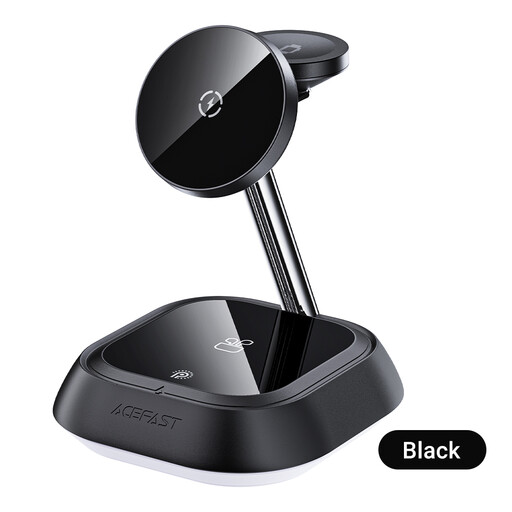
Why This Fits Their Persona: A straightforward option for users who want one stand for a phone, TWS earbuds and Apple Watch without adding several separate charging bases.
Its instructions clearly identify separate phone, TWS and watch charging areas, helping buyers understand what the 3-in-1 layout provides.
USB-C input, dedicated charging positions and a compact upright form for a bedside table or desk.
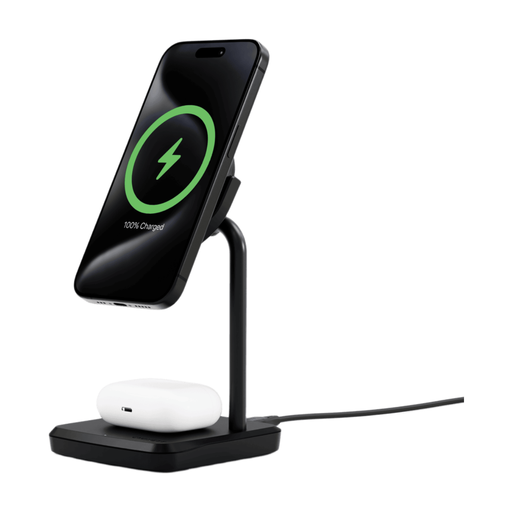
Why This Fits Their Persona: Suitable for users who prioritise a stable, refined desktop wireless charger for a compatible phone and earbuds rather than a three-device layout.
The product specifies separate 15W and 5W outputs, a Qi2.0 design and an included MagRing, rather than relying only on a headline total.
Up to 20W total output, an 80° swivel head, weighted non-slip base and a 1.2m USB-C cable.
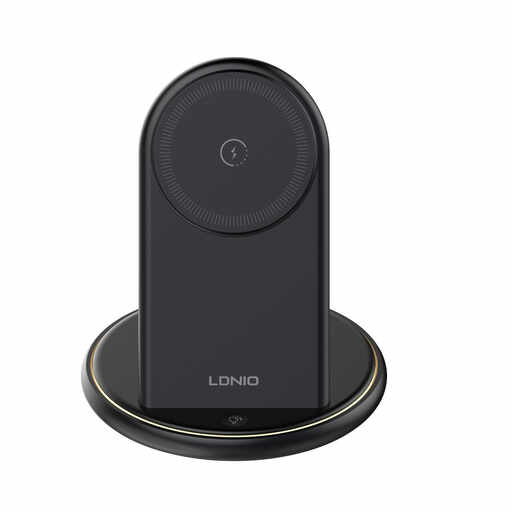
Why This Fits Their Persona: Practical for households, students and professionals charging several accessories at a shared workstation.
The five-device capacity is itemised as three wireless positions and two USB-A ports, making the charging arrangement clear.
Up to 15W wireless phone charging, two USB-A ports and stated over-current, over-voltage, short-circuit and temperature protection.
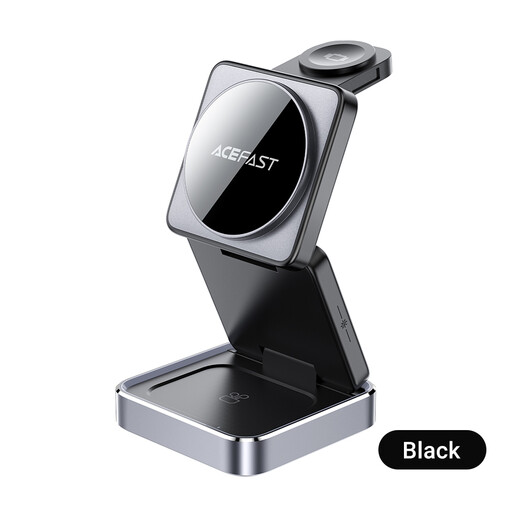
Why This Fits Their Persona: Its foldable design suits people moving between home, office and travel accommodation.
The foldable construction addresses portability, while its instructions specify separate positions for the phone, smartwatch and headphones.
Anodised aluminium construction, foldable form, adjustable ambient lighting and CE, RoHS, FCC, EAC and UL62368 certifications listed by the product.
We have compiled a complete, real-time list of products that fully satisfy these strict selection criteria and UK safety regulations.
Many charging stations are designed for regular indoor use, but follow the manual and use the specified power adapter. Keep the unit on a hard, dry and ventilated surface, avoid covering it and remove damaged cables or adapters. If the charger or device becomes unusually hot, stop using it and investigate the setup.
It can, provided the phone supports compatible Qi or Qi2 wireless charging. Magnetic alignment may require a compatible case or ring, and phone output can vary by model. Check the charger’s supported protocols and output before purchase rather than assuming that every magnetic phone mount will charge every Android device.
The cost depends on charging frequency, energy efficiency, the devices being charged and electricity tariffs. Wireless charging can use more energy than a direct cable connection in some situations, particularly when alignment is poor. To reduce unnecessary consumption, position devices carefully, avoid leaving unused accessories on the pad and unplug the station when it will not be used for an extended period.