
24/7 Customer Support

Free returns

Same-day & Next-day Delivery

Quality Guaranteed

Unlock Your Welcome Offers: FREE Delivery | Up to 80% OFF | Free 30-day JoyPlus trial
Download the APP
For competitive gamers in the UK, every millisecond and every visual detail counts. The search for the ultimate display often leads to a dizzying array of technical specifications and marketing claims. If you're considering an upgrade to a 300Hz Mini-LED gaming monitor, you're already focused on top-tier performance. However, navigating the market can be tricky, with many products promising elite features but failing to deliver where it matters most.
As the Joybuy Product Recommendation Officer, my role is to help you see past the hype. We'll break down the essential features you need and highlight common pitfalls to avoid, ensuring your investment translates into a tangible competitive advantage.
Before diving into specifications, it's crucial to recognise a few common traps that can lead to buyer's remorse, even with premium-priced monitors.
To ensure you get the performance you're paying for, focus on these non-negotiable specifications.
A 300Hz refresh rate provides incredibly smooth motion, but it's only effective if paired with an equally fast pixel response time. A slow response time on a high-refresh-rate monitor will result in motion blur and "ghosting," where a faint trail follows moving objects. For a truly clear and responsive experience in a monitor for competitive gaming, look for a GtG (Grey-to-Grey) response time of 1ms or less. The ideal pairing, such as a 0.5ms response time monitor, ensures that each of the 300 frames displayed per second is exceptionally sharp.
This is what separates premium displays from the rest. Mini-LED backlighting uses thousands of tiny LEDs grouped into hundreds or even thousands of dimming zones. This allows for precise control over which parts of the screen are lit, enabling the monitor to produce deep, inky blacks right next to intensely bright highlights. For the most impactful HDR, look for a VESA DisplayHDR 1000 certification, which guarantees a peak brightness of at least 1000 nits and superior local dimming.
While 4K is tempting, a 27 inch WQHD gaming monitor (2560x1440 resolution) remains the preferred choice for many competitive players. This size and resolution combination offers a significant increase in sharpness and detail over 1080p without demanding the extreme GPU power required to run 4K at high frame rates. It provides a high pixel density that keeps images crisp, and the 27-inch screen size is large enough for immersion without requiring excessive head movement to track targets across the screen.
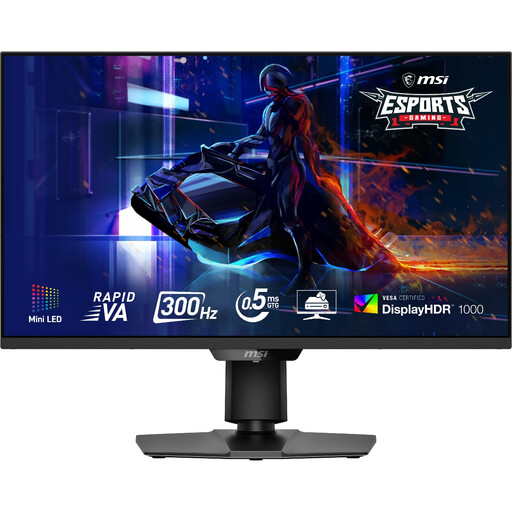
Why This Fits Their Persona: This monitor is built for players who refuse to compromise. The combination of a 300Hz refresh rate, 0.5ms response time and WQHD resolution provides the speed and clarity needed for high-level play in titles like Valorant or Apex Legends. This is a top consideration for anyone looking for an **MSI MAG 274QPF X30MV review**.
It sidesteps the "HDR illusion" with a genuine VESA DisplayHDR 1000 certification, backed by 1,152 Mini-LED dimming zones. Its Rapid VA panel technology delivers excellent contrast without sacrificing the response speed needed for competitive gaming.
The primary advantage is its blend of elite speed and cinematic image quality. It also features an HDMI 2.1 monitor port, ensuring full bandwidth for both PC and modern consoles.
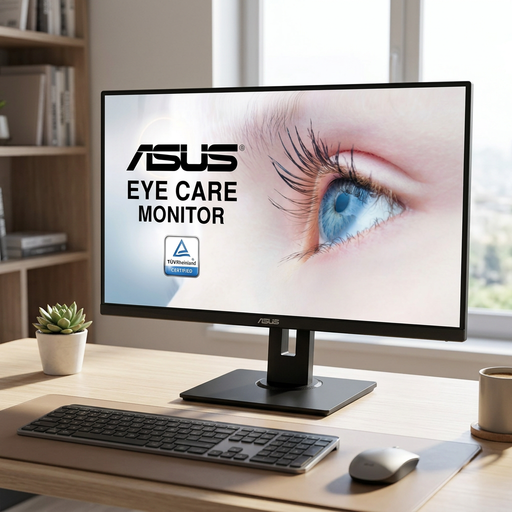
Why This Fits Their Persona: This user enjoys visually rich single-player games, media consumption and productivity. The large 31.5-inch IPS panel and WQHD resolution provide an immersive and colour-accurate experience without the premium cost of ultra-high refresh rates.
It avoids the trap of overpaying for specifications you don't need. By focusing on a high-quality IPS panel with 100% sRGB coverage, it delivers on its promise of excellent visuals for general use and casual gaming, rather than over-marketing its speed.
Its main advantage is the large, vibrant 31.5-inch WQHD IPS display, which is excellent for both work and entertainment. Adaptive-Sync support up to 75Hz provides a smooth experience for non-competitive gaming.
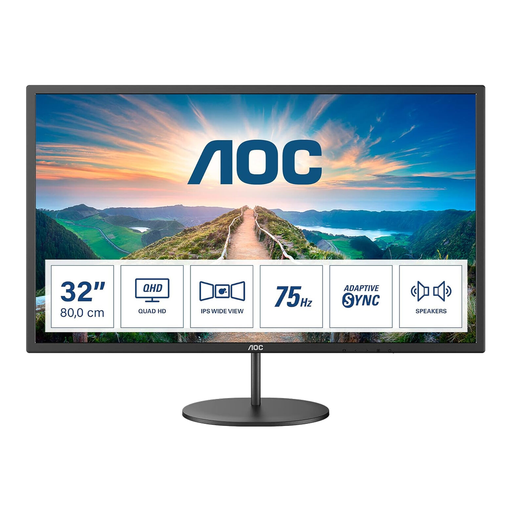
Why This Fits Their Persona: This user is looking to make the jump from a standard 1080p monitor to the clarity of QHD (2K) resolution for a better experience in work and play, but without a significant financial outlay. This monitor provides that core upgrade in a large format.
It is transparent about its capabilities. With a 75Hz refresh rate and 4ms response time, it doesn't pretend to be an esports monitor. It avoids the pitfall of misleading marketing by delivering exactly what it promises: a solid, large-screen QHD display.
The key advantage is its accessibility. It offers a low-cost entry point into the world of QHD resolution on a large 31.5-inch screen, making it a substantial and noticeable upgrade for everyday use and casual gaming.
We have compiled a complete, real-time list of products that fully satisfy these strict selection criteria and UK safety regulations.
For most casual gamers, the difference between 144Hz and 300Hz may be subtle. The primary beneficiaries of a 300Hz refresh rate are highly competitive players in fast-paced first-person shooters, where the enhanced motion clarity and reduced input lag can provide a measurable advantage. If your main focus is on cinematic single-player games or strategy titles, a 144Hz or 165Hz monitor will likely offer a better balance of performance and value.
To consistently achieve frame rates approaching 300 FPS at WQHD (2560x1440) resolution, you will need a high-end graphics card. Think along the lines of an NVIDIA GeForce RTX 4080/5070 or a recent AMD Radeon equivalent. While you can still use the monitor with a less powerful card, you won't be able to take full advantage of its 300Hz refresh rate in graphically intensive games.
Historically, IPS panels were favoured for their superior colour accuracy and faster response times, while VA panels were known for their deep blacks and high contrast ratios. However, newer Rapid VA panel technology has significantly closed the gap in speed. These modern VA panels offer response times that are competitive with gaming-grade IPS panels, giving players the benefit of high contrast without the motion blur that affected older VA technology. This makes them an excellent all-round choice for gamers who want both speed and image depth.