For card games at a desk, a 31.5- to 32-inch 4K monitor is a sensible starting point if readable card text, board detail and space for other windows matter most. A similarly sized QHD screen is worth considering if you favour a lower-resolution workload for your PC; OLED and very high refresh rates make more sense when you also play other genres. Check game scaling, desk fit and the exact input modes your PC or console can use before choosing.
Who is this for?
Card-game multitaskers
If you keep a deck tracker, chat or a guide beside the game, screen space and legible interface detail matter alongside the size of the board. The 32-inch 4K monitors described by Samsung UK, LG UK and ASUS ROG UK are relevant starting points.
Console card-and-variety players
If you use a PS5 or Xbox as well as a PC, match the monitor's input modes to the games and console features you intend to use. A panel's refresh-rate figure alone does not establish its console output modes.
High-refresh mixed-genre players
If card games share your screen with faster-paced titles, the OLED and high-refresh specifications listed by LG UK and Dell UK may be relevant beyond turn-based play. Consider the panel finish and shape as well as its speed.
What matters when choosing?
Choose the resolution and physical size around your card-game interface first; then decide whether console modes, desk positioning or features for other game genres change that choice.
32-inch 4K IPS
Consider it when: Fine card text and room for other windows are central to your desk setup.
Check: The exact HDMI mode if you also want 4K at 120Hz from a console; a high panel refresh rate does not establish that input capability.
32-inch QHD IPS
Consider it when: Physical screen size matters more to you than the finest interface detail, and you prefer to render fewer pixels on a PC.
Trade-off: At roughly the same size, its 2560 × 1440 resolution leaves fewer pixels for small text than 3840 × 2160.
32-inch 4K OLED or QD-OLED
Consider it when: You also want the OLED presentation or refresh modes offered by particular models for other games.
Check: Whether the model's screen finish, curvature and screen-care guidance suit your room and use of static game interfaces.
| Concern |
What to check |
Who this matters to |
| Card text and board detail |
Compare native resolution at the intended screen size, then check whether your game's interface scaling is comfortable at your desk distance. |
If small card text, counters and a deck tracker must remain legible together, fine interface detail comes first. Around 33% of consumers put readability ahead of their other monitor needs. |
| Console and PC connections |
Check the chosen input's supported resolution and refresh modes, as well as the console settings and cable needed for them. |
When the screen also serves a PS5 or Xbox, I need the connection to deliver the modes I intend to use in supported games. Console compatibility is the primary concern for around 25% of consumers. |
| Desk fit and lighting |
Measure the stand footprint and desk depth; check adjustment or mounting options and likely reflections. |
A large display is harder to place if the stand limits my viewing position or room lights reflect in it. For around 25% of consumers, practical desk fit and lighting come first. |
| Features for other games |
Decide whether you will use the model's OLED panel, high refresh rate or dual-resolution mode beyond card games. |
If I regularly switch from card games to faster titles, I may give those additional display modes greater weight. Around 17% of consumers prioritise mixed-genre display features. |
Buying pitfalls
-
Assuming every 32-inch screen makes small text equally clear
Resolution still matters at a similar physical size: Dell UK specifies its 31.5-inch QHD G3223D at 2560 × 1440 and 93 pixels per inch, while the cited 32-inch 4K models use 3840 × 2160.
Compare native resolution and the card game's scaling at your intended viewing distance, rather than choosing by diagonal size alone.
-
Reading a refresh-rate figure as a promise of 4K/120Hz console output
The usable mode also depends on the selected monitor input, game, console settings and connection path. PlayStation UK explains how to inspect the connected display's video capabilities; Xbox Support identifies an Ultra High Speed HDMI cable for Xbox Series X HDMI 2.1 features.
Confirm the exact port and mode combination, and check any receiver or soundbar between the console and monitor.
A longer connection may require a suitable replacement cable.
-
Overlooking reflections and physical positioning
A large screen can be awkward to use if its stand does not fit your desk or lights reflect in the panel. The Health and Safety Executive's display-screen guidance includes arranging screens and lighting to avoid reflections and glare.
Measure the desk, check the model's stand or mounting options, and consider where windows and lamps will sit relative to the screen.
-
Putting a replaced monitor in general household waste
An old monitor needs an electrical-waste disposal route. GOV.UK says retailers covered by its electrical-waste take-back requirements must offer take-back of waste of the same type as the equipment purchased, including for online purchases.
Ask the seller how its take-back arrangement works when ordering, or find an appropriate local electrical-waste recycling option.
Brands and monitor ranges to consider
These model ranges illustrate different specifications to compare; a brand's inclusion does not indicate availability or make every model in its range suitable for this setup.
Samsung
Samsung UK presents the 32-inch Odyssey G70D as a flat 4K Fast IPS gaming monitor with smart-monitor features.
- Samsung UK specifies 144Hz refresh and a 1ms response-time rating for the G70D.
- Check the exact ports and supported input modes for your PC or console rather than relying on the panel specifications alone.
ASUS ROG
The 32-inch 4K Fast IPS XG32UQ is relevant to players who need documented console input support alongside desk adjustment.
- ASUS ROG UK states that its HDMI 2.1 input supports native 4K at 120Hz without chroma subsampling on PS5 and Xbox Series X.
- ASUS describes 160Hz as an overclocked rate; do not treat it as the native refresh rate.
LG UltraGear
LG UK lists the 32GX850A-B as a 32-inch 4K OLED model for players who also want a lower-resolution, higher-refresh mode.
- LG specifies dual modes of UHD at 165Hz and FHD at 330Hz.
- Check the exact screen finish against your room lighting and review OLED screen-care guidance if your card games leave interface elements on screen for long periods.
Alienware
Dell UK describes the AW3225QF as a 31.6-inch curved 4K QD-OLED monitor aimed at high-refresh gaming.
- Dell specifies 240Hz refresh and height, swivel and tilt adjustment for the AW3225QF.
- Its curvature is a matter of layout and viewing preference, not an automatic advantage for card-game interfaces.
BenQ MOBIUZ
BenQ UK lists the 32-inch EX3210U as a 4K IPS gaming monitor with integrated audio.
- BenQ specifies 144Hz refresh and built-in 2.1-channel audio for the EX3210U.
- Treat BenQ's descriptions of its HDRi and sound performance as manufacturer claims, not a comparison with other monitors.
Joybuy products for this setup
These Joybuy choices cover 4K screens for card-game detail, including several 32-inch OLED models, a smaller 27-inch IPS option and a 32-inch professional display. Their different sizes and intended uses make desk fit and input checks particularly important.
 No image available
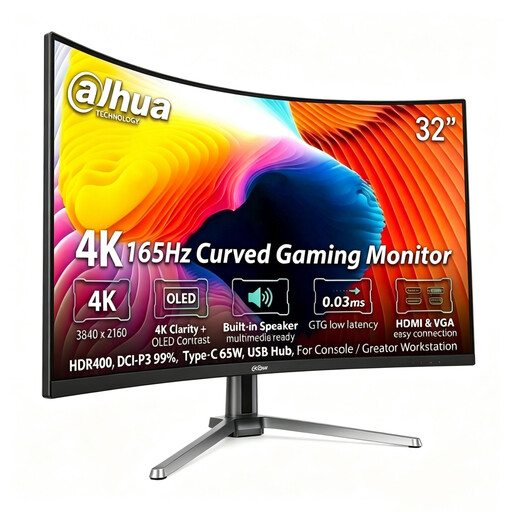
Dahua 32-inch 4K 165Hz curved OLED gaming monitor
Consider this for a large 4K card-game display if a curved screen suits your desk and interface layout.
The product title specifies 3840 × 2160 resolution, 165Hz refresh, a 0.03ms GTG rating, HDR400, DCI-P3 99%, Type-C 65W and a USB hub.
Assess the curved layout for your usual viewing position; the listed refresh rate is not an independent performance test.
View on Joybuy
 No image available
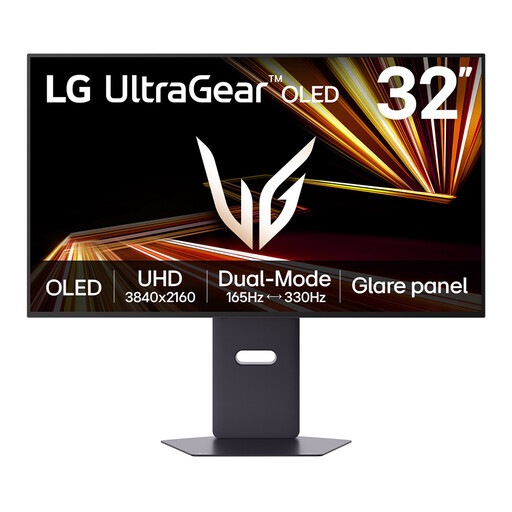
LG UltraGear 32GX850A-B 32-inch 4K OLED monitor
This model suits players considering one large display for card games and faster PC games.
LG UK specifies UHD at 165Hz and FHD at 330Hz as its two display modes.
Confirm the screen finish for your room before buying: descriptions of this model differ. Review its screen-care guidance if your games keep static interface elements visible for long periods.
View on Joybuy
 No image available
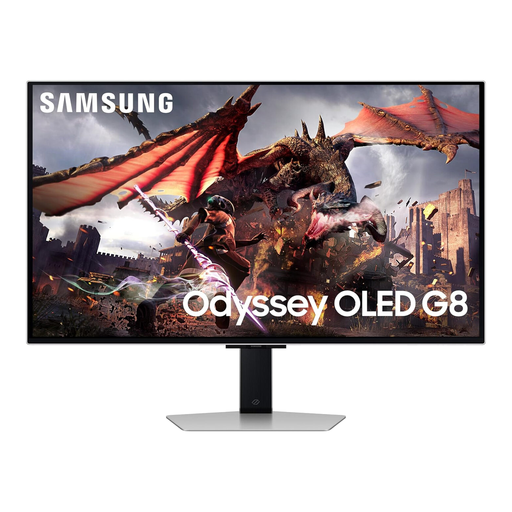
Samsung Odyssey Gaming OLED G8 LS32DG802SUXXU 32-inch monitor
Consider this 32-inch Ultra HD OLED model if a large card-game screen is your priority and you can check its connections against your other devices.
Before relying on a particular console mode, confirm the supported resolution and refresh-rate combination for the input you will use.
View on Joybuy
 No image available
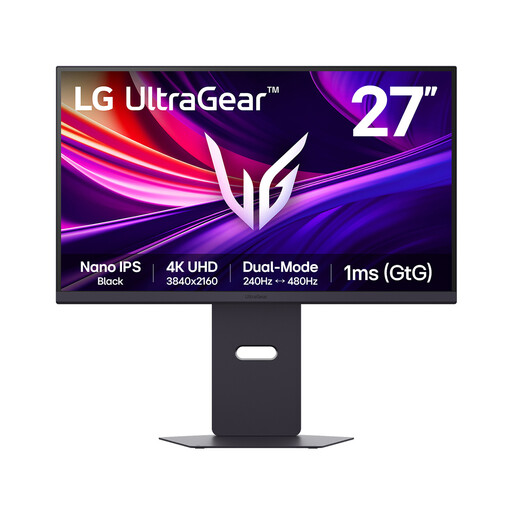
LG UltraGear G8 27G850A 27-inch 4K Nano IPS monitor
This is a smaller-screen alternative for card-game detail if 27 inches fits your desk better than the 31.5- to 32-inch starting point.
The product title identifies 4K UHD resolution, dual modes at 240Hz and 480Hz, DisplayPort 2.1 and HDMI 2.1.
Compare the physical screen size with your intended setup, and confirm the console resolution and refresh modes supported by the input you plan to use.
View on Joybuy
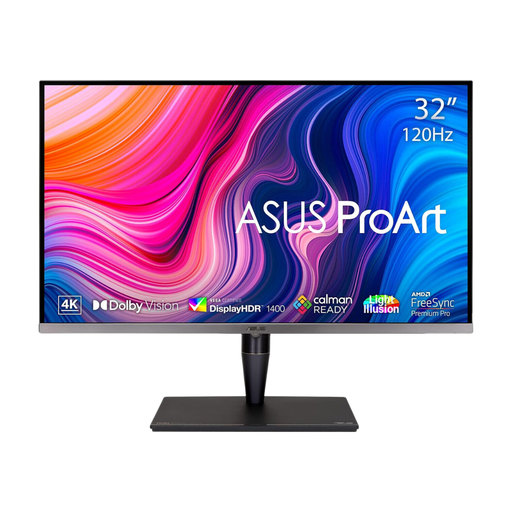 No image available
ASUS ProArt Display PA32UCG-K 32-inch 4K IPS Mini LED monitor
This professional-display option is relevant if you want a 32-inch 4K screen for card games as well as other desktop work.
The product title specifies an IPS Mini LED panel and 120Hz refresh.
Confirm that its gaming features and exact HDMI resolution and refresh modes suit your devices before choosing it for console play.
View on Joybuy
Frequently asked questions
Is 4K worth choosing over QHD for card games on a 32-inch monitor?
Choose 4K if fine card text and space for deck-management windows are your main reasons for getting a large monitor. At a similar size, 3840 × 2160 provides more pixels than 2560 × 1440; Dell UK specifies its 31.5-inch QHD G3223D at 93 pixels per inch. Check the game's scaling and your viewing distance before deciding how useful that extra detail will be.
Do I need HDMI 2.1 for card games on a PS5 or Xbox?
Not solely for turn-based card games, but check HDMI 2.1 support if you also want a compatible 4K/120Hz console mode. PlayStation UK explains how to inspect a connected display's supported video features, while Xbox Support identifies an Ultra High Speed HDMI cable for Xbox Series X HDMI 2.1 features. The game, monitor input and connection path must support the mode you want.
What should I check before putting a large monitor on my desk?
Measure the desk and confirm that the stand or intended monitor arm offers a workable viewing position. Also assess nearby windows and lamps: the Health and Safety Executive's display-screen guidance includes arranging screens and lighting to avoid reflections and glare.
Can a UK retailer take back my old monitor when I replace it?
Ask the seller about its electrical-waste take-back arrangement when ordering the replacement. GOV.UK says retailers covered by the take-back requirements must offer to take back waste equipment of the same type as the item purchased, including for online purchases; confirm how that seller provides the service.


