
24/7 Customer Support

Free returns

Same-day & Next-day Delivery

Quality Guaranteed

Unlock Your Welcome Offers: FREE Delivery | Up to 80% OFF | Free 30-day JoyPlus trial
Download the APP
A 32-inch smart TV can be a practical fit for a bedroom, kitchen, student accommodation or home office. However, compact televisions are not automatically interchangeable. A low price may hide a lower resolution, limited catch-up services or mounting requirements that do not suit your room.
Before choosing, watch for three common buying traps:
A 32-inch HD Ready TV is generally suitable for everyday broadcast viewing in a bedroom or kitchen. Its 1366 × 768 resolution can help keep the price down and may be adequate when you sit several feet away.
A 32-inch Full HD TV displays 1920 × 1080 pixels. This can provide more visible detail for films, photographs, computer content and console gaming, particularly when the screen is positioned near a sofa, bed or desk.
Do not judge picture quality by resolution alone. Also check the panel type, HDR support, brightness, viewing angle and refresh rate. HDR10 or HLG support can affect compatible content, but it does not turn an entry-level screen into a high-end display.
The operating system determines the apps, menus and voice-control options available. VIDAA OS, webOS, TiVo OS, Tizen and Android TV each offer different interfaces and app libraries.
For UK households, check whether the model includes:
Freely may reduce reliance on an aerial for compatible services, but broadband performance still matters. If your kitchen or bedroom has weak Wi-Fi, Ethernet can be a useful alternative.
Measure the cabinet or shelf before ordering. Check the television’s dimensions with its stand, not just the screen diagonal. Leave ventilation space around the rear and avoid placing a TV on an unstable or shallow surface.
For wall installation, compare the TV’s VESA measurement with the bracket specification. For example, the Toshiba 32-inch model lists VESA 75 × 75 mm, while the LG 32LQ6300 lists 200 × 200 mm. A bracket that fits one may not fit the other.
A fixed bracket such as the CNTSLNB TV Wall Mount for 32–100 inch screens supports stated VESA patterns from 75 × 75 mm to 600 × 400 mm and televisions up to 60 kg. The Zootude Medium Fixed Mount is listed for 26–75 inch TVs, with a maximum 400 × 400 mm VESA pattern and a low-profile 2.5 cm wall distance. Always verify the wall type, screen weight and supplied fixings before installation.
If you want the screen to extend or adjust, consider the CNTSLNB+ Telescopic Wall Mount for 32–75 inch TVs. A freestanding option may be more suitable for rented accommodation: the CNTSLNB+ Mobile TV Stand for 32–75 inch screens includes lockable castors and a shelf. Engage the brakes when stationary and do not exceed the stated load limit.
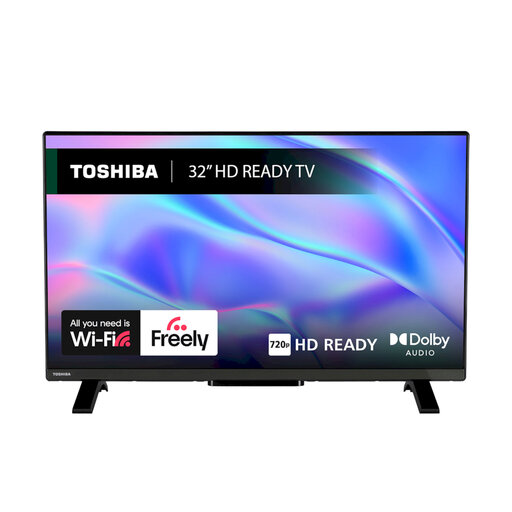
Why This Fits Their Persona: A sensible option for a bedroom, student room or secondary viewing space where straightforward streaming and a compact footprint matter.
The listing clearly identifies its HD Ready 1366 × 768 resolution, so shoppers can compare it honestly with Full HD alternatives.
VIDAA OS, Freely, HDR10 and HLG support, plus two HDMI ports, USB, Wi-Fi and Ethernet.
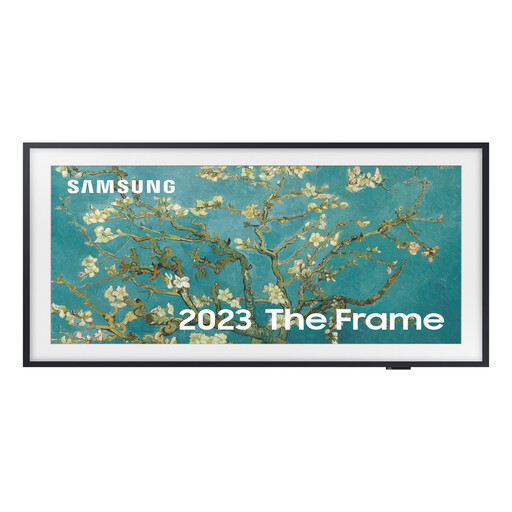
Why This Fits Their Persona: Suits a design-led lounge, bedroom or home office where the television needs to blend with the room when switched off.
Its specifications state Full HD resolution and QLED technology, while the matte display is designed to absorb reflections.
Tizen smart platform, 20W audio, Wi-Fi 5, Bluetooth, HDR10+ and support for a slim-fit wall mount.
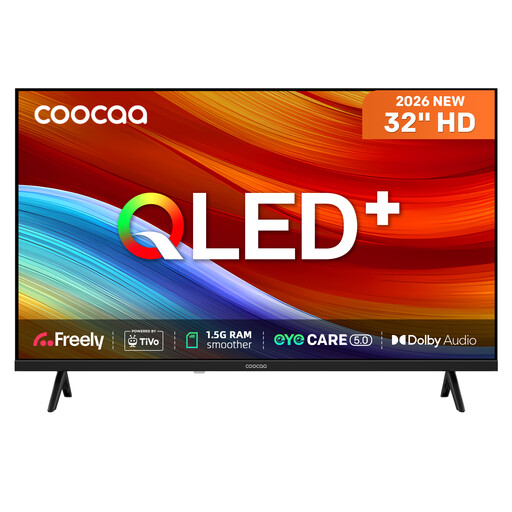
Why This Fits Their Persona: A practical match for viewers who want built-in live services, recording functions and several connection options in a compact television.
The listing specifies HD resolution rather than Full HD, making the trade-off clear while adding QLED, HDR10 and HLG features.
Freely, TiVo OS, USB recording and time-shift, two HDMI ports, eARC, Bluetooth and a triple tuner.
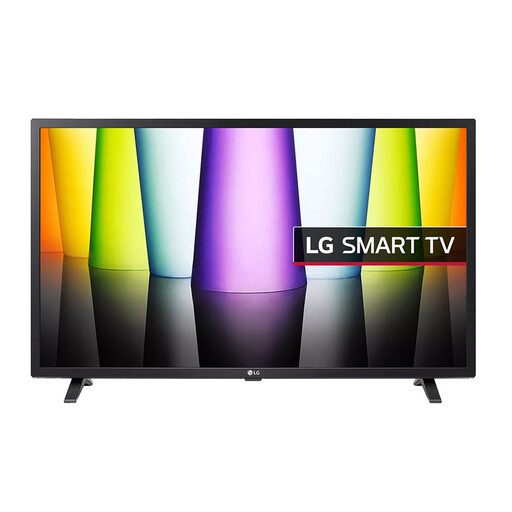
Why This Fits Their Persona: Suitable for a home office, bedroom or kitchen where sharper Full HD detail and familiar streaming apps are priorities.
Its specification lists 1920 × 1080 Full HD resolution and a 200 × 200 mm VESA pattern, helping with picture and installation planning.
webOS 22, Freeview Play and Freesat HD, HDR10/HLG, 20W audio, Bluetooth and Game Optimiser features.
We have compiled a complete, real-time list of products that fully satisfy these strict selection criteria and UK safety regulations.
If the supplied stand does not suit your furniture, universal TV feet can provide an alternative to wall mounting. The Sanus Universal TV Feet for 32–77-inch TVs have anti-slip pads, a stable footprint and 8 inches of height adjustment for positioning a soundbar underneath. Confirm the screen’s mounting points and weight before purchase.
For larger screens or flexible room layouts, the CNTSLNB Mobile TV Stand for 50–90 inch TVs or CNTSLNB+ Mobile TV Art Stand for 32–75 inch TVs may be more suitable than a fixed TV wall mount. Mobile stands should remain on level flooring, with locking wheels engaged during use.
Usually, yes. A 32-inch screen is commonly suited to compact rooms and secondary viewing. Measure the distance between the viewing position and the TV, then check the overall width and stand depth before ordering.
It can be worthwhile if you sit close to the screen, connect a computer or console, or watch detailed Full HD content. For ordinary broadcast viewing from farther away, an HD Ready model may meet your needs at a lower cost.
Consumption varies by panel, brightness, viewing hours and standby settings. Product specifications may show typical and standby wattage; compare these figures rather than relying on the energy label alone. Switching off at the mains when practical can avoid unnecessary standby use.