
24/7 Customer Support

Free returns

Same-day & Next-day Delivery

Quality Guaranteed

Unlock Your Welcome Offers: FREE Delivery | Up to 80% OFF | Free 30-day JoyPlus trial
Download the APP
A 34-inch ultrawide gaming monitor can replace a dual-screen setup while giving games a wider field of view. However, the headline specifications do not always tell the full story. A monitor advertised as “1ms” may use a different measurement method from another model, while a high refresh rate may only be available through DisplayPort.
Before buying, UK shoppers should check the connection limits, panel characteristics, stand adjustment and practical desk requirements—not just the largest number on the product page.
A 240Hz gaming monitor only shows its full benefit when your graphics card and game can produce high frame rates at 3440 × 1440. This resolution requires considerably more GPU power than standard 1080p.
Also check which input supports the advertised refresh rate. For example, the Philips Evnia 34M2C6500 is specified at 175Hz through DisplayPort and 100Hz through HDMI. If you connect it using the wrong port, you may not receive the performance you expected.
“0.5ms”, “1ms” and “0.03ms” figures can refer to different testing methods, such as MPRT or GtG. They should not be treated as interchangeable. A VA panel can offer strong contrast, while OLED models typically provide very rapid pixel transitions and deep black levels.
For competitive gaming, look for a combination of refresh rate, response-time measurement, adaptive sync support and the correct connection standard.
A 34-inch curved monitor is wide and may extend further forward than a flat display. A pronounced curve, such as 800R, can feel immersive but requires careful positioning. A 1500R curve is often easier to accommodate in a conventional home office.
Check the stand’s height, tilt and swivel range, as well as VESA compatibility. A screen that cannot be positioned comfortably may become frustrating during long gaming, editing or work sessions.
For this screen size, UWQHD or 3440 × 1440 is a useful target for detailed gaming and multitasking. The 21:9 aspect ratio provides more horizontal workspace than a conventional 16:9 monitor, which can help with timelines, spreadsheets and side-by-side applications.
Some 34-inch screens use 2560 × 1080 instead. This can reduce the graphics load and purchase cost, but it provides less vertical and fine-detail information. Compare the resolution carefully rather than assuming every 34-inch ultrawide monitor is UWQHD.
You can browse more compatible screens in the 3440 x 1440 monitor range.
VA panels commonly offer high native contrast and are suitable for games, films and general productivity. IPS panels are often selected for viewing-angle consistency and colour-focused work. OLED and QD-OLED monitors provide self-emissive pixels, which allows very dark blacks and fast response characteristics.
HDR labels also need context. VESA DisplayHDR 400 and DisplayHDR True Black 400 describe different display categories. Peak brightness, local dimming, black levels and the content itself all affect the visible result. Colour coverage figures such as 99% sRGB or 95% DCI-P3 indicate gamut coverage, not necessarily colour accuracy in every application.
A 120Hz or 165Hz display can make desktop scrolling and compatible games look smoother than 60Hz. A 240Hz gaming monitor is more relevant to competitive players who can maintain high frame rates.
AMD FreeSync or another adaptive-sync system can help reduce tearing when the monitor and graphics output vary in refresh rate. Confirm compatibility with your graphics card and the required input.
For laptops, a USB-C monitor can simplify the desk by carrying video, data and power. Check the wattage: 65W or 98W power delivery may be suitable for many laptops, but not every high-performance notebook.
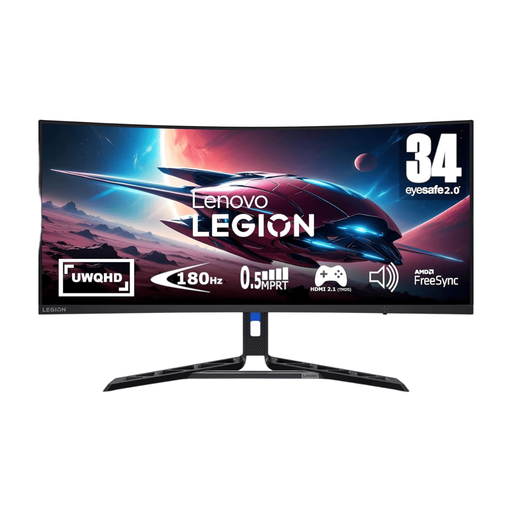
Why This Fits Their Persona: Its 34-inch UWQHD VA panel and 180Hz refresh rate suit PC gamers who want a wide screen without immediately moving to OLED pricing. The adjustable stand is useful for a UK bedroom, study or compact gaming desk.
The stated 180Hz refresh rate is paired with AMD FreeSync Premium, while the product information identifies the stand adjustments and supported DisplayPort or HDMI connection.
UWQHD resolution, 180Hz refresh rate, HDR 400 certification and lift, tilt, pivot and swivel adjustment.
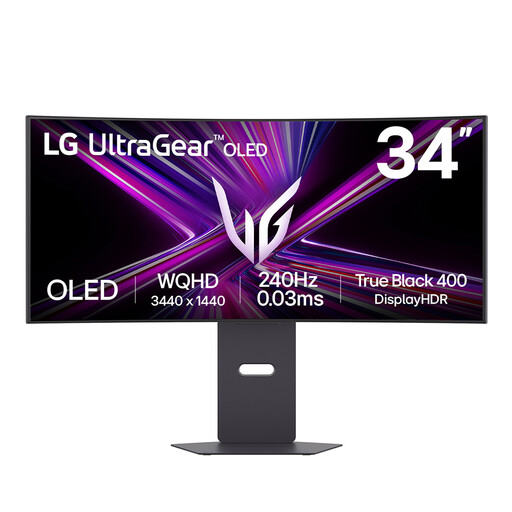
Why This Fits Their Persona: This OLED gaming monitor is aimed at players who prioritise fast motion, high contrast and an immersive curved presentation for games and films.
Its specifications identify the 240Hz capability, 3440 × 1440 resolution and USB-C video connection. OLED care features should still be used to manage static images and burn-in risk.
OLED panel, 240Hz refresh rate, 0.03ms GtG response time, HDMI 2.1 and USB-C with up to 65W power delivery.
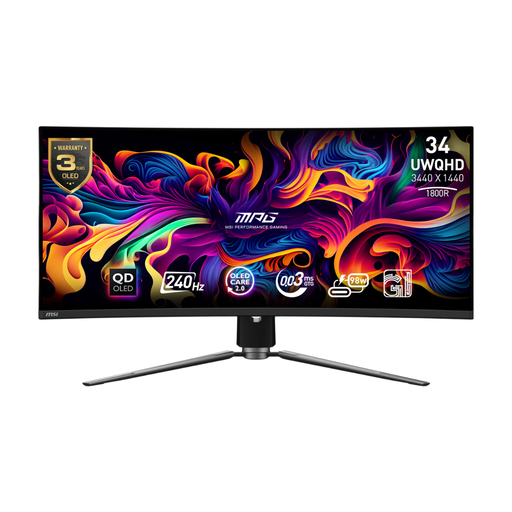
Why This Fits Their Persona: Competitive players, racing fans and simulation users can make use of the UWQHD format, 240Hz refresh rate and broad connectivity, provided their PC can drive the display.
The listed ports include DisplayPort 1.4a, HDMI 2.1 and USB-C, with up to 240Hz support and 98W power delivery stated for USB-C. OLED Care 2.0 is included for display maintenance.
QD-OLED panel, 240Hz refresh rate, VESA DisplayHDR True Black 400 and KVM/PiP/PbP functions.
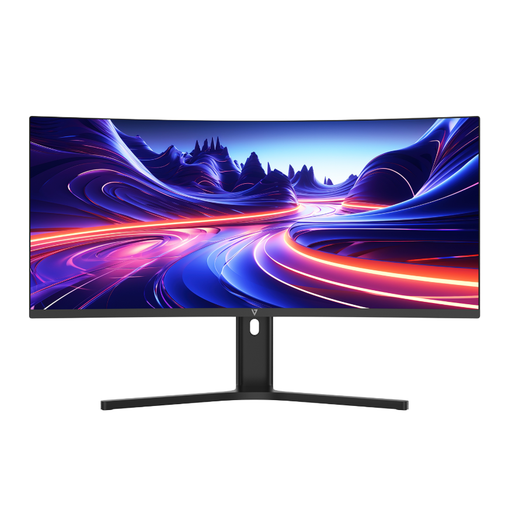
Why This Fits Their Persona: Office users, creators and hybrid workers can use its wide canvas for documents, timelines and multiple applications without a central bezel between two screens.
The product clearly states its 3440 × 1440 resolution, 65W USB-C power delivery and PBP support, reducing uncertainty for laptop and dual-computer setups.
USB-C 65W PD, Picture-by-Picture, height adjustment up to 100mm and integrated speakers.
We have compiled a complete, real-time list of products that fully satisfy these strict selection criteria and UK safety regulations.
Yes. It provides a detailed 21:9 workspace and is widely used for gaming, editing and multitasking. Confirm that your graphics card supports the resolution at the refresh rate you want.
Power use varies by panel, brightness, HDR mode and refresh rate. OLED models may have different consumption patterns from VA or IPS displays. Check the product’s energy information and switch off the monitor when it will not be used for extended periods.
Lifespan depends on usage, brightness, ventilation and static on-screen content. Use the monitor’s pixel-shift, logo-dimming and panel-care functions where available, avoid leaving fixed windows displayed for long periods, and follow the manufacturer’s maintenance guidance.