
24/7 Customer Support

Free returns

Same-day & Next-day Delivery

Quality Guaranteed

Unlock Your Welcome Offers: FREE Delivery | Up to 80% OFF | Free 30-day JoyPlus trial
Download the APP
Juggling multiple windows on a standard screen can feel cramped, whether you are managing complex spreadsheets, editing a video timeline or trying to gain a wider field of view in your favourite game. A 34 inch ultrawide monitor offers a significant upgrade, replacing dual-monitor clutter with a single, seamless and immersive display.
However, navigating the market for a new 21:9 PC screen can be confusing. With terms like WQHD, IPS and HDR, it is easy to get lost in technical specifications. This guide is designed to help you understand the key features that matter for your needs, whether for gaming, productivity or creative work, and to highlight some noteworthy options available today.
Before diving into specific models, let's clarify a few essential technical points. Understanding these will help you match a monitor's capabilities to your daily tasks.
The resolution determines the clarity and detail of the image. For a 34-inch screen, you will typically encounter two main options:
The panel type directly impacts colour, contrast and viewing angles.
For users focused on gaming, these two specifications are paramount.
Here are a few models that cater to different needs and budgets, from productivity powerhouses to high-speed gaming displays.
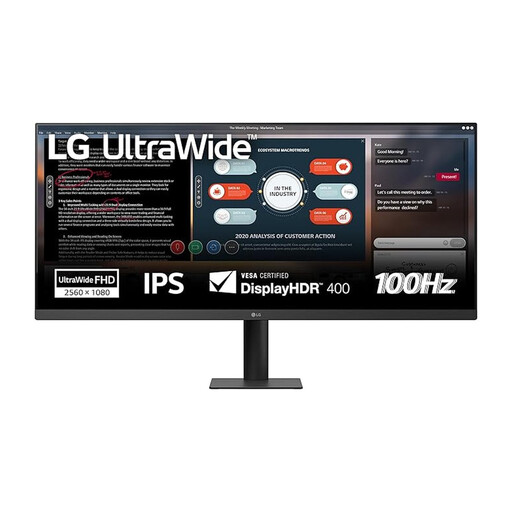
Why It Stands Out The LG UltraWide 34U511A-B.AEU is a practical and versatile option focused on enhancing productivity. Its flat IPS panel delivers excellent colour accuracy (sRGB 99%), making it suitable for creative tasks. The 100Hz refresh rate is a welcome feature at this price point, providing a smoother experience than standard 60Hz monitors for both office work and casual gaming. Its highly adjustable stand, including height, tilt and even portrait mode, adds valuable ergonomic flexibility.
Pros
Who is it for? This monitor is an excellent fit for home office power users, students and creative hobbyists who need expansive screen space and accurate colours for multitasking and content creation.
View Details for the LG UltraWide 34U511A-B.AEU
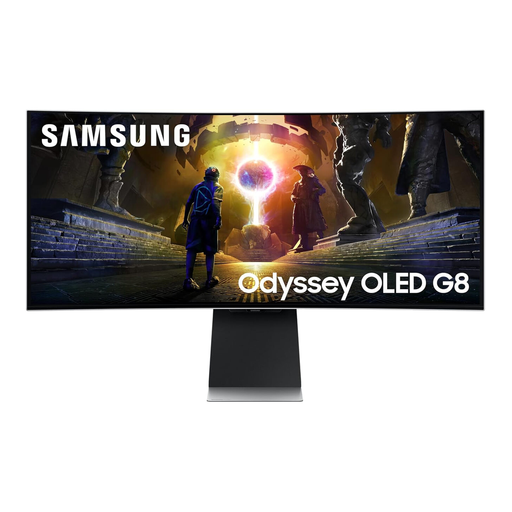
Why It Stands Out The Samsung Odyssey G8 is engineered for the serious gamer. Its QD-OLED panel combines the perfect blacks of OLED with vibrant quantum dot colours, all on a sharp WQHD screen. The combination of a 175Hz refresh rate and a near-instantaneous 0.03ms response time provides a distinct competitive edge by virtually eliminating motion blur. It also functions as a smart monitor, with built-in apps and a Gaming Hub for cloud gaming services.
Pros
Who is it for? This is a premium choice for competitive gamers and tech enthusiasts who demand top-tier visual performance, ultra-fast responsiveness and the stunning contrast that only OLED can provide.
View Details for the Samsung Odyssey G8
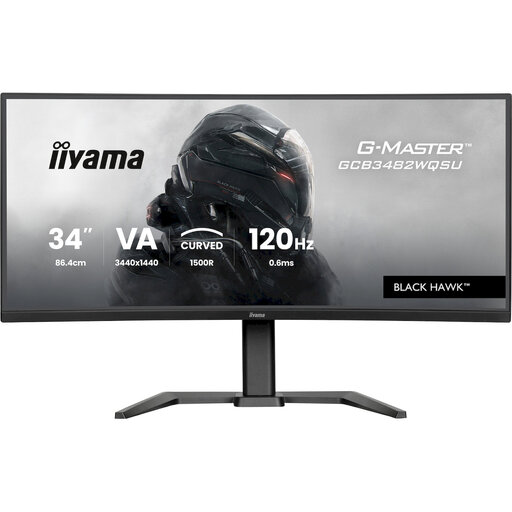
Why It Stands Out The iiyama G-MASTER Black Hawk strikes a compelling balance between immersive gaming and all-around functionality. This 34 inch curved monitor features a 1500R curvature that wraps the display around your field of view. Its VA panel delivers a high native contrast ratio, while the WQHD resolution keeps visuals sharp. With a 120Hz refresh rate, AMD FreeSync Premium and a low response time, it provides a fluid, tear-free gaming experience. The inclusion of a USB-C port also makes it a convenient hub for modern laptops.
Pros
Who is it for? This monitor is ideal for gamers and multitaskers who want an immersive curved screen that offers a great balance of resolution, speed and features without moving into the premium OLED price bracket.
View Details for the iiyama G-MASTER Black Hawk
If these specific models do not quite fit your requirements, or if you are considering different sizes or features, there are many other displays to consider.
Explore our complete collection to find the right screen for your desk.
Browse the Full Smart Screen Display Category
Yes, a 34-inch ultrawide is an excellent monitor for productivity. The 21:9 aspect ratio provides roughly 33% more horizontal screen space than a standard 16:9 monitor. This allows you to comfortably place two or three full-sized application windows side-by-side, which is ideal for tasks like coding, financial analysis and managing multiple documents at once.
This largely comes down to personal preference and primary use. A 34 inch curved monitor can provide a more immersive experience for gaming and media consumption by filling your peripheral vision and reducing distortion at the edges. For professional design work where straight-line accuracy is paramount, some users may still prefer a flat screen.
For general office tasks, web browsing and video playback, most modern computers with integrated graphics can handle a WQHD (3440x1440) ultrawide monitor without issue. However, for gaming at this resolution, especially at high refresh rates, a dedicated mid-range to high-end graphics card is recommended to ensure smooth and consistent frame rates.