What matters when choosing
Decide whether your two views come from separate computers before choosing a screen size; then check that the complete connection from computer to monitor can run the layout you need.
| Concern |
What to check |
Who this matters to |
| Two independent inputs |
Look for explicit PBP support, then check the permitted input combinations and split layouts in the model manual. |
If I compare filter behaviour on two computers, both views must stay visible rather than alternate on one screen. Around 42% of consumers put simultaneous independent inputs first. |
| Room for working panes |
Compare native resolution and confirm that the computer and dock can drive it. Dell UK lists 3440 × 1440 for the P3425WE; HP Support UK specifies a capable graphics card and DisplayPort 1.4 or HDMI 2.1 for the E45c G5 at 5120 × 1440. |
With one computer, I want the results page beside tools or test notes without relying on a second video source. For around 33% of consumers, space for those working panes is the primary concern. |
| Laptop connections and switching |
Check USB-C display-output compatibility, the monitor’s power-delivery limit and how its KVM routes the required peripherals. |
When I move between a laptop and desktop, I want the display and shared controls to follow the computer I am using. Around 25% of consumers chiefly need that switching arrangement. |
Joybuy monitor choices
These monitors span wide one-computer workspaces and models to assess for a two-computer desk. If both computers must remain on screen together, confirm PBP on the exact model before treating any product here as a two-input choice.
 No image available
Acer X Predator X49X 49-inch QD-OLED monitor
For a two-computer filter test, consider this wide model only after checking its PBP layouts and supported simultaneous-input modes.
The product title identifies a 32:9 curved Double Quad HD display with a 240 Hz refresh rate. Confirm that each computer can supply the mode you intend to use.
View on Joybuy
 No image available
Modern MD342CQPW 34-inch curved monitor, white
Consider this model when both filter-testing panes run on one computer; check PBP separately if you need two computers visible together.
Its product title specifies 3440 × 1440 resolution and a 120 Hz refresh rate. For a laptop connection, confirm the supported USB-C video mode and charging requirement before relying on one cable.
View on Joybuy
 No image available
CRUA 49-inch DQHD curved monitor, black
This wide model is worth considering for several windows from one computer; confirm PBP before using it for two independent video sources.
The product title specifies 5120 × 1440 resolution, a 32:9 format and a 165 Hz refresh rate. Check that the desk accommodates the 49-inch screen.
View on Joybuy
 No image available
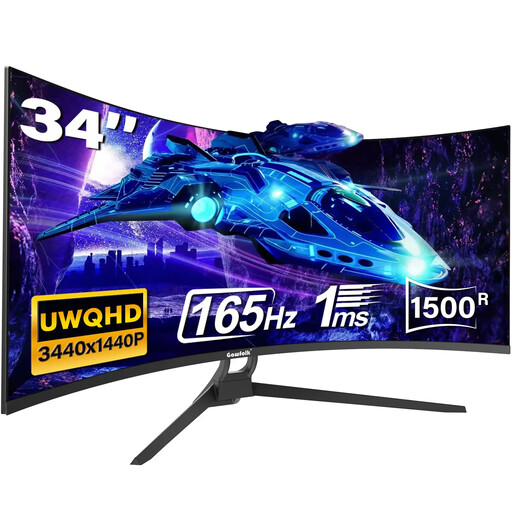
Gawfolk 34-inch UWQHD curved monitor
This is a one-computer split-window option unless the exact model’s PBP support is confirmed.
The product title lists a 21:9 format and 165 Hz refresh rate. Check the actual ports and supported modes before purchase: the title mentions USB-C and HDMI 2.1, while the detailed port information does not list USB-C and specifies HDMI 2.0.
View on Joybuy
 No image available
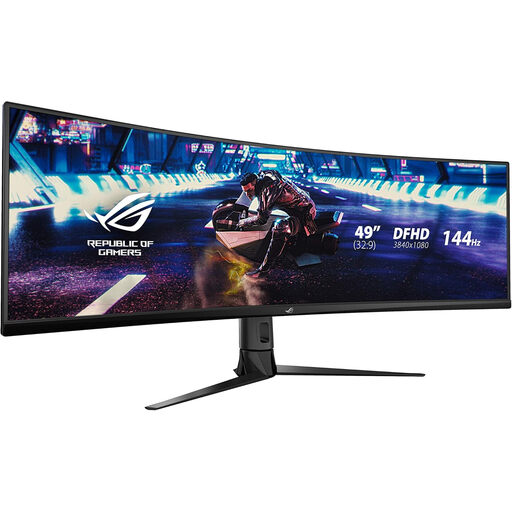
ASUS ROG STRIX XG49VQ DFHD curved monitor
Consider this 49-inch model for a wide single-computer layout, but check whether its DFHD picture area gives your browser and tools enough vertical room.
The product title specifies a 144 Hz refresh rate. If the test requires two computers on screen at once, confirm PBP and its supported input modes in the model manual.
View on Joybuy
Questions about two-screen testing
Will any 49-inch ultrawide display two computers at once?
No: choose a model that explicitly supports PBP if two separate inputs must appear simultaneously. Dell UK lists PBP for the U4924DW, but check that model’s manual—or the manual for whichever monitor you choose—for the available layouts and input conditions.
Can one USB-C cable carry video, peripherals and laptop power?
It can when both devices support the required functions and the monitor supplies enough power for the laptop. VESA describes video, USB data and power over a compatible DisplayPort-over-USB-C connection; check the laptop’s output mode and the exact monitor’s power-delivery limit.
What should I check before using a 5120 × 1440 monitor?
Check the graphics output, dock and cable against the chosen monitor’s native-mode requirements. HP Support UK specifies DisplayPort 1.4 or HDMI 2.1 and a video card capable of 5120 × 1440 for its E45c G5; other models and refresh rates may have different requirements.
Do I need DisplayHDR 400 to test search filters?
No, HDR is not an inherent requirement for comparing ordinary search-filter views. Philips UK lists DisplayHDR 400 for its 49B2U6900CH, but for this task, establish the workspace, input arrangement and computer compatibility you need before weighing HDR features.


