
24/7 Customer Support

Free returns

Same-day & Next-day Delivery

Quality Guaranteed

Unlock Your Welcome Offers: FREE Delivery | Up to 80% OFF | Free 30-day JoyPlus trial
Download the APP
A 360mm AIO CPU cooler can provide substantial radiator surface area for gaming PCs, content-creation systems and high-performance desktop builds. However, choosing one based only on fan lighting or a large pump display can lead to compatibility problems, unnecessary noise or a radiator that simply does not fit your case.
The most common buying pitfalls are:
This guide explains the practical specifications to check before selecting a 360mm liquid CPU cooler, followed by product recommendations for different types of UK PC builders.
The cooler mounting kit must match your processor platform. Current shopping searches commonly include:
Socket support does not necessarily indicate that every mounting component is already installed. Check the product packaging and installation instructions for the supplied brackets, backplate and screws.
For an Intel build using an MSI B760 motherboard, LGA 1700 support is essential. The MSI MAG B760 TOMAHAWK WIFI, for example, uses an LGA 1700 socket and supports DDR5 memory, multiple M.2 slots, Wi-Fi and a 2.5 Gigabit Ethernet connection. A cooler should be selected around the processor and case rather than the motherboard brand alone.
A 360mm radiator normally uses three 120mm fans, but the full assembly needs additional clearance for:
Before ordering, consult the case manufacturer’s maximum radiator specifications. A top-mounted radiator may have less clearance around the CPU socket and RAM, while front mounting can affect graphics card length and airflow direction.
Also check whether the included fans use PWM control and whether the case has enough fan headers. A 360mm radiator is not automatically suitable for every mid-tower enclosure.
For gaming PC cooling, useful objective specifications include fan speed, airflow and static pressure. The LE100 360 models list 2500RPM PWM fans, 81.8CFM airflow and 3.2mmAq pressure. These figures can help with comparison, but fan noise, control curves and case ventilation also influence everyday results.
An ARGB AIO cooler generally requires a 5V addressable RGB connection, which is different from a 12V RGB header. Never force an incompatible connector. Display-equipped models may additionally require an internal USB header and software control. Check your motherboard manual before buying, especially if you want synchronised lighting or pump-screen monitoring.
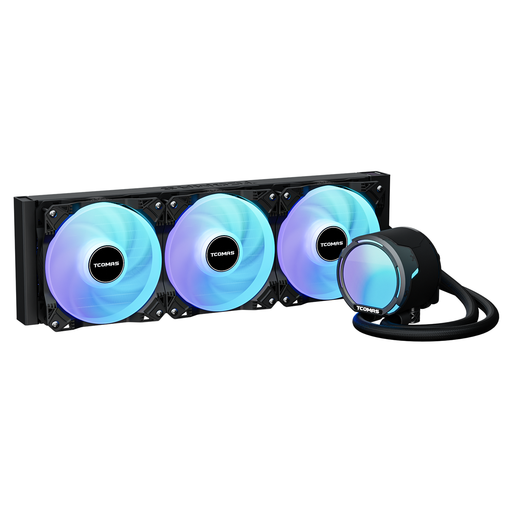
Why This Fits Their Persona: A practical choice for a first 360mm installation where socket coverage and measurable fan specifications matter more than a pump display.
Its listed PWM, airflow and pressure figures give buyers more useful information than lighting alone. Confirm case clearance and header type before purchase.
ARGB full-cover lighting; 2500RPM PWM fans; supports Intel LGA 1851, LGA 1700, LGA 1200, LGA 115X, AMD AM5 and AM4.
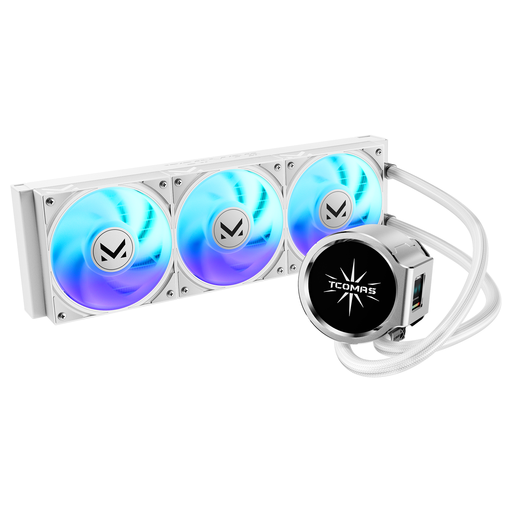
Why This Fits Their Persona: Suitable for a carefully styled white or dual-tone build where a visible pump design is part of the overall PC layout.
The dual-screen pump design is clearly specified as a round main display with a square secondary display, rather than an unspecified decorative panel.
Dual-screen pump design; ARGB fans; supports Intel LGA 1851 and LGA 1700, plus AMD AM5 and AM4.
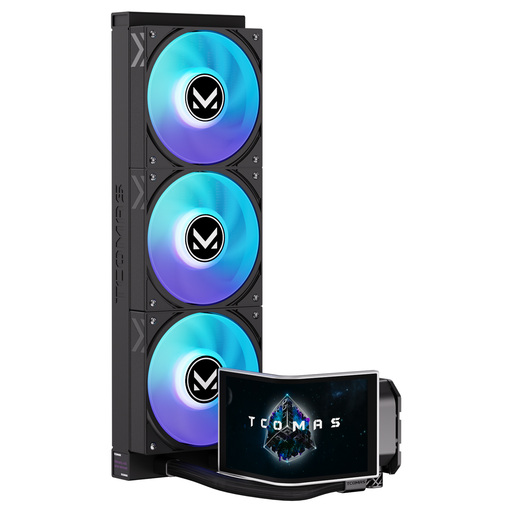
Why This Fits Their Persona: Designed for creators, streamers and enthusiasts who want a larger information and visualisation area on the pump assembly.
The product specification identifies a 6.67-inch curved AMOLED display and customisable screen, making the display function more specific than generic “smart cooler” wording.
6.67-inch curved AMOLED display; 3D visual effects; customisable screen; broad Intel and AMD socket support.
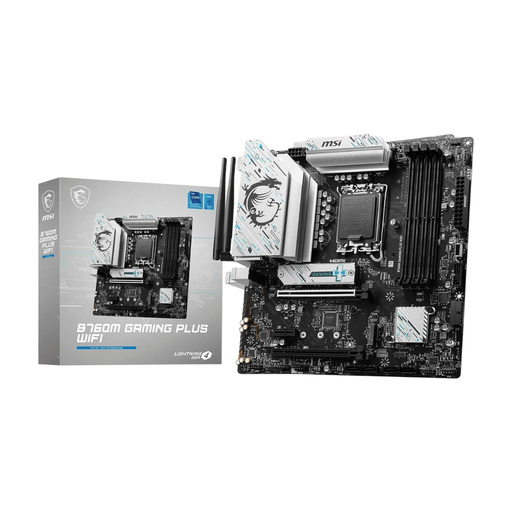
Why This Fits Their Persona: A useful foundation for an Intel LGA 1700 build where a micro-ATX layout, DDR5 support and built-in wireless connectivity are priorities.
Its micro-ATX form factor encourages a full case-planning check before selecting a 360mm radiator, helping avoid assuming that every cooler fits every chassis.
Intel LGA 1700 socket; DDR5 support up to 128GB; Wi-Fi 6; Bluetooth; multiple M.2 and PCI Express slots.
A 360mm liquid CPU cooler adds a pump to the system, so it has more components than a conventional air cooler. Install the radiator according to the manufacturer’s recommended orientation, keep cables clear of fans and connect the pump to the appropriate header. Set a sensible PWM curve in the BIOS rather than running every fan at full speed continuously.
Electricity use depends on the pump, fans, lighting brightness and operating hours. For a UK household, reducing unnecessary lighting and using quieter fan curves during light workloads can reduce power consumption slightly. Dust filters and radiator fins should also be cleaned periodically with the PC switched off and disconnected from mains power.
No. The case must specifically support a 360mm radiator, and the available clearance must account for radiator and fan thickness. Check whether the intended mounting position is front, top or side-mounted and compare the case manufacturer’s measurements.
Lifespan varies with pump construction, operating conditions and maintenance. Keep the radiator free from dust, monitor unusual pump noise and check for signs of leakage or coolant residue. If the pump stops working, shut down the PC and follow the product warranty or support process.
Not automatically. ARGB lighting normally needs a compatible 5V addressable header, while display features may need an internal USB connection and dedicated software. Confirm the motherboard headers and software requirements before ordering. For more Intel LGA 1700-compatible components, browse the LGA 1700 range.
We have compiled a complete, real-time list of products that fully satisfy these strict selection criteria and UK safety regulations.