
24/7 Customer Support

Free returns

Same-day & Next-day Delivery

Quality Guaranteed

Unlock Your Welcome Offers: FREE Delivery | Up to 80% OFF | Free 30-day JoyPlus trial
Download the APP
A 49-inch ultrawide gaming monitor can replace two conventional displays, provide a wider field of view in compatible games and create a spacious workspace for editing, spreadsheets and streaming. However, its size and high specification can make unsuitable purchases expensive. Before choosing a display, check how the advertised resolution, refresh rate, ports and physical dimensions fit your equipment and room.
A large panel is not automatically sharper. A 49-inch 32:9 ultrawide monitor with DQHD 5120×1440 resolution offers considerably more horizontal workspace than a 34-inch 3440×1440 monitor, but it also requires more graphics processing power. If your computer is not equipped to drive 5120×1440 smoothly, you may need to reduce settings or accept lower frame rates.
For office work, a large canvas can be useful. For gaming, check whether your preferred titles support 32:9 properly. Some games may show side areas differently, use black bars or require configuration changes.
A monitor may support 165Hz, 200Hz or 240Hz, but the achievable refresh rate can depend on the input, resolution, cable and graphics card. For example, the Gawfolk 34-inch model lists HDMI 2.0 support up to 120Hz and DisplayPort 1.4 support up to 165Hz.
Before buying, confirm:
A high refresh rate is most useful when your system can produce a comparable frame rate.
Terms such as HDR10, DisplayHDR, 120% sRGB and 99% DCI-P3 describe technical capabilities, but they do not by themselves guarantee colour calibration or a particular creative result. A wide gamut can produce vivid colours, while content creation may also require a suitable colour mode, calibration tools and software that manages colour profiles.
For design and video editing, consider the panel’s stated gamut, bit depth, contrast, brightness and connection options together. For gaming and films, HDR support may add brightness and contrast differences in compatible content, but the effect varies by panel technology and source material.
A 49-inch curved gaming monitor normally uses a 32:9 aspect ratio. DQHD, written as 5120×1440, is effectively two 2560×1440 areas joined without a central bezel. This is useful for racing games, simulation titles, timeline editing and side-by-side applications.
A 34-inch model generally uses 21:9 and 3440×1440. It occupies less desk width and places a lower demand on your graphics card, making it a more practical choice for smaller rooms or mid-range gaming PCs.
A 165Hz gaming monitor can display more frames per second than a 60Hz model when supported by the system. This can make camera movement appear smoother, particularly in fast games. Response-time figures should be checked carefully because manufacturers may quote different measurements, such as MPRT or GTG.
AMD FreeSync or another adaptive-sync feature can help synchronise the display’s refresh rate with compatible GPU output, reducing visible tearing and stutter. Compatibility depends on the graphics card, drivers, monitor settings and connection used.
A 1500R curved monitor has a tighter curve than an 1800R model. The preferred curvature is personal, but a 49-inch screen needs substantial desk width and a stable surface. Measure the desk before ordering, including space for the stand, speakers and cable clearance.
VA panels commonly offer strong static contrast and deep-looking dark areas. OLED and QD-OLED panels can provide very high contrast and rapid response, but buyers should read the manufacturer’s guidance on static images, ventilation and screen care.
For mounting, check the exact VESA pattern and arm weight rating. A large curved display should not be placed on an undersized arm. Move a 49-inch monitor with two people and avoid pressing the curved panel.
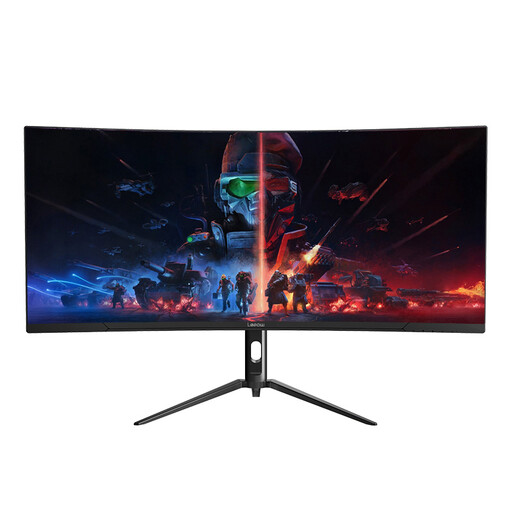
Why This Fits Their Persona: Its 34-inch 21:9 format provides an ultrawide workspace without the desk width and GPU demands of a 49-inch display, making it suitable for a first curved monitor in a UK home office or gaming room.
The listing specifies 3440×1440, 165Hz and a VA panel, so buyers can compare the core figures rather than choosing on screen size alone.
165Hz refresh rate, 1ms stated response time, DP and HDMI connectivity, plus a stated 1-year limited warranty.
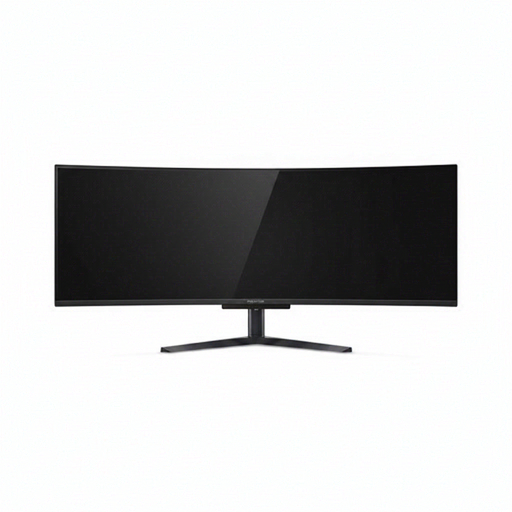
Why This Fits Their Persona: It is aimed at buyers who want a 49-inch DQHD display for immersive gaming, demanding visuals and a broad multitasking workspace.
The specification identifies the panel technology, native 5120×1440 resolution, input options and supported refresh rate, allowing a more informed comparison.
QD-OLED panel, 240Hz refresh rate, HDMI 2.1, USB-C with up to 90W Power Delivery and an integrated KVM switch.
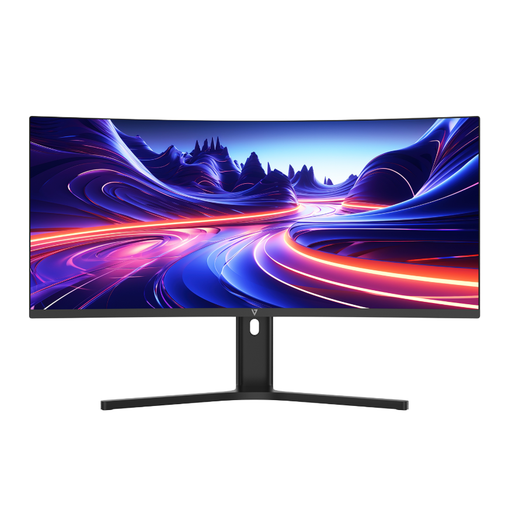
Why This Fits Their Persona: Its connectivity and ergonomic features suit professionals, students and creators who need one display for laptop work, documents and media.
The listed 3440×1440 resolution, 1500R curve and height adjustment make the physical workspace easier to plan before purchase.
USB-C with 65W Power Delivery, Picture-by-Picture support, a height-adjustable stand and built-in speakers.
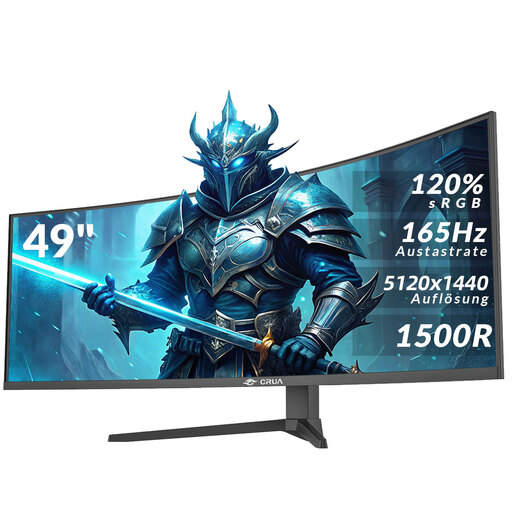
Why This Fits Their Persona: This is intended for users who specifically want a wide 32:9 screen for gaming, films, simulation titles and multiple desktop windows.
Its listing states the native DQHD resolution, 165Hz refresh rate, connection types and VESA specification, helping buyers verify compatibility and installation needs.
5120×1440 resolution, 1500R VA panel, 165Hz refresh rate, HDR10, AMD FreeSync and HDMI 2.1 and DP 1.4 inputs.
We have compiled a complete, real-time list of products that fully satisfy these strict selection criteria and UK safety regulations.
It can be useful for spreadsheets, project timelines and several windows side by side. However, check whether your desk can accommodate its width and whether your operating system and applications scale correctly at 5120×1440.
For gaming at native DQHD resolution and high refresh rates, generally yes. The required performance depends on the game, graphics settings and GPU. DisplayPort or HDMI bandwidth must also support the selected resolution and refresh rate.
Lifespan depends on usage, ventilation, power conditions and panel technology. Keep the vents clear, avoid impact or pressure on the screen, use suitable power accessories and follow the manufacturer’s care guidance. For OLED models, pay particular attention to the supplied instructions regarding static content and panel maintenance.