
24/7 Customer Support

Free returns

Same-day & Next-day Delivery

Quality Guaranteed

Unlock Your Welcome Offers: FREE Delivery | Up to 80% OFF | Free 30-day JoyPlus trial
Download the APP
A 49-inch ultrawide gaming monitor promises an unparalleled level of immersion, wrapping your entire field of view in a seamless digital canvas. For serious gamers, financial traders and multitasking professionals in the UK, it represents a significant upgrade. However, the path to this panoramic paradise is lined with marketing traps and technical jargon that can lead to a disappointing and expensive purchase.
Before you commit, it's crucial to understand the common pitfalls. Many buyers are lured by a single headline feature, only to find their new display is ill-suited for their setup or daily use. Here are the key issues to watch for:
To make an informed decision, focus on the specifications that genuinely impact your experience. These are the non-negotiable factors to check before adding any 49 inch curved monitor to your basket.
The defining feature of these displays is the 32:9 ultrawide monitor aspect ratio. At a resolution of 5120 x 1440 (often called DQHD or Dual QHD), you are effectively getting two 27-inch 1440p monitors placed side-by-side, but without the distracting bezel in the centre. This creates a vast, uninterrupted workspace, ideal for a monitor for multitasking. For gamers, it provides an expansive peripheral view in supported titles, offering a tangible competitive advantage and a deeply cinematic feel.
A monitor of this size becomes the hub of your desk. Ensure it has the right ports for your needs. A USB-C port with Power Delivery is a huge plus, allowing you to connect a laptop with a single cable for video, data and charging. Furthermore, a height adjustable ultrawide monitor stand with tilt and swivel functions is essential for finding a comfortable viewing angle and maintaining good posture during long sessions.
We've analysed the market to find displays that balance these critical features for different types of users. Instead of a one-size-fits-all approach, we've matched our recommendations to specific needs.
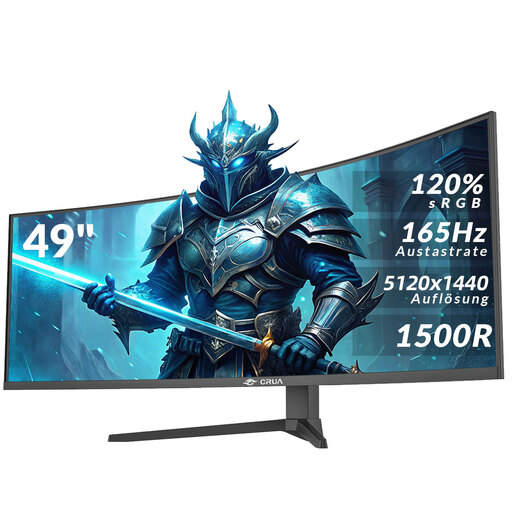
Why This Fits Their Persona: This monitor is built for gamers who demand speed and immersion. The 165Hz refresh rate and AMD FreeSync technology provide the fluid, tear-free motion needed for a competitive edge in fast-paced shooters and racing simulators.
It avoids the "refresh rate overspend" by offering a 165Hz rate that is achievable with modern high-end GPUs at its native resolution. It also includes a fully height adjustable stand, dodging the ergonomic pitfall.
The combination of a high 165Hz refresh rate and an immersive 1500R curve creates a superior gaming experience. It also features both HDMI 2.1 and DisplayPort 1.4 ports for versatile connectivity.
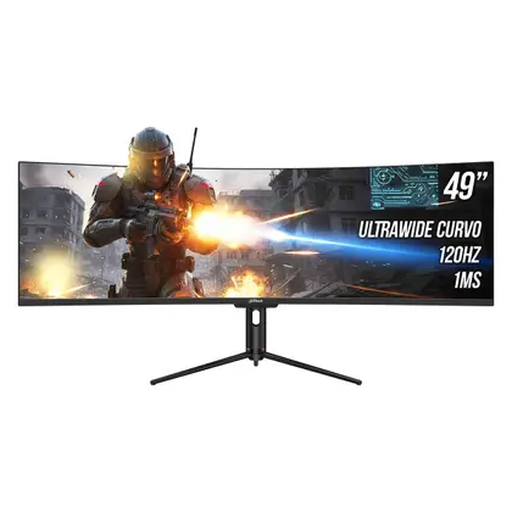
Why This Fits Their Persona: This is an ideal curved monitor for trading, coding or video editing. The vast screen space allows for multiple timelines, charts and applications to be viewed simultaneously, while the built-in USB hub and 65W Type-C power delivery create a clean, single-cable desk setup.
It features a gentler 1800R curve, which is less prone to distorting straight lines, making it better for productivity than more aggressive curves. The 120Hz refresh rate is perfectly smooth for professional work without the premium price of higher-Hz gaming panels.
Its standout feature is the excellent connectivity, including a Type-C port with 65W power delivery and a USB hub. The stand is also fully adjustable for height, tilt and swivel.
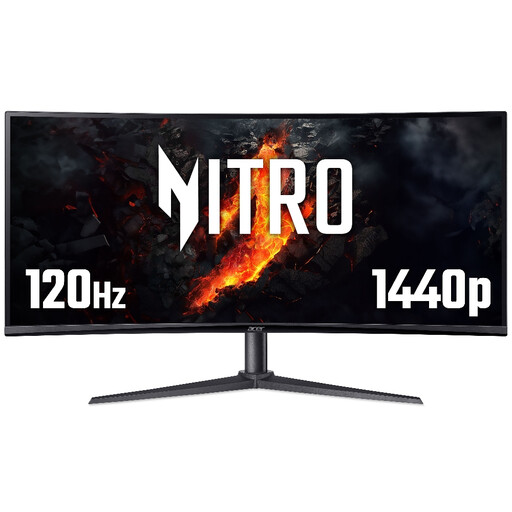
Why This Fits Their Persona: For those intrigued by the ultrawide format but find a 49-inch screen too large for their desk or budget, this 34-inch model offers a fantastic compromise. It provides an immersive 21:9 experience and smooth 120Hz gaming performance in a more manageable footprint.
This monitor provides a clear alternative to the "bigger is always better" mindset. It delivers the core benefits of an ultrawide—immersion and multitasking space—without the extreme size and cost of a 49-inch model.
It offers a balanced feature set with a QHD resolution, 120Hz refresh rate and a height-adjustable stand. It's a versatile choice for both gaming and productivity in a standard UK home office.
We have compiled a complete, real-time list of products that fully satisfy these strict selection criteria and UK safety regulations.
Absolutely. The sheer screen real estate is a significant productivity booster. For professionals, it allows you to have multiple full-sized application windows open side-by-side. A stock trader can monitor several charts, a video editor can see a long timeline and a developer can have code, documentation and a preview window all visible at once, reducing the need to constantly switch between tabs.
Driving a 5120x1440 resolution, which has nearly as many pixels as a 4K monitor, requires a capable graphics card, especially for gaming. For productivity and media consumption, a mid-range card from the last few years will suffice. For gaming at high settings and achieving frame rates that take advantage of a 120Hz or 165Hz refresh rate, you should look towards the upper-mid to high-end range of modern graphics cards (e.g., an NVIDIA GeForce RTX 4070/4080 or AMD Radeon RX 7800 XT/7900 XT or their future equivalents).
Manually arranging windows can be tedious. Most ultrawide monitors come with manufacturer software (like MSI Display Kit or LG OnScreen Control) that helps you easily snap windows into various pre-set layouts. Alternatively, Microsoft Windows has a built-in "Snap Layouts" feature that works very well. For more advanced control, third-party tools like Microsoft PowerToys' "FancyZones" allow you to create custom layout templates to perfectly organise your workspace.