What matters when buying?
Keep or upgrade a phone
Choose when: One person mainly needs calls and data, and the chosen network works at essential locations. Keep the current phone if it already meets those needs.
Trade-off: Tethering relies on the phone and its battery; a replacement handset cannot create coverage where the network is unavailable.
Pocket hotspot
Choose when: Several personal devices need a shared connection while you travel or work away from a fixed connection.
Trade-off: A dedicated hotspot is another device to carry, charge and secure, with service still dependent on the local mobile network.
Mobile broadband router
Choose when: Several devices need a shared connection at a workspace or other relatively settled location, particularly if wired connections matter.
Trade-off: A stationary setup is less convenient to move, and its Wi-Fi or port specifications do not establish mobile service at the premises.
Once you have a workable network in mind, use the primary need that would change your device choice to narrow the form factor and exact model.
| Concern |
What to check |
Who this matters to |
| Service at essential locations |
Compare likely indoor and outdoor 4G/5G coverage for each important postcode using Ofcom’s checker; test the shortlisted network where dependable service matters. |
If I move between home, work and regular stops, a strong signal at just one address will not settle my choice. Around 36% of consumers put usable coverage across their essential locations first. |
| Sharing across devices |
Count routinely connected devices and decide whether the setup needs Ethernet as well as Wi-Fi. |
When several devices need the same connection at a workspace, I want a sharing arrangement that fits how they are used. Around 29% of consumers make shared connectivity their primary concern. |
| Portability and power |
Check the exact device’s power arrangement, charging method and stated battery runtime against your travel routine. |
If the connection travels with me, carrying and charging another device has to be manageable. Around 21% of consumers place portability and power ahead of their other needs. |
| Device compatibility |
Check the exact regional variant’s cellular bands, SIM arrangement and provider compatibility; for phone calls, check 4G calling support. |
Before replacing an older device or ordering a regional variant, I need confidence it will work with my intended provider. Around 14% of consumers make exact-device compatibility their first concern. |
Joybuy product choices
These choices cover portable hotspots, a router for a shared setup and phones for personal mobile use. Choose the connection route that fits your locations and devices before checking an exact model against your intended network.
 No image available
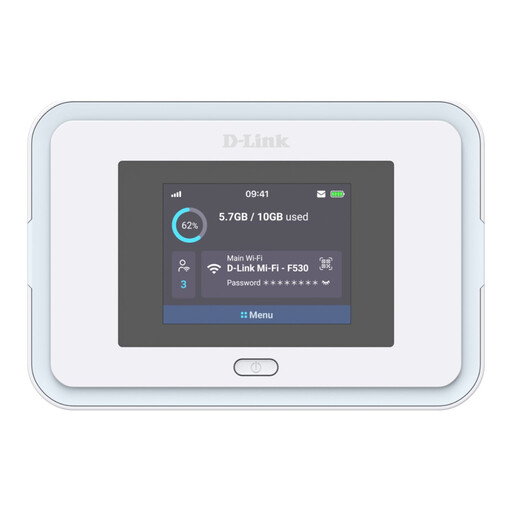
D-Link F530 5G NR AX3000 Wi-Fi 6 Mobile Hotspot
A portable hotspot to consider when you want a separate connection for devices on the move.
The product name identifies 5G NR and Wi-Fi 6; check the exact model’s cellular bands and compatibility with your intended provider before buying.
View on Joybuy
 No image available
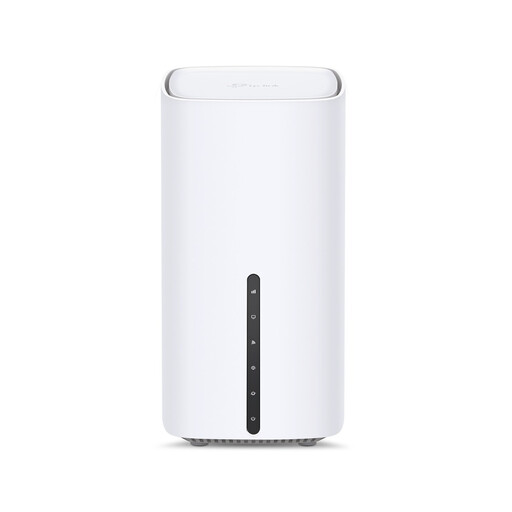
TP-Link Archer NX500 5G AX3000 Dual-Band Gigabit Router
A router to consider for a shared connection at a workspace rather than a pocket-sized travel setup.
The product name specifies 5G, AX3000 dual-band wireless networking and Gigabit routing; confirm the exact model’s cellular bands and provider compatibility for the installation location.
View on Joybuy
 No image available
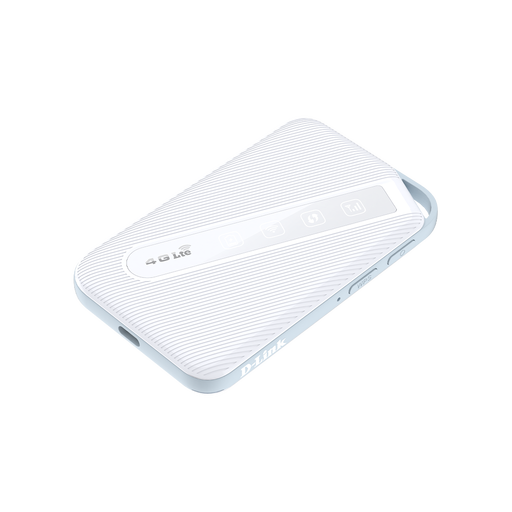
D-Link DWR-932W 4G LTE AX300 Wi-Fi 6 Mobile Hotspot
A portable sharing option if a suitable 4G connection meets your needs on the routes you use.
The product name specifies 4G LTE and Wi-Fi 6, not 5G. Check the exact model’s cellular bands against your intended provider.
View on Joybuy
 No image available
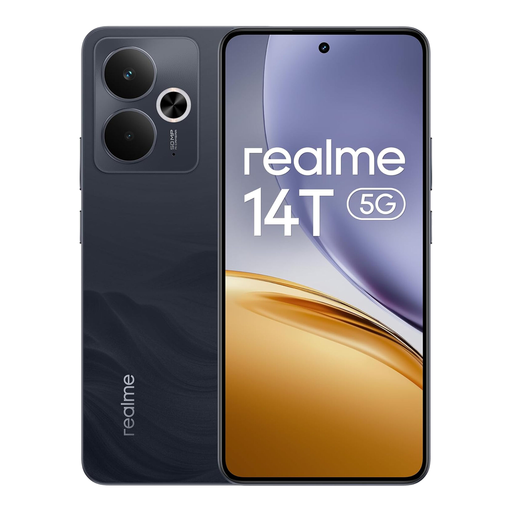
Realme 14T 5G RMX5074, 8GB/256GB, Obsidian Black, INT+NFC, EU AMZ
A phone option when personal mobile use is the main reason to change devices.
This variant is identified as a 5G model with 8GB and 256GB. Check its cellular bands, provider compatibility and 4G calling support; if you plan to share its connection, confirm tethering support too.
View on Joybuy
 No image available
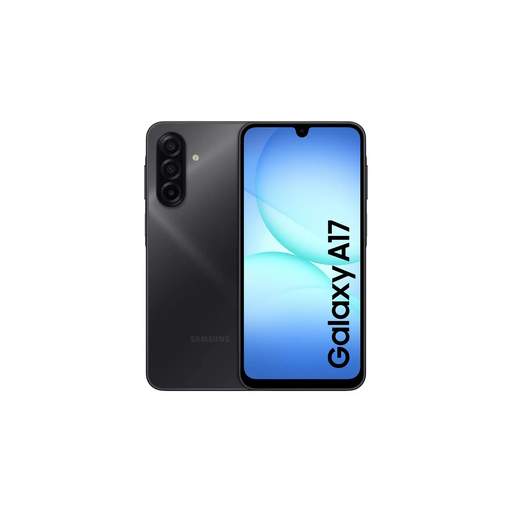
Samsung Galaxy A17 5G A176 Dual SIM, 4GB/128GB, Grey
A phone option for personal mobile use when an exact-model compatibility check supports changing handsets.
The product name specifies 5G, Dual SIM, 4GB and 128GB. Confirm cellular bands and 4G calling with your provider, and verify tethering support if other devices will use the connection.
View on Joybuy
Frequently asked questions
How can I check coverage at home, work and commute stops?
Enter each important postcode in Ofcom’s Map Your Mobile checker and compare likely indoor and outdoor 4G/5G service by network. Treat the results as a shortlist: Ofcom notes that buildings and other local factors can change the experience, so try the connection on site when reliability is important.
Will a 5G phone, hotspot or router fix unreliable service?
A 5G-capable device cannot guarantee a usable connection where you need it. Ofcom’s mobile-experience research found faster 5G connections on average in data collected from October 2024 to March 2025, but those findings do not predict performance at a particular address or along a journey. Check both local coverage and the intended device before choosing 5G hardware.
When should I use a dedicated hotspot instead of phone tethering?
Consider a dedicated hotspot when you regularly share mobile data with a laptop, tablet or other devices and want the connection separate from your phone. It still needs a workable local network and a charging routine; check its SIM requirements and exact device capabilities before choosing one.
Which compatibility details matter before ordering?
Check the exact model and regional variant against your intended provider, including its published cellular bands and SIM arrangement. If you rely on calls, confirm 4G calling support; if you plan to share phone data, confirm tethering support for that variant.
Is a 2G-only device suitable for a long-term UK connection?
A 2G-only device is not a durable choice for a connection you expect to keep using. The UK Government says mobile operators plan to switch off 2G between 2029 and 2033; check that a replacement supports the services you need on your chosen provider.


