What matters when choosing?
The main choice is between physical keys and touch controls. A larger touchscreen can offer more room to view content, but it does not remove the need to tap and swipe.
4G keypad or flip phone
Consider it when: Calls and texts are the priority, and separated keys suit the person better than touch navigation.
Trade-off: Check any need for apps or video calls against the exact model rather than assuming a keypad phone can provide them.
Smartphone or larger touchscreen
Consider it when: The person wants apps or video calls and can use touch controls, with setup help if needed.
Trade-off: Magnification and spoken feedback can change how the screen is used, but may require gestures the person needs to learn.
| Concern |
What to check |
Who this matters to |
| Simple calls and texts |
Try finding a contact, making a call, reading a text and returning to the main screen. Check any speed-dial or favourite-contact setup. |
If I mainly call and text, I want to reach familiar people without losing my place in the menus. Around 31% of consumers put that predictable routine first. |
| Readable information |
Try the text-size and magnification settings, then read caller information and compose a message in normal lighting. |
When small labels are difficult to see, I need to read messages and recognise who is calling while still being able to operate the phone. Visual readability comes first for around 25% of consumers. |
| Handling and hearing |
Assess grip, key spacing, call and ringer volume, and compatibility with the person’s own hearing aids where relevant. |
If my hands make small controls awkward or calls are hard to hear, comfortable handling and conversation matter more to me than extra functions. Around 25% of consumers make these their primary concern. |
| Apps and connectivity |
Confirm the exact handset’s 4G or 5G capability and compatibility with the intended network. If choosing a smartphone, try its essential apps and controls. |
I want to keep in touch through apps as well as calls, without choosing a handset that relies only on an older network. That combination is the first priority for around 19% of consumers. |
Brands to consider
These ranges offer different keypad-phone options; features vary by model, so check the controls and accessories on the handset you intend to buy.
Doro
Doro offers keypad, bar and flip phones aimed at people who prefer straightforward calling controls.
- Doro lists features such as high-contrast keys, adjustable text, hearing-aid compatibility and assistance buttons on selected models.
- Those features are model-specific. Check the chosen phone’s charging arrangement and try it with the user’s own hearing aids where relevant.
emporia
emporia offers keypad phones and smartphones aimed at consumers seeking larger controls or simplified everyday use.
- emporia describes large buttons and contact-related assistance functions in its range; its emporiaPURE-LTE page says its emergency button can be set with up to five contacts.
- Confirm the selected model’s network capability and button setup. A configured contact button does not replace a medical-alert service.
HMD / Nokia feature phones
HMD’s feature-phone range includes conventional keypad formats for calling and messaging.
- HMD identifies big buttons, dual screens and 4G on its HMD 2660 Flip page.
- Do not assume every model has adjustable text, hearing-aid compatibility, a charging cradle or an assistance button; check the exact handset.
Joybuy phone choices
These phones cover keypad options for calls and texts, plus a touchscreen smartphone for someone who wants that style of control. Try the intended user’s essential tasks and check network compatibility before choosing.
 No image available
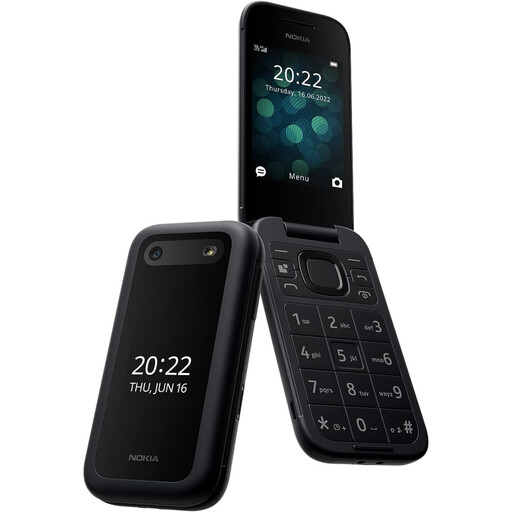
Nokia 2660 TA-1469
Consider this flip-phone format if answering calls with physical controls appeals to the intended user. Try the opening and closing action, and check 4G voice-service compatibility with their network before buying.
View on Joybuy
 No image available
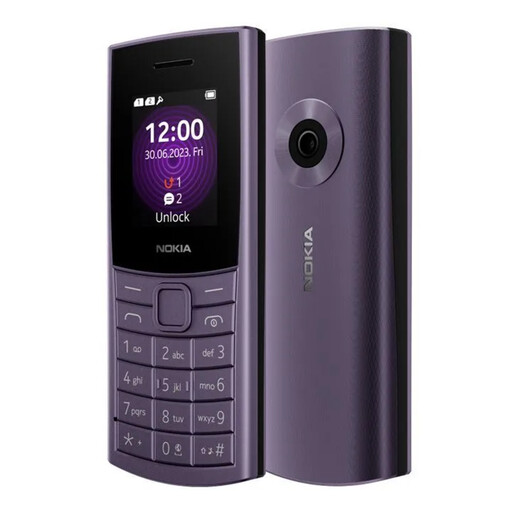
Nokia 110 4G TA-1543 DS Purple
A keypad option to consider when calls and texts are the main tasks. This is the 4G, TA-1543 DS Purple variant; try reading a message on the actual handset and confirm voice-service compatibility with the intended network.
View on Joybuy
 No image available
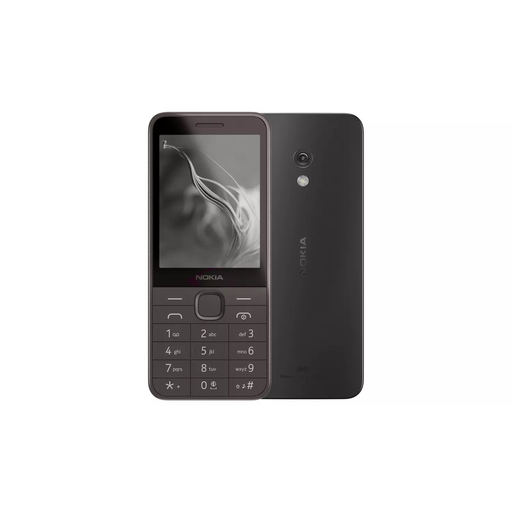
Nokia 235 4G (TA-1614)
For a calls-and-texts routine where physical keys are preferred, try this 4G handset’s keypad and menus with the intended user. Check its voice-service compatibility with their network and any need for apps against the exact model.
View on Joybuy
 No image available
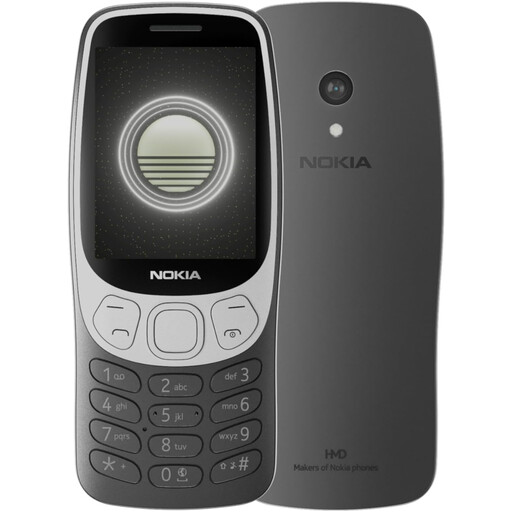
Nokia 3210 4G TA-1618 DS Grunge Black
A 4G keypad variant to consider if touch gestures make everyday calls and messages awkward. Try its display and controls, confirm network voice-service compatibility, and check any required text or hearing settings on this exact handset.
View on Joybuy
 No image available
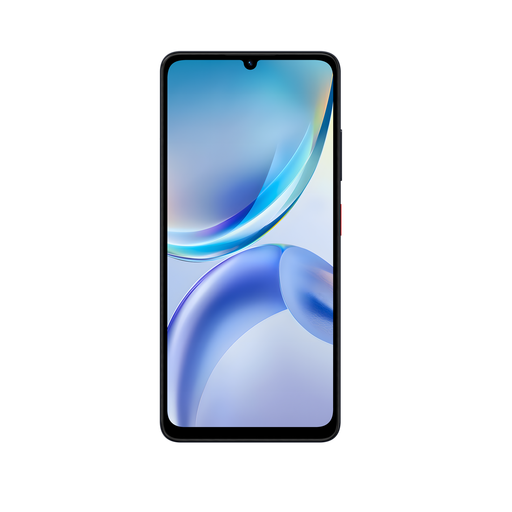
ZTE Blade A36 Black 4GB+128GB
Consider this touchscreen option if the intended user wants smartphone functions and is comfortable tapping, swiping and typing. The Black variant is labelled 4GB+128GB; check its accessibility settings and compatibility with the intended mobile network before buying.
View on Joybuy
Common questions
Should I buy a 3G-only phone for an older relative?
No, not for continued use on UK mobile networks: Ofcom says UK 3G networks have switched off. Choose a handset confirmed as 4G- or 5G-capable and check it against the intended provider; GOV.UK says operators plan to retire 2G between 2029 and 2033.
Is a larger screen automatically easier to use?
No. A larger screen provides more display space, but RNIB notes that smartphones still use touch gestures. Try reading a message, typing and navigating the phone with the text and magnification settings the person would actually use.
What should I set up before handing over the phone?
Set up the intended network or SIM, important contacts, charging and the settings needed for everyday calls and texts. Then ask the user to make and answer a call, read a message and return to the main screen; if using Android magnification or TalkBack, practise its gestures together.
Does a 4G or 5G phone still need a coverage check?
Yes. Ofcom’s coverage checker gives postcode-based predictions by provider, but its in-home results are guidance rather than a guarantee. Check the places where the relative will use the phone and test calls there if possible.


