
24/7 Customer Support

Free returns

Same-day & Next-day Delivery

Quality Guaranteed

Unlock Your Welcome Offers: FREE Delivery | Up to 80% OFF | Free 30-day JoyPlus trial
Download the APP
Navigating the world of high-performance televisions can feel like wading through a swamp of technical jargon and marketing buzzwords. For gamers and home cinema fans, the stakes are even higher. You are looking for that fluid, responsive and visually stunning experience, but it is easy to make a costly mistake. Many find themselves with a new TV that promises the world but fails to deliver when connected to a PS5, Xbox Series X or high-end PC.
As the Joybuy Product Recommendation Officer, my role is to help you sidestep these common purchasing traps. Before you invest in a new centrepiece for your entertainment setup, let’s look at the pitfalls that frequently catch UK buyers out.
To ensure your new television is a genuine upgrade, focus on the core specifications that directly impact performance. These are the features that separate a true gaming powerhouse from a standard display.
The single most important specification for smooth gameplay is the panel's native refresh rate. This is the number of times the screen can physically refresh the image per second. For next-generation gaming, a native 120Hz panel is the baseline, while a 144Hz panel provides an even smoother picture, especially for PC gamers.
Equally important is VRR (Variable Refresh Rate). This technology allows the VRR television to synchronise its refresh rate in real-time with the frame rate output of your console or graphics card. This eliminates screen tearing and stuttering, resulting in a flawlessly smooth image during fast-paced action. Technologies like AMD FreeSync Premium are a clear indicator of robust VRR support.
An HDMI 2.1 TV is not just a nice-to-have; it is a requirement for unlocking the full potential of a PS5 or Xbox Series X. Only the full 48Gbps bandwidth of HDMI 2.1 can carry a 4K signal at 120 frames per second. Cheaper TVs may claim to have HDMI 2.1, but if the ports are not full-bandwidth, they cannot support the features you need, such as 4K@120Hz, VRR and ALLM. Always check for multiple, full-spec HDMI 2.1 ports to connect all your devices without compromise. This is the foundation for the best TV for PS5 or any modern gaming setup.
Beyond refresh rates, the display panel itself defines the picture quality. A QLED smart TV uses a layer of quantum dots to produce a wider range of vibrant, accurate colours compared to standard LED TVs. For an even greater leap in quality, QD-Mini LED technology combines quantum dots with a backlight made of thousands of tiny LEDs. This allows for incredibly precise brightness control, delivering deep blacks and brilliant highlights in the same scene.
For audio, look for models with integrated, front-firing speakers or a built-in sound system from a recognised audio brand. Features like a TV with Dolby Atmos support create a three-dimensional soundscape, adding a layer of immersion that makes it feel like you are in the middle of the action, creating a true home cinema TV experience.
Instead of a generic list, we have matched some standout models to the people they are built for.
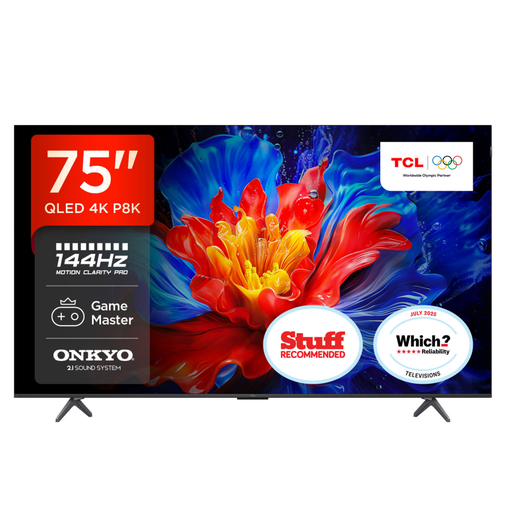
Why This Fits Their Persona: This user prioritises speed and responsiveness above all else. They need a large screen for immersion without sacrificing performance. This 75 inch gaming TV is built for exactly that, providing a competitive edge in fast-paced online games.
It features a native 144Hz panel, not interpolated motion smoothing. The Game Master Pro mode includes four full-bandwidth HDMI 2.1 ports with ALLM and FreeSync Premium VRR, directly countering the "fake game mode" pitfall.
Its combination of a native 144Hz refresh rate and comprehensive VRR support delivers exceptionally fluid motion. The integrated ONKYO 2.1 sound system with a subwoofer provides powerful audio straight out of the box.
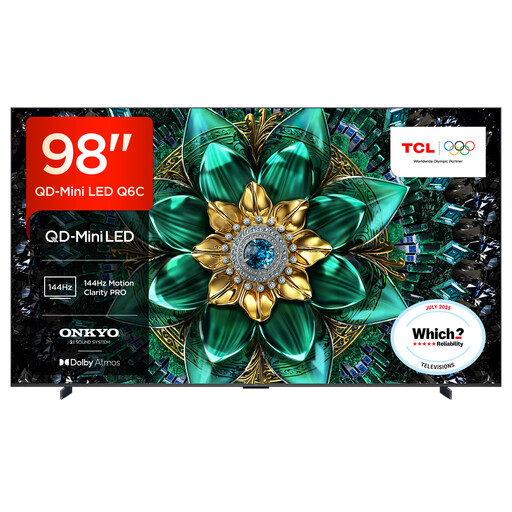
Why This Fits Their Persona: This user wants to create a breathtaking private cinema. Size, picture quality and immersive sound are their top priorities for watching 4K Blu-rays and streaming services. Gaming is a bonus, but the cinematic experience is paramount.
It directly solves the "audio afterthought" problem with a premium 2.1 ONKYO sound system and Dolby Atmos support. Its QD-Mini LED panel also provides far superior contrast and black levels than standard TVs, avoiding disappointing picture quality on a large screen.
The colossal 98-inch screen combined with QD-Mini LED technology offers an unparalleled cinematic scale and contrast. It remains a top-tier gaming display with a 144Hz native panel and full HDMI 2.1 support.
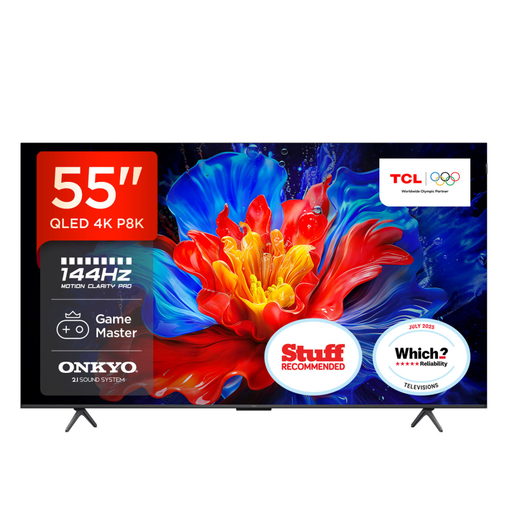
Why This Fits Their Persona: This user wants future-proofed gaming features without committing to the largest screen sizes or highest prices. They need a versatile TCL Google TV that excels at gaming, streaming and everyday viewing in a typical UK living room.
This model avoids all three major pitfalls by providing a native 144Hz panel, a full suite of HDMI 2.1 gaming features and an integrated ONKYO 2.1 sound system, offering a complete package without hidden compromises.
It delivers the core high-performance gaming features of more expensive models—144Hz VRR, ALLM and premium audio—in a more accessible 55-inch size, representing excellent value for the technology included.
We have compiled a complete, real-time list of products that fully satisfy these strict selection criteria and UK safety regulations.
The PlayStation 5 currently outputs a maximum of 4K at 120Hz. Therefore, a 120Hz native panel is sufficient to get the most out of the console. However, a 4K 144Hz gaming TV is ideal for two reasons: it offers excellent future-proofing for potential console updates and it is perfect for high-end PC gamers who can push frame rates beyond 120fps. The most critical factor for either is the HDMI 2.1 port, which is necessary for 4K at 120Hz.
Both are excellent technologies that improve on standard LED TVs. A QLED smart TV uses a quantum dot filter to enhance colour accuracy and brightness, resulting in a vibrant and rich picture. QD-Mini LED is a more advanced technology that replaces the standard backlight with thousands of miniature LEDs. This allows for much finer control over dimming zones on the screen, leading to significantly better contrast, deeper black levels and higher peak brightness, which is especially noticeable in high-dynamic-range (HDR) content.
Input lag is the delay between you pressing a button on your controller and the corresponding action appearing on screen. For casual gaming, an input lag under 40 milliseconds (ms) is generally acceptable. For competitive gaming, you should look for a TV that can achieve under 20ms. High-performance models with ALLM (Auto Low Latency Mode) often measure below 10ms, providing a near-instantaneous response that is crucial for fast-paced shooters and fighting games.