
24/7 Customer Support

Free returns

Same-day & Next-day Delivery

Quality Guaranteed

Unlock Your Welcome Offers: FREE Delivery | Up to 80% OFF | Free 30-day JoyPlus trial
Download the APP
A 4K front and rear dash cam can provide useful driving footage, but headline specifications do not always tell the full story. UK drivers comparing a dual dash camera need to look beyond resolution and check how the system records, stores and protects footage in everyday conditions.
The most common buying pitfalls include:
Front recording in 4K can capture more detail than 1080P, which may help when reviewing road signs, number plates or traffic conditions. However, the rear camera specification is equally important. A front and rear car camera may combine 4K and 1080P, or 4K and 2.5K, depending on the model.
For most private motorists, a 4K front camera with a Full HD rear camera offers a sensible balance between detail, storage use and file-transfer speed. Taxi, private-hire and commercial vehicle operators may prefer additional interior or bumper coverage.
A night vision dash cam should provide more than a bright product description. Look for practical features such as:
A very wide angle is not automatically preferable. If the image is heavily distorted, distant number plates may become harder to interpret. After installation, position the camera so the horizon is level and the windscreen view remains unobstructed.
A dash cam with memory card is convenient, but check the supplied capacity and maximum supported capacity. Loop recording normally overwrites older unlocked clips when the card is full, while the G-sensor can lock footage after a detected impact.
GPS can record speed, route and location data. This may be useful when organising footage, although drivers should ensure the recorded information is accurate and understand that it does not replace careful driving or independent evidence.
For parking monitor dash cam functions, check whether a hardwire kit is included. Many models require an additional kit connected to an ignition and constant-power circuit. Professional installation is advisable, particularly where the vehicle is still under warranty or has complex electrical systems.
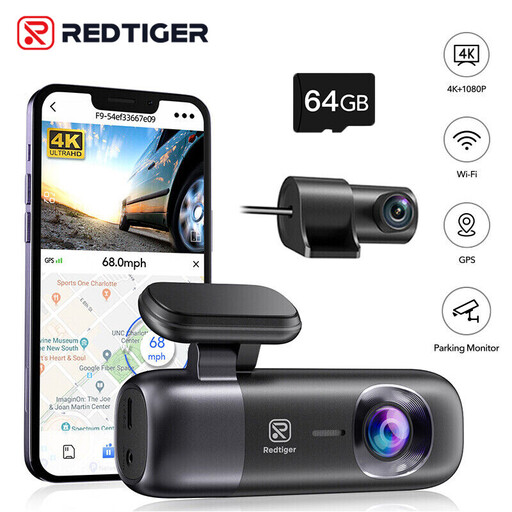
Why This Fits Their Persona: A straightforward dual dash camera for drivers wanting front and rear coverage, app control and location recording without moving to a larger mirror display.
Its listing clearly identifies the 4K front and 1080P rear arrangement, while loop recording and a 64GB card support regular use.
4K front recording, 1080P rear recording, built-in Wi-Fi, GPS and support for up to 256GB.
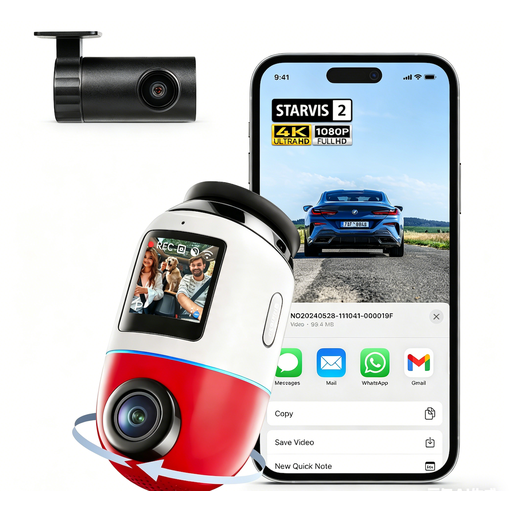
Why This Fits Their Persona: Suitable for motorists seeking extensive coverage, fast wireless transfers and connected vehicle monitoring, subject to the additional accessories required.
The specification separates front 4K recording from the 1080P rear camera and states that the microSD card and hardwire kit are not included.
4K at 60FPS, 360-degree horizontal rotation, built-in GPS, 5G Wi-Fi 6 and support for up to 512GB.
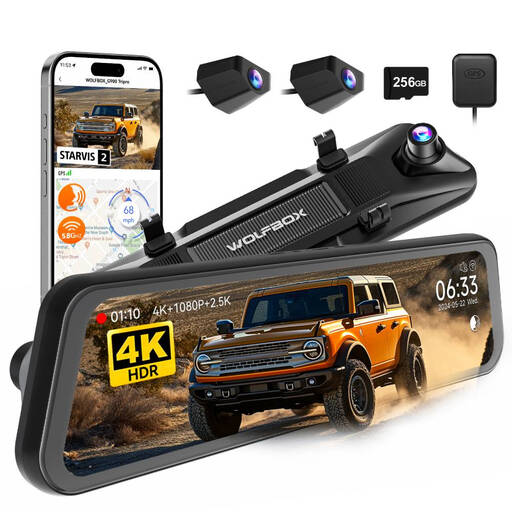
Why This Fits Their Persona: A practical match for taxi, private-hire, fleet and commercial users who want front, cabin and rear-bumper recording in one vehicle security camera.
It states the resolution for all three channels rather than implying that every camera records in 4K, and it includes a high-capacity 256GB card.
Three-channel coverage, 4K front recording, 2.5K interior recording, 1080P rear-bumper recording, GPS and 5.8GHz Wi-Fi.
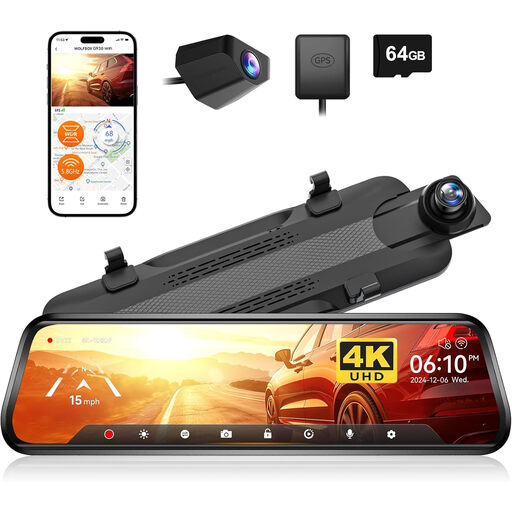
Why This Fits Their Persona: Designed for drivers who prefer a large touchscreen mirror display and a rear camera that can assist with reversing and rear visibility.
The front and rear resolutions are specified separately, while the listing explains that parking monitoring needs a separately sold hardwire kit.
10-inch touchscreen, 4K front camera, 1080P or 2K rear camera, 5.8GHz Wi-Fi, GPS and included 64GB card.
Mount the front camera behind or close to the rear-view mirror where possible, while keeping the driver’s forward view clear. Route cables away from airbag deployment areas, particularly along the A-pillars. The rear camera may be installed inside the rear window or externally near the number plate, depending on the design and weatherproofing.
Check your vehicle’s power system before ordering. Many models use a standard 12V accessory socket, while some commercial vehicles use 24V systems. A rear camera mounted outside the vehicle should be secured carefully and its cable protected from water ingress.
If the camera replaces or overlays the original mirror, adjust the display brightness to minimise glare. The driver must retain a clear rearward view and should not be distracted by the screen while driving.
4K footage uses more storage, so a high-endurance Class 10 microSD card is a practical choice for frequent recording. Format the card inside the camera before first use and periodically check that files can be played back. Loop recording helps manage capacity, but locked incident files can accumulate and eventually occupy available space.
Wi-Fi generally connects the camera to a phone for previews and downloads; it does not necessarily provide internet access. Features such as 4G remote monitoring may require a separate data plan. Parking mode can also involve the extra cost of a compatible hardwire kit and installation.
We have compiled a complete, real-time list of products that fully satisfy these strict selection criteria and UK safety regulations.
It can be worthwhile if you regularly drive on motorways, use your car for work or want more detail in front-facing footage. A 4K front camera usually creates larger files and may cost more than a Full HD system, so confirm that the rear resolution, storage and app features match your needs.
Usually not for extended monitoring while the engine is off. Many parking systems require a compatible hardwire kit connected to the vehicle fuse box. Check the product listing before buying and consider professional installation to reduce the risk of battery drain or incorrect wiring.
It depends on card capacity, recording resolution, clip length and whether files have been locked by the G-sensor. Loop recording overwrites older unlocked files, but protected clips remain until manually deleted or the card is reformatted. Regularly review important footage and maintain the card according to the manufacturer’s instructions.