
24/7 Customer Support

Free returns

Same-day & Next-day Delivery

Quality Guaranteed

Unlock Your Welcome Offers: FREE Delivery | Up to 80% OFF | Free 30-day JoyPlus trial
Download the APP
A 4K Mini LED Smart TV can deliver stronger contrast, brighter HDR highlights and smoother motion than a standard LED television. However, a long list of specifications does not automatically mean a better fit for your room, viewing habits or gaming setup.
UK buyers commonly encounter three purchasing traps:
The right choice is therefore about matching specifications to how you actually watch films, sport, streaming services and games.
Mini LED TVs use many smaller LEDs behind the LCD panel. These can be controlled in zones to improve contrast between bright and dark areas. A higher zone count may allow finer control, but it is not the only consideration. Processing, panel type and picture settings also affect visible results.
A QLED 4K TV adds a quantum-dot colour layer, while QD-Mini LED combines quantum-dot colour with Mini LED backlighting. This can be useful for bright living rooms, sports and HDR films.
Check which HDR standards are supported. A 4K HDR Smart TV may include HDR10 and HLG, while some models also support HDR10+ or Dolby Vision. If you use streaming services or a 4K disc player, matching the TV’s HDR compatibility with your content sources can help avoid paying for formats you will rarely use.
For console and PC gaming, look beyond a large refresh-rate number. Check for:
A 144Hz gaming TV can be useful with a suitable gaming PC. A 165Hz gaming TV may appeal to competitive PC players, but the computer, cable and game must all support the required output. A PlayStation or Xbox may not use the full panel refresh rate in every title.
Measure the available wall or TV unit before selecting a large-screen TV. Include the stand footprint, cable space and viewing angle. For a 75-inch or larger model, check doorways, staircases and lift access before ordering.
Also review the UK energy label, which runs from A to G. A larger, brighter screen can consume more electricity, particularly in HDR mode. The energy label does not determine picture quality, but it helps you compare likely running costs between models.
For wall mounting, confirm the VESA pattern and use a mount rated for the television’s weight. Large TVs should be secured against tipping, particularly in homes with children or pets.
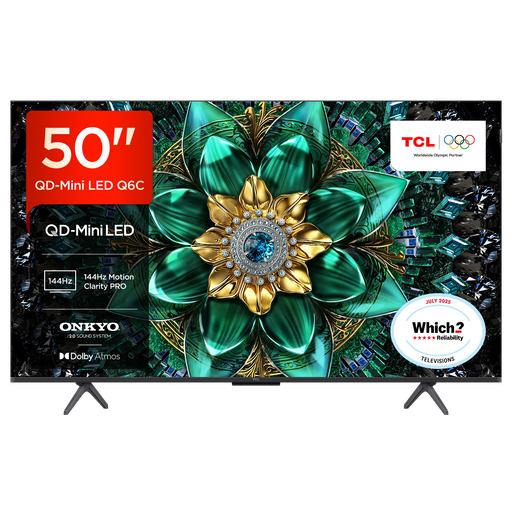
Why This Fits Their Persona: A 50-inch format suits smaller UK living rooms and bedrooms while retaining QD-Mini LED backlighting, Google TV and gaming-focused connectivity.
Its specification lists a 120Hz panel with up to 144Hz VRR, HDMI 2.1, ALLM and FreeSync Premium Pro, making the gaming claim easier to assess against compatible equipment.
4K HDR Premium 1000, Dolby Vision IQ, a 30W Onkyo sound system and Google TV are included in a compact screen size.
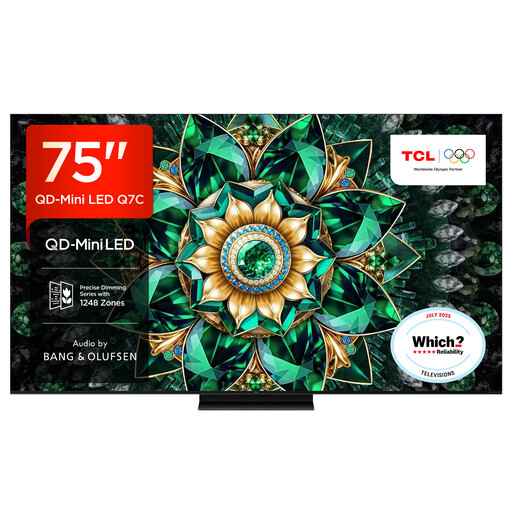
Why This Fits Their Persona: This 75-inch model is suited to a dedicated cinema room or spacious lounge where HDR brightness, contrast and integrated sound are priorities.
The listing identifies up to 2048 local dimming zones, a 144Hz native refresh rate and HDMI 2.1 connectivity rather than relying on a single brightness or motion headline.
The model lists approximately 3000 nits peak HDR brightness, Google TV and audio by Bang & Olufsen.
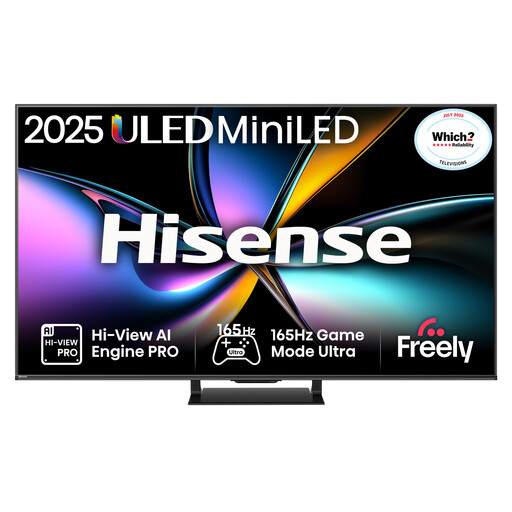
Why This Fits Their Persona: It is aimed at households combining competitive PC gaming, console use, sport and streaming on one screen.
Its specifications state a native 165Hz refresh rate, four HDMI 2.1 ports with 165Hz VRR, ALLM and a stated input-lag figure at 4K 120Hz.
Dolby Vision IQ, HDR10+ Adaptive, QLED colour, Dolby Atmos and a 2.1.2-channel audio system are listed.
Choose the operating system that suits your existing devices. Google TV supports Google Assistant and casting features, while Samsung Neo QLED TV models use Tizen. Hisense Mini LED TV models commonly use VIDAA, and LG QNED TV models use webOS. App availability can change, so verify the services you use most before ordering.
Built-in speakers are convenient, but slim televisions have limited cabinet space. A Dolby Atmos TV can process compatible soundtracks, yet a separate soundbar may still provide clearer dialogue or stronger bass. Check for eARC if you plan to connect a soundbar or AV receiver.
We have compiled a complete, real-time list of products that fully satisfy these strict selection criteria and UK safety regulations.
It can be a practical choice because Mini LED models may offer higher brightness and local dimming than standard LED televisions. Still, reduce direct window reflections through placement, curtains or blinds, and compare the panel finish if glare is a concern.
HDMI 2.1 is useful for features such as 4K at 120Hz, VRR and ALLM, provided the console and game support them. Check how many HDMI ports carry the full feature set, especially if you also use a soundbar.
There is no single guaranteed lifespan. Usage hours, heat, ventilation, software support and power conditions all matter. Keep vents clear, use a properly earthed socket, avoid pressing the panel and follow the manufacturer’s installation guidance.