Individual drawing reviewers
If you compare dense plans, sections, elevations or BIM views at your own desk, fine-line inspection and the space the monitor occupies may matter most.


A 27-inch 4K monitor suits close, individual comparison of fine drawing details; a 31.5- or 32-inch 4K monitor makes the same pixel grid physically larger for reading annotations or sharing a view. ASUS United Kingdom lists 163 PPI for its 27-inch PA279CRV and 140 PPI for its 31.5-inch PA329CRV, both at 3840 × 2160. Check screen positioning, reflections and laptop connectivity against your desk and workflow before choosing either size.
If you compare dense plans, sections, elevations or BIM views at your own desk, fine-line inspection and the space the monitor occupies may matter most.
If drawing review also involves renders, material palettes or image-rich boards, assess the colour spaces your applications use as well as linework clarity.
If you move between workspaces, you may want the display to connect your laptop to video, charging, peripherals and, where useful, a wired network. Check which of those functions your laptop supports.
Choose the physical scale you need for drawings before weighing colour features or docking connections. Size and pixel density are different considerations: in ASUS United Kingdom’s comparison, the 27-inch PA279CRV and 31.5-inch PA329CRV have the same 3840 × 2160 resolution, at 163 PPI and 140 PPI respectively.
Choose it when: You review fine details alone at a compact desk and prefer a denser image.
Trade-off: A full plan appears physically smaller than it would on a larger 4K screen, which may matter when sharing a view.
Choose it when: You want drawings and callouts to appear larger or regularly review them with someone else.
Trade-off: The larger panel does not add native pixels at the same 4K resolution, and you need room to position it comfortably.
| Concern | What to check | Who this matters to |
|---|---|---|
| Line detail and drawing scale | Confirm native 3840 × 2160 resolution, compare panel sizes and pixel density, and check how your usual CAD or BIM application scales its interface. | If I spend most of my time spotting small lineweight or annotation differences, I want detail I can inspect at my normal desk distance. Around 42% of consumers put fine-detail review first. |
| Colour-sensitive presentation | Check the exact model’s stated colour-space coverage and calibration, then whether your applications use a colour-managed workflow. | When I compare renders and material palettes alongside drawings, consistent colour handling becomes my main concern. Roughly 33% of consumers prioritise presentation colour. |
| Desk fit and laptop setup | Check stand adjustment and viewing distance; for docking, confirm the laptop’s USB-C video output and charging requirements. | If long reviews or a laptop-led desk setup shape my day, I need a screen I can position and connect appropriately. For about 25% of consumers, workstation integration comes first. |
A larger panel can show the same 3840 × 2160 image at a greater physical size without adding native pixels. ASUS United Kingdom’s 27-inch PA279CRV and 31.5-inch PA329CRV illustrate the difference: their listed densities are 163 PPI and 140 PPI.
Choose according to whether denser detail or larger-looking plans and annotations help your reviews more; compare resolution and panel size together.
A USB-C connection does not by itself establish that your laptop can send video to the monitor or use its charging function.
Check the laptop’s documented USB-C display-output mode, the 4K output you need and its charging requirements against the exact monitor.
Stated gamut coverage and calibration are relevant when your comparisons include renders or colour-managed presentation assets. They do not guarantee that an unmanaged application, another display or a print will match.
Prioritise those specifications when colour is part of the deliverable; otherwise assess drawing scale, screen treatment and positioning alongside them.
A larger display still needs a suitable viewing position. The UK Health and Safety Executive advises placing the top of the screen around eye level and the screen about an arm’s length away.
Measure your available desk depth and check the stand’s adjustment range or mounting options before choosing a larger panel.
These product lines illustrate different specifications to compare; check the exact model rather than assuming a feature applies across a brand’s range.
The PD design-monitor range is relevant to CAD and BIM review. BenQ UK lists a CAD/CAM mode for the 27-inch 4K PD2705U.
The 27-inch 4K PA279CRV is relevant when drawing comparisons also include colour-sensitive presentation material.
Dell’s 27-inch 4K U2723QE provides a reference for a connected laptop workstation with an integrated USB hub and Ethernet.
The VG docking-monitor line is relevant when a 4K drawing-review desk also needs laptop and peripheral connections.
These models include compact 27-inch 4K options for personal drawing review and a larger 32-inch option for a physically bigger view. Compare their stated connections, screen finish and positioning options against your own desk and laptop.
 No image available
Consider this for close-up drawing review if a 27-inch screen fits your desk and you can manage reflections from its Nano Glossy finish.
The product name specifies a 4K UHD IPS panel, USB-C and a height-adjustable stand. Check your laptop’s video-output and charging requirements before relying on a single cable.
 No image available
This compact 4K option is relevant if you compare detailed plans at a personal desk.
The product name specifies a 27-inch 4K UHD display. If laptop charging or colour-critical presentation work is central to your choice, confirm the USB-C power-delivery and calibration details for this exact model.
 No image available
Consider this 27-inch model for desk-based plan comparison, particularly if your setup uses HDMI or DisplayPort.
Its product name specifies 4K resolution, 60 Hz, 95% DCI-P3 coverage and built-in speakers. Check the screen finish against your room lighting if reflections are a concern.
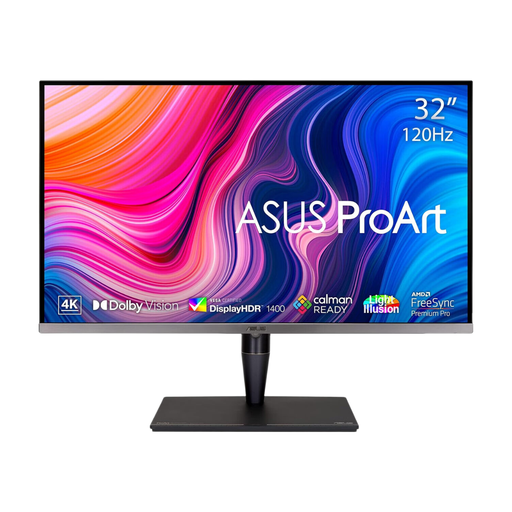 No image available
The larger panel is worth considering when you want drawings and annotations to appear physically bigger, provided your desk allows a comfortable viewing distance.
The product name specifies an IPS Mini LED panel, 4K resolution and Thunderbolt 3. A 32-inch 4K screen does not add native pixels over a 27-inch 4K screen; confirm that its size and connections suit your workstation.
 No image available
This model is relevant to compact, individual drawing review if its positioning options work at your desk.
The product name specifies 4K UHD resolution and 60 Hz. Check the exact stand or mounting options before relying on height or pivot adjustment, and confirm the finish and calibration details if glare or colour-sensitive work matters.
Choose 27-inch when a compact personal desk and dense fine-line detail matter most; choose 31.5 or 32 inches when drawings need to appear physically larger or are often viewed together. ASUS United Kingdom lists its 27-inch PA279CRV at 163 PPI and its 31.5-inch PA329CRV at 140 PPI, with both at 3840 × 2160, so the larger of those two screens does not add native pixels.
It can when both the monitor and laptop support the required functions. Check the laptop’s USB-C display-output capability and charging requirements against the monitor’s video mode and power delivery; the shape of the connector alone is not enough.
Position the screen so you can view drawings without an awkward posture. The UK Health and Safety Executive advises placing its top around eye level and the display about an arm’s length away; check desk depth and stand adjustment before buying. For workers who use display screen equipment daily for continuous periods of an hour or more as part of normal work, HSE says employers must carry out a workstation assessment.
Look for the energy label and product information sheet for the exact electronic display. GOV.UK states that products within the UK energy-information rules must display an energy label at the point of sale, including on a website; use the displayed information alongside the monitor’s suitability for your drawings and workstation.