
24/7 Customer Support

Free returns

Same-day & Next-day Delivery

Quality Guaranteed
Download the APP
Categories
Navigating the world of high-resolution displays can feel overwhelming. With a sea of technical specifications like panel types, refresh rates and connectivity options, choosing the right 4K monitor for your needs is a significant decision. Whether you're a creative professional demanding colour accuracy, a programmer needing more screen real estate or someone who simply appreciates a crystal-clear picture, the investment should match your workflow.
This guide is designed to cut through the marketing clutter. As a Joybuy Product Recommendation Officer, my role is to provide clear, practical advice to help you identify the features that truly matter for your setup. We will explore key considerations and highlight a few standout models that balance performance, features and value.
Before diving into specific products, let's clarify a few essential features. Understanding these will empower you to make a more informed choice.
The technology behind the screen itself has a major impact on image quality. The two most common types in 4K monitors are IPS and VA.
A modern workspace should be as streamlined as possible. A 4K monitor with USB-C is a game-changer for reducing cable clutter. A single USB-C cable can transmit the 4K video signal, handle data transfer (for built-in USB hubs) and deliver power to charge your laptop simultaneously. Look for models that specify the power delivery wattage (e.g., 90W) to ensure it's sufficient for your device.
The most popular sizes for 4K displays are 27 and 32 inches.
Based on a balance of features, performance and user-centric design, here are our recommendations for your consideration.
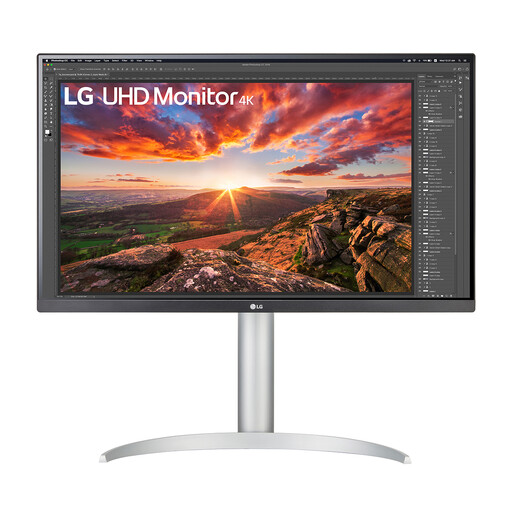
Why It Stands Out: The LG 27UP850K-W is a versatile display that excels in professional creative workflows. Its combination of a colour-accurate IPS panel, VESA DisplayHDR 400 and robust connectivity makes it a powerful hub for any modern desk. The single-cable solution via USB-C with 90W power delivery is particularly useful for laptop users seeking a clean and efficient setup.
Pros:
Who is it for? This monitor is ideal for content creators, photographers and professionals who prioritise colour accuracy and a streamlined, single-cable workspace.
View Details for the LG 27UP850K-W
Why It Stands Out: For those seeking an immersive, large-screen experience, the LG 32UR500K-B is a compelling option. Its 32-inch VA panel delivers deep blacks and a high 3000:1 contrast ratio, making it well-suited for media consumption and gaming. Features like AMD FreeSync and Dynamic Action Sync further enhance its credentials as a solid all-rounder for work and play.
Pros:
Who is it for? A great fit for users who want a large, immersive display for multitasking, content consumption and casual 4K monitor for gaming.
View Details for the LG 32UR500K-B
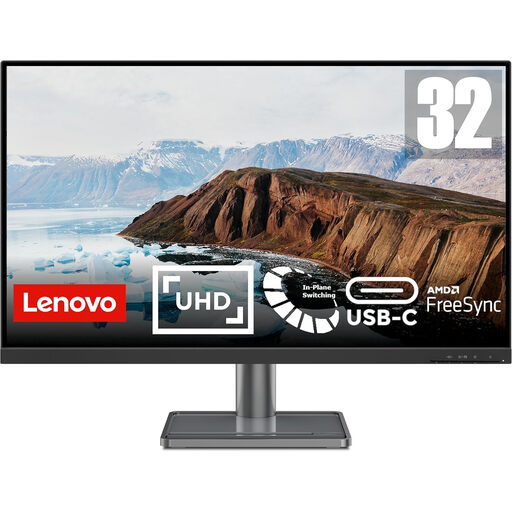
Why It Stands Out: The Lenovo L32p-30 strikes an impressive balance between size, image quality and connectivity. It pairs a large 31.5-inch IPS panel with strong colour performance (90% DCI-P3) and the convenience of USB-C connectivity. This combination makes it a powerful productivity tool that can handle both creative work and general office tasks with ease.
Pros:
Who is it for? Professionals and prosumers looking for a large-screen IPS 4K monitor that offers both colour fidelity for creative tasks and the convenience of USB-C for a tidy workspace.
View Details for the Lenovo L32p-30
Our recommendations cover some excellent choices, but the world of displays is vast. If you have different requirements or are looking for specific features not highlighted here, we invite you to browse our broader collection.
For a wider selection of displays suited for professional and home office use, explore our full range of office monitors.
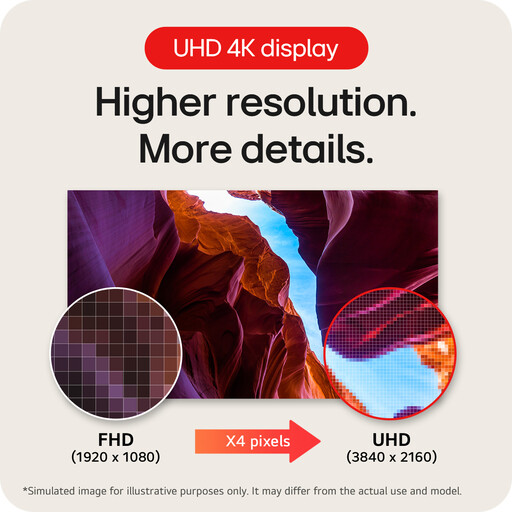
For many professionals, a 4K monitor is a significant productivity upgrade. The 3840 x 2160 resolution offers four times the pixels of a standard 1080p Full HD screen. This translates to much sharper text and, more importantly, substantially more usable screen space. You can comfortably view multiple documents, complex spreadsheets or high-resolution timelines without constant zooming and scrolling.
4K and HDR are two different technologies that work together. 4K refers to the resolution (the number of pixels), which determines the sharpness and detail of the image. HDR (High Dynamic Range) refers to the monitor's ability to display a wider range of colours and contrast levels, creating deeper blacks, brighter highlights and more lifelike visuals. Many high-quality 4K monitors are also an HDR monitor, but they are not the same thing.
When searching for a 4K monitor for photo editing, three features are critical. First, an IPS panel is highly recommended for its superior colour accuracy and viewing angles. Second, look for high colour gamut coverage, specified as a percentage of sRGB, Adobe RGB or DCI-P3 (with DCI-P3 being a common standard for digital cinema). A higher percentage means the monitor can display more colours. Finally, consider a monitor that supports hardware calibration for maintaining colour accuracy over time.