What to check before buying
Decide whether you are approving colour or mainly inspecting layout detail; then check laptop connections and whether the display can be positioned comfortably on your desk.
| Concern |
What to check |
Who this matters to |
| Colour decisions |
Match the exact model’s stated colour spaces and calibration documentation to your application, printer profile or delivery requirements. |
If I approve brochure colours, I need the display’s colour claims to match the work I am handing over. Around 50% of consumers put colour decisions first. |
| Laptop desk setup |
Check USB-C or Thunderbolt video compatibility and whether the stated power delivery meets your laptop’s charging requirement. |
With a laptop on a quiet study desk, I want fewer separate connections without giving up the video or charging functions I need. Around 30% of consumers prioritise this setup. |
| Viewing position |
Check stand adjustment, desk depth and footprint; consider mount compatibility if the supplied stand cannot achieve the required position. |
During long layout-review sessions, I need to place the screen at a workable height and distance. Around 20% of consumers make workstation fit their primary concern. |
Joybuy monitors for layout review
These 4K monitors offer different screen sizes and display types for checking brochure layouts. Compare their stated features with your colour workflow, desk space and laptop before choosing; a quiet study also makes it worth checking operating-noise details for the exact model.
 No image available
ASUS ProArt Display PA32UCG-K, 32-inch 4K IPS Mini LED
Consider this larger display if you have desk space for brochure-page review. Its product title specifies Thunderbolt 3 and a Delta E < 1 claim; check the calibration documentation against your output workflow and confirm laptop charging compatibility separately.
View on Joybuy
 No image available
ASUS ProArt PA27DCE-K OLED 4K UHD
This OLED 4K model is a candidate for colour-sensitive layout review. Before using it for colour approval, check its calibration documentation and relevant colour-space coverage; confirm the USB-C charging requirement if you plan a one-cable laptop desk.
View on Joybuy
 No image available
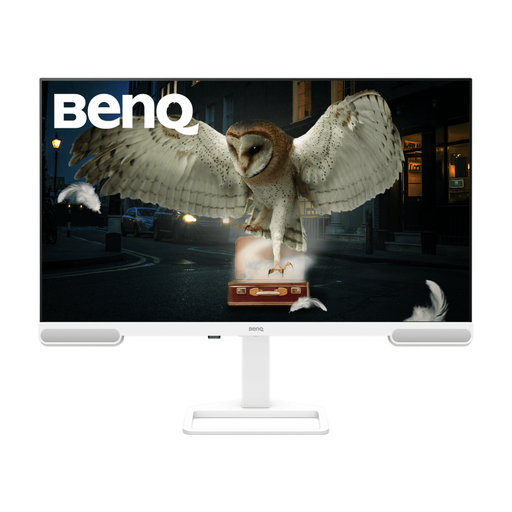
BenQ EW3290U 4K monitor, white
Consider its 3840 × 2160 display if detailed page viewing is the priority. Check calibration documentation before colour-critical approval, and confirm stand positioning and whether any laptop charging arrangement meets your needs.
View on Joybuy
 No image available
LG UltraGear G8 27G850A, 27-inch 4K Nano IPS
Its 27-inch 4K format can suit layout viewing where this screen size fits the desk. The gaming features in its product title do not establish suitability for brochure colour approval; check calibration and workflow-relevant colour-space details, as well as laptop connectivity if needed.
View on Joybuy
 No image available
iiyama ProLite XUB2792UHSU-B6, 27-inch 4K
This 27-inch 4K option is worth checking for layout review when you want to keep to that screen size. Confirm its calibration and colour-space details for your output workflow, plus stand adjustment and laptop charging compatibility where those affect your desk setup.
View on Joybuy
Frequently asked questions
Is 4K resolution enough for checking brochure layouts?
No, not when you need to approve colour. Resolution describes image detail, while colour decisions also depend on the exact monitor’s calibration and coverage of the colour space required by your application, printer or delivery workflow.
Should I look for Adobe RGB, sRGB or DCI-P3 coverage?
Look for the colour space your brochure workflow requires, rather than comparing percentages for different spaces as though they measure the same thing. ASUS states 99% Adobe RGB and 99% DCI-P3 for PA279CRV; BenQ states 100% sRGB, 100% Rec.709 and 95% P3 for PD2725U. Those claims still need to be considered alongside your profiles and output requirements.
Can one USB-C cable carry video and charge my laptop?
It can when the laptop supports video through the relevant port and the monitor supplies sufficient power. ASUS states 96 W for PA279CRV, LG states up to 90 W for 27UP85ZK-W and BenQ states 65 W for PD2725U; check your laptop’s requirement and the cable before planning a one-cable setup.
How should I position a monitor for longer layout-review sessions?
Aim to place the top of the screen at eye level and the display about an arm’s length away, as advised by the Health and Safety Executive. Check desk depth and stand adjustment; a compatible monitor arm may help if the supplied stand cannot achieve that position.
What should I do with an old monitor in the UK?
Check the retailer’s electrical-waste take-back arrangements or an appropriate local recycling route. GOV.UK describes in-store take-back for waste of the same type and function as a qualifying purchase; ask separately about home-collection arrangements and any transport charge.


