Web-vector designers using a sit-stand desk
If you review icons, interface assets or illustrations intended for sRGB screens, you need to check both the display’s colour settings and whether it can be repositioned when you stand.


Choose a 4K monitor whose documented colour coverage suits the artwork’s destination, then check that its stand or a compatible mount can place the screen correctly at both desk heights. An sRGB-focused display can suit web artwork; wider-gamut and hardware-calibration features matter when the review workflow calls for them. If you use a laptop, confirm its video and charging requirements before relying on a single cable.
If you review icons, interface assets or illustrations intended for sRGB screens, you need to check both the display’s colour settings and whether it can be repositioned when you stand.
If your artwork is reviewed in Display P3, documented gamut coverage, colour settings and a connection compatible with your Mac matter alongside 4K resolution.
If vector artwork forms part of print-oriented, HDR or client-approval work, you may need the relevant colour-space support and a way to maintain calibration over time.
Start with the artwork’s intended colour space, then establish where the screen must sit at both desk heights. Consider laptop docking after those requirements are clear: a convenient connection cannot make up for the wrong colour workflow or screen position.
| Concern | What to check | Who this matters to |
|---|---|---|
| Colour-space fit | Match documented gamut and calibration claims to the artwork’s intended output. Check the exact model’s colour modes and profile support. | If my work is approved for a particular colour space, I need the review display and application set up for that destination. Around 42% of consumers put colour-workflow fit first. |
| Screen position | Check the stand’s adjustment range or a compatible mount against both desk heights and the available desk depth. | Moving between sitting and standing makes screen height and reach my main concern; around 33% of consumers prioritise positioning. The Health and Safety Executive advises placing the top of the screen at eye level and the screen about an arm’s length away. |
| Laptop connection | Confirm that the laptop supports the monitor’s video connection and can use its stated power delivery; allow cable slack as the desk rises. | I want to raise the desk without pulling on several laptop leads, while keeping the display and charging connected. For around 25% of consumers, that connection is the primary need. |
Resolution describes the number of pixels, not whether the display’s colour coverage or settings suit the artwork you are checking.
Identify the required output space before comparing sRGB, P3, Adobe RGB or HDR features. Check how your review application handles colour profiles.
A large display may still be difficult to position at both desk heights. The Health and Safety Executive advises keeping the top of the screen at eye level and the screen about an arm’s length away.
Measure your seated and standing setup, then check the stand’s travel or the monitor’s compatibility with your intended arm and desk clamp.
Using an arm instead of the supplied stand may also require a compatible clamp, adaptor or cable-management accessories.
A USB-C socket alone does not establish that your laptop can send video through it or charge at the monitor’s stated power-delivery level.
Compare the exact laptop and monitor connection specifications, including the cable needed for the arrangement you plan to use.
You may need to keep using the laptop’s own charger or a separate dock if the intended single-cable arrangement is incompatible.
A monitor can match its listing yet not fit the desk or connection arrangement you planned.
Check the seller’s return instructions before ordering, inspect the display promptly and keep its packaging while assessing the fit. Change-of-mind returns and remedies for faulty or misdescribed goods are distinct.
The PD3225U is a reference point for a Mac-oriented, 32-inch 4K creative setup using P3 artwork.
The UltraSharp U3225QE is relevant to laptop-centred desks where adjustment and connectivity are prominent requirements.
The ColorPro VP3256-4K is a reference point for sRGB-oriented vector review with an adjustable stand.
The ProArt PA32UCXR is relevant when vector review is part of a wider colour-management or HDR workflow.
These 4K choices cover different screen sizes and approaches to artwork review, from web-oriented work to wider-gamut workflows. Compare each exact model’s colour settings, physical adjustment and laptop connection with the work you need to check.
 No image available
Consider this model if your artwork review requires the wide-gamut and hardware-calibration features named in its listing.
The title specifies an IPS Mini LED display, HDR, 120 Hz and Thunderbolt 3. If HDR brightness affects your choice, confirm the applicable figure for this exact model.
 No image available
This Mac-oriented, height-adjustable option is worth checking if you review artwork in a P3 workflow at both desk heights.
The title specifies a Nano Glossy IPS display and USB-C. Confirm its calibration details and your laptop’s video and charging compatibility before relying on either for approval work.
 No image available
If its curved screen suits your review setup, check how you will position it at both desk heights and manage colour for your artwork.
The title specifies 165 Hz, 99% DCI-P3 and 65 W Type-C. Confirm calibration and profile support for colour-critical work, and check whether the connection meets your laptop’s needs.
 No image available
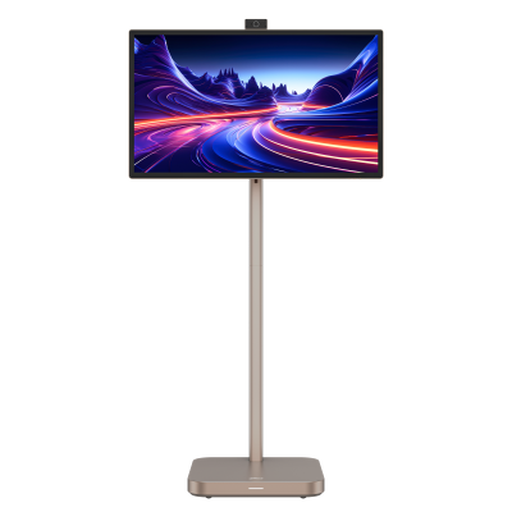
For web-oriented artwork review, check its sRGB settings and calibration needs as well as how the screen fits your seated and standing positions.
The title identifies an Android 11 model with a built-in battery and 8GB+128GB configuration. Confirm its panel specification and Type-C video and charging capabilities for your intended setup.
 No image available
This 27-inch option may suit a desk where you prefer a smaller screen for vector-art review, provided you can position it comfortably at both heights.
Check the exact model’s colour settings and calibration requirements before approving artwork, and confirm USB-C video and charging compatibility if you plan to connect a laptop that way.
Not if your review work is intended primarily for sRGB screens. Choose P3, Adobe RGB or HDR capability when the artwork’s destination and your colour-managed workflow require it; 4K resolution alone does not settle the colour choice.
Position it so the top of the screen is level with your eyes and the display is about an arm’s length away, following Health and Safety Executive guidance. Check that the stand or a compatible mount lets you achieve a suitable position when both seated and standing.
It can if the laptop supports video over the chosen connection and accepts the monitor’s available power delivery. For illustration, ViewSonic specifies 60 W for the VP3256-4K, ASUS specifies up to 90 W for the PA32UCXR and Dell specifies up to 140 W for the U3225QE; check your laptop and the cable you intend to use.
For a UK online purchase, GOV.UK says you can tell the seller you wish to cancel within 14 days of receiving the item, then have another 14 days to return it. Check the seller’s return instructions and collection arrangements; change-of-mind cancellation is separate from remedies if goods are faulty or misdescribed.
No particular retail monitor model follows from the Health and Safety Executive’s display screen equipment guidance. Its stated scope includes workers who use display screen equipment daily for continuous periods of an hour or more; screen positioning is part of assessing the workstation, not a reason to choose a model by size alone.