
24/7 Customer Support

Free returns

Same-day & Next-day Delivery

Quality Guaranteed
Download the APP
Categories
As a Joybuy Product Recommendation Officer, my role is to help you navigate the crowded market of tech gadgets. Today, we're focusing on a device that can transform your workspace: the 4K monitor with USB-C. If your desk is a tangle of power bricks, display cables and USB hubs, you already know the problem. You need a display that not only delivers sharp, vibrant visuals but also simplifies your entire setup.
For creative professionals and discerning remote workers in the UK, the goal is a streamlined, powerful workstation. You need a monitor that can keep up with a demanding laptop like a MacBook Pro, display colours accurately for your projects and reduce clutter. This guide will walk you through the essential features to look for and present our top recommendations to help you make an informed choice.
Before diving into specific models, let's clarify a few key specifications. Understanding these will help you identify which features are genuinely important for your workflow.
The headline feature of these displays is the single cable monitor setup. A USB-C port can transmit 4K video, handle data transfer for peripherals (like webcams or external drives) and, crucially, charge your laptop simultaneously. This is made possible by USB-C Power Delivery (PD). Pay attention to the wattage (W). A 65W output is sufficient for many ultrabooks, but for a more powerful device like a monitor for MacBook Pro under heavy load, looking for 90W or more ensures your battery stays topped up.
For anyone working with visual media, colour is everything. While most standard monitors cover the sRGB colour space, a professional-grade colour-accurate monitor for photo editing or video work should offer high coverage of the DCI-P3 colour gamut. This wider gamut, used by the digital film industry, displays more vibrant and lifelike reds and greens. A monitor with 95% DCI-P3 coverage or higher ensures that what you see on screen is a truer representation of the final product.
A 27 inch 4K monitor has become a popular choice, offering an excellent balance of screen real estate and pixel density for crisp text and detailed images. For an even more immersive experience, especially for multitasking or best monitor for video editing timelines, an ultrawide display can be a game-changer. Additionally, look for HDR display capabilities (like VESA DisplayHDR 400). This technology enhances contrast and brightness, making visuals pop with greater depth and realism.
Here are a few standout monitors that deliver on the promise of high resolution, single-cable convenience and excellent performance.
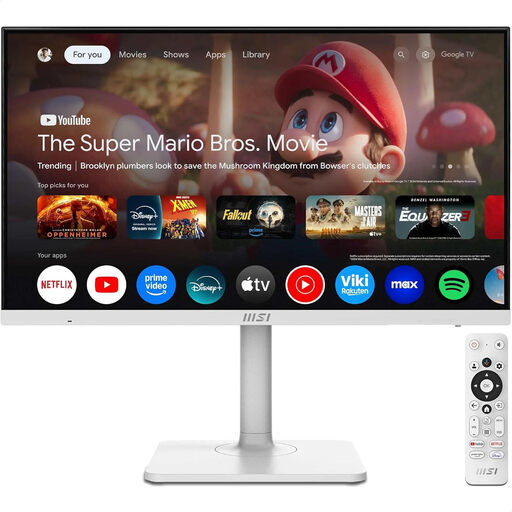
Why It Stands Out: The MSI MD272UPSW is a versatile hybrid, blending a high-performance work monitor with a fully-featured entertainment hub. With built-in Google TV, you can switch from spreadsheets to streaming services instantly. Its 4K UHD resolution keeps everything sharp, while the USB-C 65W port provides a clean, one-cable connection for most laptops.
Pros:
Who is it for? The remote worker or content creator who wants a single, highly capable screen for both productivity and leisure. It’s an excellent all-rounder for a modern home office.
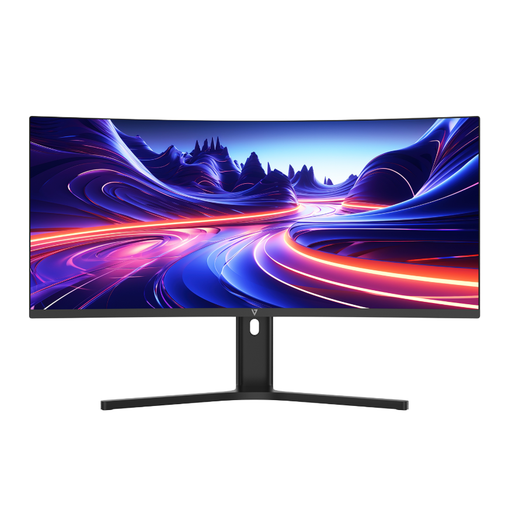
Why It Stands Out: While not a 4K panel, the V7 Ultrawide offers a different kind of productivity boost. Its expansive 21:9 aspect ratio and WQHD resolution provide a massive horizontal canvas, perfect for viewing multiple documents side-by-side or managing long video timelines without constant scrolling. The 1500R curve creates an immersive field of view, and it still features the all-important USB-C 65W Power Delivery.
Pros:
Who is it for? Video editors, programmers and finance professionals who prioritise horizontal screen space and an immersive workflow over the highest pixel density.
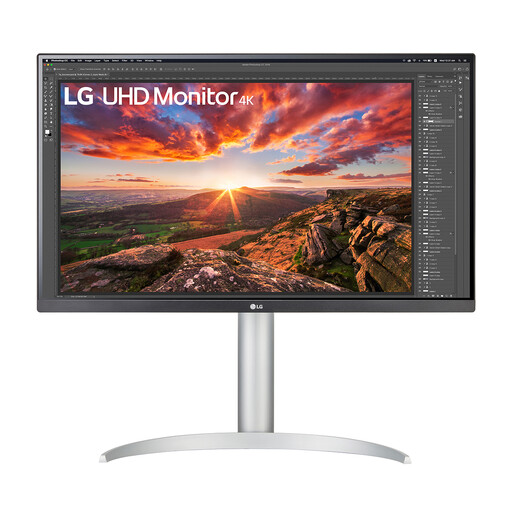
Why It Stands Out: The LG 27UP850K-W is built for creative professionals who demand precision. It combines a stunning 4K IPS panel with 95% DCI-P3 colour gamut coverage and VESA DisplayHDR 400 certification, ensuring your work looks vibrant and accurate. Its standout feature is the powerful USB-C port with 90W Power Delivery, making it an ideal companion for high-performance laptops.
Pros:
Who is it for? Photographers, graphic designers and video editors who require a top-tier colour-accurate monitor for photo editing and a robust single-cable solution for their powerful workstations.
Our recommendations cover a range of common needs, but every user's setup is unique. If you're looking for a different size, feature set or price point, there are many other excellent displays to consider.
Explore our full collection of Type-C monitors to find the perfect match for your desk.
Absolutely. A monitor for MacBook Pro with 4K resolution and USB-C is an excellent pairing. It allows you to take full advantage of macOS's high-resolution display scaling for sharp text and images, while the single USB-C cable handles video, data and charging, perfectly matching the minimalist and powerful ethos of the device.
Check the wattage of the power adapter that came with your laptop. For most 13-inch ultrabooks, 65W is sufficient. For larger, more powerful 15 or 16-inch models (especially those with dedicated graphics), a monitor with 85W to 100W PD is recommended to ensure it charges effectively, even under heavy use.
If your work involves professional photography, video production or graphic design where colour accuracy is critical for print or digital delivery, a DCI-P3 monitor is a valuable tool. For general office tasks, web browsing and programming, a standard sRGB monitor is usually adequate. However, the richer colours of a wide-gamut display also make entertainment and media consumption more enjoyable.