
24/7 Customer Support

Free returns

Same-day & Next-day Delivery

Quality Guaranteed

Unlock Your Welcome Offers: FREE Delivery | Up to 80% OFF | Free 30-day JoyPlus trial
Download the APP
A 4K QLED Smart TV can bring richer colour, sharper detail and more convenient streaming to a living room, games room or home cinema. However, large-screen televisions often use similar-sounding terms to describe very different hardware.
A high refresh-rate label may apply only to selected resolutions. “AI upscaling” cannot turn poor broadcast footage into native 4K detail. A large screen can also overwhelm a small room, while an impressive picture may be paired with basic built-in audio. Before choosing a 65-inch QLED TV, 75-inch QLED TV or 85-inch QLED TV, check the specifications that affect everyday use rather than relying on promotional wording.
QLED generally refers to a quantum-dot layer used to enhance colour. It does not automatically indicate a particular backlight or contrast system.
A standard Direct LED or Dual LED television may offer good colour volume, while a Mini LED TV uses many smaller backlight zones for more controlled brightness. QNED models combine technologies such as quantum dots and NanoCell, and some also use Mini LED backlighting. Compare the full panel and backlight specification instead of assuming that every QLED television performs in the same way.
A television advertised as a gaming TV with 144Hz may support that rate only through a compatible PC input, a particular picture mode or a reduced resolution. Some models list a native panel rate separately from a game accelerator figure.
For console gaming, check whether the TV supports 4K at 120Hz, HDMI 2.1, VRR and ALLM. For PC gaming, confirm the supported resolution and refresh-rate combinations, as well as FreeSync or another compatible variable-refresh system where required.
An 85-inch screen is approximately 189cm wide on some models, before allowing space for a stand or wall bracket. Measure the wall, TV unit, doorways and stair access before ordering. A large panel can also expose reflections, poor source quality and viewing-angle limitations more clearly.
Check the VESA mounting pattern, total weight, stand depth and ventilation space. Large televisions should be moved by at least two people and secured properly to reduce the risk of tipping.
A 65-inch QLED TV can suit many UK lounges and family rooms, while a 75-inch QLED TV is more suitable where the sofa is positioned further away or where cinema-style viewing is important. An 85-inch QLED TV needs substantial wall or furniture space and is better suited to a dedicated viewing area or a large open-plan room.
Do not select a screen size based solely on diagonal measurement. Compare the stated width and depth with your furniture. Also consider subtitles, live sport and standard-definition broadcast content, which may make excessive screen size less forgiving.
A 4K HDR TV has the resolution needed for compatible high-dynamic-range content, but HDR performance also depends on brightness, contrast and local dimming. Check whether the model supports HDR10, HLG, HDR10+ or Dolby Vision.
A Dolby Vision TV can be useful if your streaming services and external devices provide Dolby Vision content. Support for a format does not guarantee identical picture results across models, so look for the backlight type and picture-processing features as well.
Count your devices before buying. Three HDMI ports may be sufficient for a set-top box, soundbar and console, but four HDMI ports offer more flexibility for multiple consoles, a Blu-ray player and a PC. Look for eARC if you plan to connect a soundbar or AV receiver.
Built-in speakers vary considerably. A Dolby Atmos TV can process compatible soundtracks, but the perceived result depends on speaker placement and room acoustics. Models with a dedicated 2.1 or 2.2.1-channel system may provide more physical bass than a slim 2.0-channel set.
For smart-home integration, compare Tizen, Google TV, webOS and VIDAA. A smart TV with Google TV may suit households already using Google Assistant and Google Cast, while Samsung’s Tizen platform integrates with Samsung services and compatible smart-home devices. Always check the UK app availability you need.
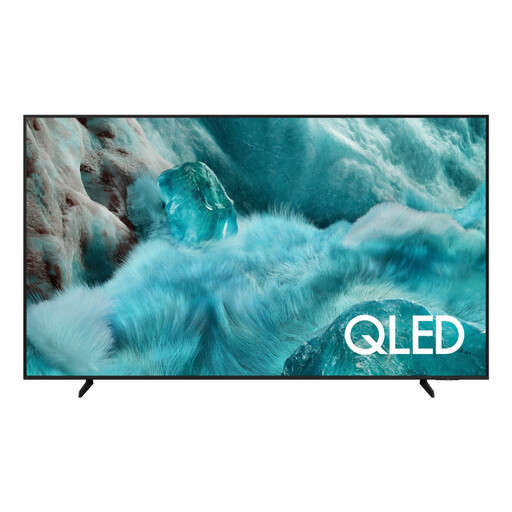
Why This Fits Their Persona: A practical 65-inch option for families wanting QLED colour, 4K upscaling and mainstream streaming in a manageable living-room size.
Its specification clearly lists three HDMI ports, HDR10+ support and a 20W audio system, making the compromises easier to assess before purchase.
QLED quantum-dot colour, Q4 AI Processor upscaling and Tizen smart features with Wi-Fi and Bluetooth.
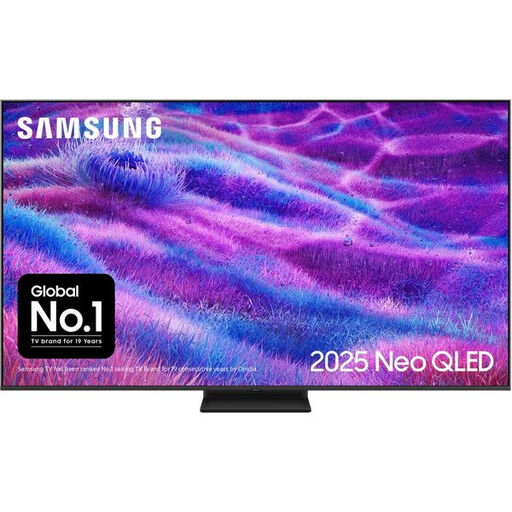
Why This Fits Their Persona: Suitable for film and sport viewers seeking Mini LED backlighting, a higher refresh rate and a more developed audio specification in a 65-inch format.
The specification identifies Mini LED Quantum Matrix technology and supported 144Hz refresh, rather than relying only on a general QLED label.
Mini LED backlight, 4K AI upscaling, four HDMI ports and support for HDR10+ formats and VRR.
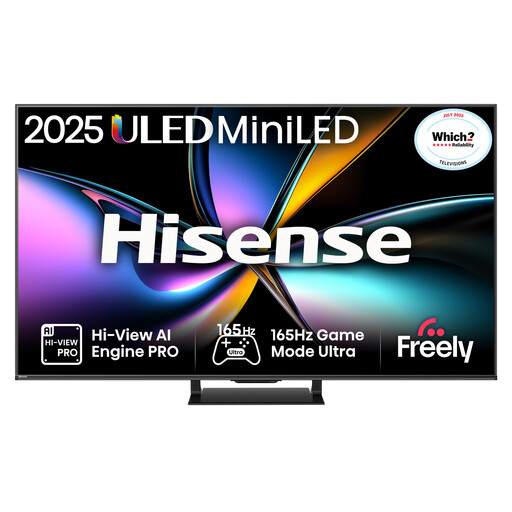
Why This Fits Their Persona: Designed around fast gaming, sports and responsive control, with a 165Hz panel and gaming connections across four HDMI 2.1 ports.
The listing specifies 165Hz VRR, ALLM, HDMI 2.1 and a stated input-lag figure at 4K 120Hz, allowing gamers to compare practical performance factors.
Mini LED local dimming, Dolby Vision IQ, Dolby Atmos audio and AI 4K upscaling through VIDAA.
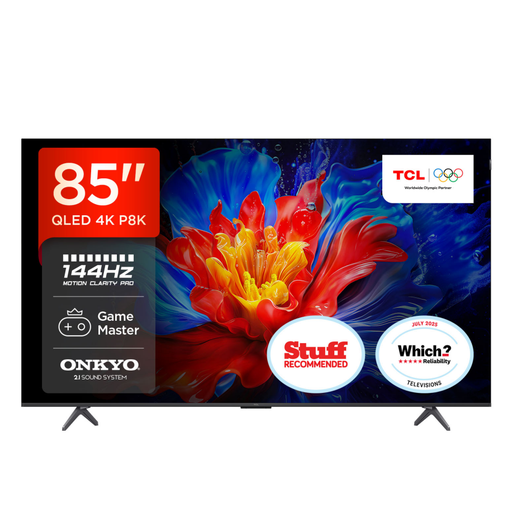
Why This Fits Their Persona: A substantial choice for viewers with a spacious room who want a very large display, built-in 2.1 audio and high-refresh gaming support.
It lists four HDMI 2.1 connections, VRR up to 144Hz for gaming and a native 120Hz specification, separating gaming support from general motion processing.
85-inch 4K QLED display, Dolby Vision IQ and HDR10+ support, plus Onkyo 2.1 audio with Dolby Atmos.
We have compiled a complete, real-time list of products that fully satisfy these strict selection criteria and UK safety regulations.
It can be, provided the model has the connections and gaming features your setup requires. Check for HDMI 2.1, VRR, ALLM and the supported 4K refresh rate. A high advertised figure alone does not confirm 4K gaming at that rate.
Consumption varies by screen size, brightness, HDR mode and usage time. Compare the TV’s UK energy label, including SDR and HDR figures in kWh per 1,000 hours. Larger and brighter televisions generally require more energy, so use energy-saving modes where practical.
Lifespan depends on usage, heat, software support and component reliability. Keep ventilation clear, avoid placing the set near radiators, install updates and use a suitable wall bracket or stable stand. Check the stated manufacturer warranty and retailer terms before ordering, particularly for large-screen models.