
24/7 Customer Support

Free returns

Same-day & Next-day Delivery

Quality Guaranteed

Unlock Your Welcome Offers: FREE Delivery | Up to 80% OFF | Free 30-day JoyPlus trial
Download the APP
Buying a 4K Smart TV can seem straightforward until you compare screen technologies, streaming platforms, gaming specifications and energy labels. Marketing terms such as “cinematic colour”, “AI picture” and “smooth motion” can make a television appear more capable than it may be for your actual viewing habits.
The main risks are paying for features you will not use, choosing a screen that is too large for the room or overlooking important details such as HDMI specification, operating system support and audio connections. This guide explains what to check before buying and highlights practical options for different UK households.
A 4K Ultra HD TV normally has a resolution of 3840 × 2160 pixels, but resolution is only one part of image quality. Contrast, backlighting, panel type, HDR compatibility and picture processing also affect what you see.
An affordable LED Smart TV may offer 4K resolution but have more limited brightness or black-level performance than a QLED TV or a Mini LED model. Similarly, HDR support does not guarantee the same visual result across every screen. Check which HDR formats are supported and whether the panel has sufficient brightness to make HDR content noticeable.
Smart TVs use different operating systems, including Google TV, Samsung Tizen TV, Roku TV, VIDAA and TiVo OS. Their menus, app libraries, voice controls and live-TV options vary.
UK households should check access to services they regularly use, such as BBC iPlayer, ITVX, Channel 4, Netflix, Prime Video and Disney+. Freely support can be useful for streaming compatible live and on-demand UK television over Wi-Fi, particularly in rooms without a convenient aerial connection. However, availability can depend on the model, software version and internet connection.
A television described as a gaming TV may only include a basic game mode. For console or PC gaming, look for the features that affect actual use:
Measure the cabinet or wall space before ordering. A 43-inch TV can suit a bedroom, study or modest lounge, while 50 to 55 inches often works well as a main living-room display. A 65-inch or larger model needs sufficient viewing distance and a stand or wall capable of supporting its weight.
Also check the full dimensions with the stand, not just the diagonal screen measurement. Confirm the stand width will fit your furniture and check the VESA mounting pattern if you plan to wall-mount the television.
A standard LED Smart TV uses LED backlighting behind or around an LCD panel. Direct LED models place the LEDs behind the screen, while more advanced Mini LED designs use smaller lighting zones for more controlled brightness.
A QLED TV adds a quantum-dot layer designed to produce a wider colour range and higher perceived colour vibrancy. This does not automatically make every QLED display superior for every room, so also compare brightness, viewing angle, refresh rate and price.
Built-in speakers may be adequate for everyday television, but films and games can benefit from a soundbar. A Dolby Atmos TV may support compatible immersive audio formats, although the result depends on the speaker arrangement and content. Check for HDMI eARC, optical output and Bluetooth if you plan to add external audio equipment.
For connectivity, look for the required number of HDMI and USB ports, dual-band Wi-Fi or Ethernet, Bluetooth and the appropriate tuner. Review the UK energy label and stated consumption in SDR and HDR modes. Larger and brighter screens generally use more electricity, particularly when operated for several hours each day.
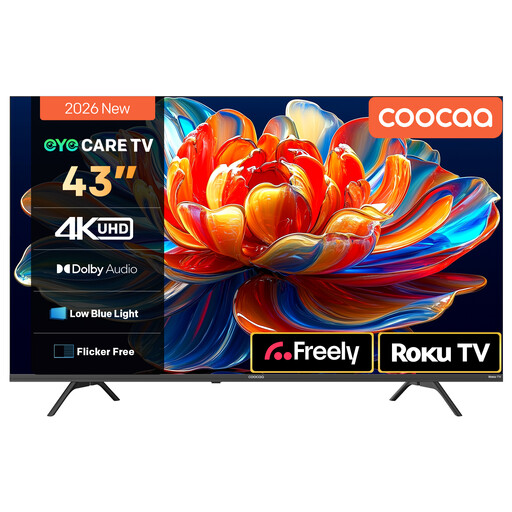
Why This Fits Their Persona: The 43-inch format suits smaller lounges, bedrooms and student accommodation, while Roku TV provides a straightforward route to popular streaming services.
Its listing identifies 4K resolution, HDR10 and HLG support rather than relying only on general picture claims. Freely support is also specified for UK viewing.
4K HDR10 display, Roku TV interface, built-in Freely and Dolby Audio with two 10W speakers.
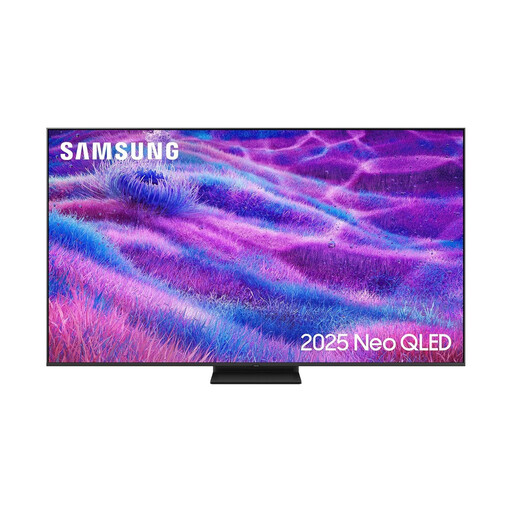
Why This Fits Their Persona: This large-format option is intended for a spacious main lounge where a big screen, higher refresh rate and advanced backlighting are priorities.
The specification lists Mini LED backlighting, a 100Hz native refresh rate, support up to 144Hz and four HDMI ports, making the key performance details clear.
75-inch 4K display, Neo QLED Mini LED technology, Dolby Atmos decoding, VRR and Gaming Hub.
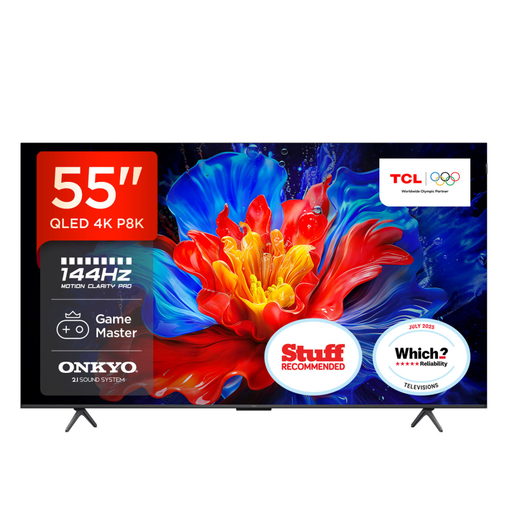
Why This Fits Their Persona: It combines a 55-inch screen with gaming-focused connections and a higher-output audio system for users who want one display for games, films and streaming.
The listing specifies HDMI 2.1, ALLM, VRR and FreeSync Premium rather than presenting gaming suitability as an undefined label.
QLED 4K HDR display, Google TV, four HDMI 2.1 inputs and a 35W 2.1-channel Onkyo audio system.
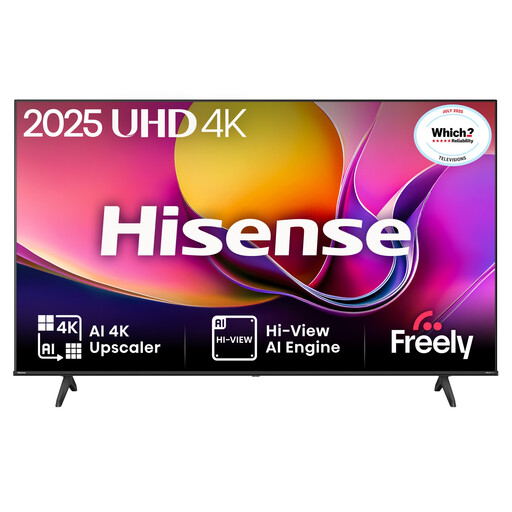
Why This Fits Their Persona: The 43-inch screen is manageable in a family living room or bedroom, with Freely, smart streaming and console connectivity in one unit.
Its specification identifies three HDMI ports, ALLM, HDR formats and a dedicated Game Mode, helping buyers compare practical features.
4K Direct LED display, VIDAA OS with Freely, Dolby Audio, Dolby Vision support and AI 4K upscaling.
We have compiled a complete, real-time list of products that fully satisfy these strict selection criteria and UK safety regulations.
It can be, particularly at 43 inches or below, but viewing distance matters. For a bedroom or compact lounge, compare the physical width, stand depth and viewing angle rather than selecting solely by resolution. A Full HD or HD Ready television may also be adequate for very small screens and lower budgets.
Not always. Many models include Wi-Fi streaming, and televisions with Freely can provide compatible live and on-demand UK content through an internet connection. Traditional broadcast channels and services may still require the relevant tuner, aerial or external equipment, so check the product specification before removing existing connections.
Use the energy-saving mode, reduce brightness in darker rooms and switch the television off rather than leaving it in active standby where practical. Compare the SDR and HDR energy figures on the UK energy label, as HDR viewing can use more power. A smaller screen may also consume less electricity when used for similar daily periods.