
24/7 Customer Support

Free returns

Same-day & Next-day Delivery

Quality Guaranteed

Unlock Your Welcome Offers: FREE Delivery | Up to 80% OFF | Free 30-day JoyPlus trial
Download the APP
Navigating the world of 4K smart TVs can feel overwhelming. The market is saturated with technical jargon and marketing claims that often obscure what truly matters. Many UK households end up with a television that looks great on the shop floor but fails to deliver at home. As a Joybuy Product Recommendation Officer, my role is to help you sidestep these issues by focusing on the features that provide genuine value.
Before you invest in a new 4K Smart TV, it's crucial to be aware of a few common traps that can lead to buyer's remorse:
To make a confident purchase, focus on the underlying technology rather than just the screen resolution. Here are the key parameters that determine a TV's real-world performance.
The foundation of any great television is its display panel. Most models on the market are LED-backlit LCD TVs. Within this category, you will find different approaches to colour and contrast. For example, a Samsung Crystal UHD TV uses advanced colour processing like PurColour to deliver a wide spectrum of hues.
More advanced technologies like QNED, found in models such as the LG QNED TV, combine Quantum Dot and NanoCell technologies. This pairing aims to produce purer, more accurate colours. Equally important is the backlighting method. Edge-lit TVs have LEDs along the frame, which can sometimes result in less uniform brightness. Direct-lit or Full Array Local Dimming (FALD) TVs have LEDs behind the entire screen, allowing for more precise control over which parts of the image are bright and which are dark, significantly improving contrast.
The operating system is the heart of your smart TV experience. The two dominant platforms in the UK market are Samsung's Tizen OS TV and LG's webOS TV.
A responsive OS ensures that navigating menus, launching apps and switching between inputs is a seamless experience, not a test of your patience.
If you plan to connect a PlayStation 5, Xbox Series X or a gaming PC, certain features are non-negotiable. Look for specifications that go beyond a simple "Game Mode."
Instead of providing a generic list, we have matched specific models to different user needs, helping you find a television that aligns with your lifestyle and budget.
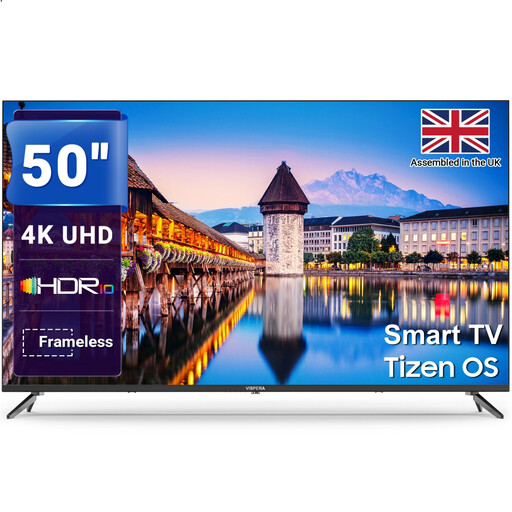
Why This Fits Their Persona: This 50-inch TV offers a great balance of size, 4K resolution and smart features for everyday family use. It's ideal for the main living room, providing access to all essential streaming services and Freeview HD without a hefty price tag.
It sidesteps the "sluggish smart platform" trap by running on the proven Tizen Smart TV OS. This ensures a smooth, responsive experience when loading apps like Netflix or BBC iPlayer, which is critical for family viewing.
Provides a full 4K UHD smart TV experience with HDR support and a reliable OS at an accessible price. Multiple HDMI and USB ports offer good connectivity for various devices.
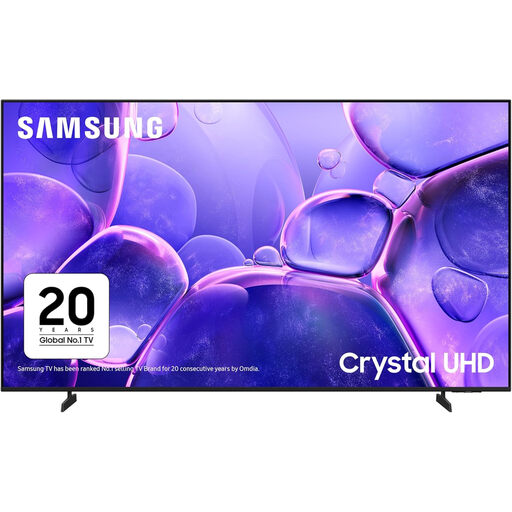
Why This Fits Their Persona: For those wanting to replicate the cinema at home, screen size is paramount. This colossal 85-inch TV creates a truly immersive experience. Its Crystal Processor 4K is designed to upscale content effectively for the huge display, making it perfect for movie nights.
It avoids the "HDR illusion" trap. While it's an LED TV, its support for HDR10+, combined with PurColor and Contrast Enhancer technologies, ensures a noticeable improvement in dynamic range and colour vibrancy, which is essential on such a large screen.
The primary advantage is its sheer scale. The 85-inch screen, paired with Object Tracking Sound Lite, delivers a cinematic experience that smaller TVs cannot match. The near bezel-less design keeps the focus on the picture.
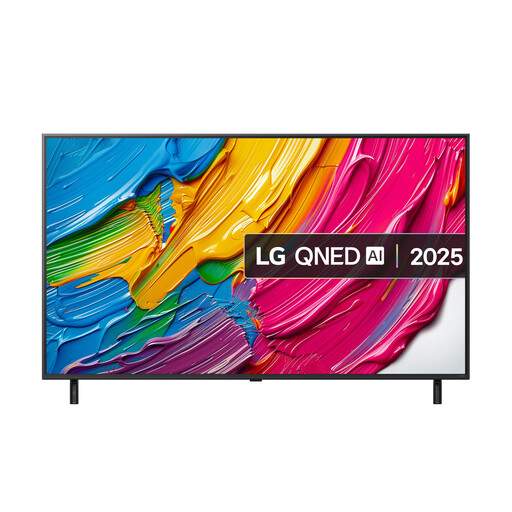
Why This Fits Their Persona: This 55 inch 4K TV is built with gamers in mind. It offers a dedicated Game Optimiser dashboard and crucial HDMI 2.1 features, making it an excellent choice for anyone with a modern console who values performance and responsiveness above all else.
It directly counters the "confusing motion rate" trap by offering genuine, verifiable gaming features. The inclusion of VRR and ALLM provides tangible benefits for smooth, tear-free gameplay, unlike vague marketing terms.
The Game Optimiser dashboard and support for key HDMI 2.1 features make it a purpose-built TV for gaming. The QNED display also ensures excellent colour and contrast for cinematic games and movies.
We have compiled a complete, real-time list of products that fully satisfy these strict selection criteria and UK safety regulations.
The running cost of a TV is determined by its power consumption, which is displayed on its energy efficiency label. Most new TVs fall into class F or G under the current regulations. The label will show consumption in kilowatt-hours per 1,000 hours of use (kWh/1000h). To estimate the annual cost, you can multiply this number by your electricity rate per kWh and the number of hours you watch TV. For example, a TV rated at 99 kWh/1000h, used for four hours a day (approx. 1,500 hours a year), would use about 148.5 kWh annually.
Yes, you need a TV Licence if you watch or record programmes as they are being shown on TV or live on an online TV service, or if you download or watch any BBC programmes on BBC iPlayer. This applies to any device you use, including a smart TV. You do not need a licence if you only ever watch on-demand or catch-up programmes on services other than BBC iPlayer (like Netflix, Prime Video or ITVX) and never watch live TV.
The ideal size depends on your viewing distance. A common guideline is to multiply the screen size (in inches) by 1.2 to find a comfortable viewing distance. For a 65 inch smart TV, this would be around 78 inches, or 6.5 feet (approx. 2 metres). For a 55 inch 4K TV, the distance is about 66 inches, or 5.5 feet (approx. 1.7 metres). Measure the distance from your sofa to where the TV will be placed. If you sit too close to a very large screen, you may start to see individual pixels and find the experience less immersive.