
24/7 Customer Support

Free returns

Same-day & Next-day Delivery

Quality Guaranteed

Unlock Your Welcome Offers: FREE Delivery | Up to 80% OFF | Free 30-day JoyPlus trial
Download the APP
Buying a 4K Smart TV should be straightforward: choose a screen size, compare prices and start streaming. In practice, marketing terms can make it difficult to tell which features will genuinely improve everyday viewing and which may add cost without matching your needs.
A large screen may overwhelm a small lounge, while an affordable model may lack the HDMI connections needed for a console and soundbar. Similarly, a TV labelled “HDR” may support the format without having the brightness or contrast needed to make HDR content especially noticeable. This guide explains the specifications worth checking before you buy.
A 4K Ultra HD TV has a resolution of 3840 × 2160 pixels, but resolution is only one part of picture quality. Backlight design, contrast, colour processing and HDR compatibility also matter.
Standard Direct LED models can provide clear pictures for everyday TV, films and streaming. A QLED TV uses quantum-dot technology to produce a wider range of colours, while a Mini LED TV uses smaller backlights and local dimming to control bright and dark areas more precisely. These technologies can be useful for films, sport and bright rooms, but they usually come at a higher price.
A 144Hz gaming TV may be worthwhile for a gaming PC or compatible console, but a viewer mainly watching Freeview HD channels and streaming programmes may gain more from a simple interface, reliable Wi-Fi and sufficient HDMI ports.
Check which devices you actually own. A TV with three HDMI ports may suit a set-top box, games console and soundbar. If you expect to connect several consoles, a Blu-ray player and an AV receiver, four HDMI inputs could be more practical.
Slim TVs often have limited space for speakers. Dolby Atmos support does not automatically mean the television will produce cinema-style sound without suitable speaker hardware. Check the stated audio output, eARC support and whether the set includes a built-in subwoofer.
Also measure the furniture, wall and viewing distance. A wall-mountable TV needs a compatible VESA pattern, suitable wall hardware and secure installation. Large screens should be handled by two people, and freestanding televisions should be anchored where there is a tip-over risk.
Screen size is measured diagonally. A 50 inch Smart TV is a practical choice for many UK living rooms, while a 55 inch Smart TV offers a larger cinema-style image without taking up as much wall space as a 65-inch model. A 65 inch Smart TV or 75 inch Smart TV can suit a larger lounge, open-plan room or dedicated home cinema.
Measure the TV’s full width and depth with its stand, not just the diagonal screen measurement. Leave room for ventilation and check that the stand fits securely on your cabinet.
Look beyond the “HDR” label and check the formats supported. HDR10 and HLG are common, while Dolby Vision and HDR10+ can provide additional scene-by-scene picture information when supported by the content source.
For everyday viewing, 60Hz is generally suitable for television, films and standard console gaming. Sports fans may prefer motion-processing features, but these can vary by content and settings. Gamers should look for HDMI 2.1, ALLM, VRR and a specified high refresh rate. Some televisions advertise a gaming accelerator that applies only to particular resolutions, so read the full specification rather than relying on the headline.
The operating system affects app availability, navigation and updates. Roku TV is designed around a simple streaming interface. Google TV combines apps, recommendations, Google Assistant and casting features. Tizen Smart TV provides access to services such as Netflix, Prime Video and Disney+, while VIDAA Smart TV offers its own app platform and voice-control features.
For UK households, also check for a built-in Freeview HD TV tuner or support for the relevant live and on-demand services. A TV with Wi-Fi can stream without an additional network cable, although Ethernet may provide a steadier connection if the router is nearby.
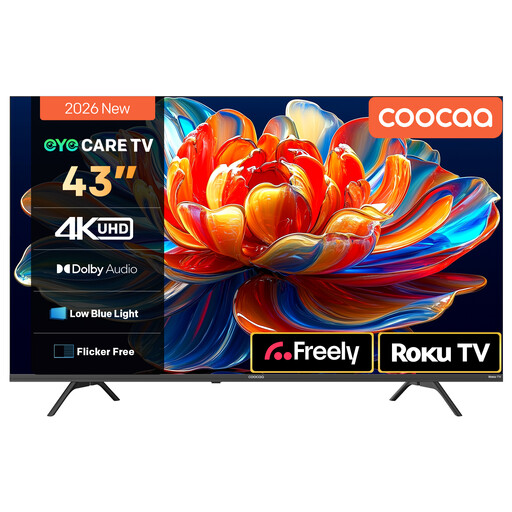
Why This Fits Their Persona: The 43-inch format suits smaller lounges, bedrooms and first homes where cabinet space is limited. Roku TV, Wi-Fi and support for popular streaming apps keep setup relatively simple.
It clearly lists 4K HDR10 and HLG support, rather than relying only on a generic HDR label. Its two 10W speakers also state the audio output.
Roku TV interface, Dolby Audio, MEMC motion processing and voice-assistant compatibility.
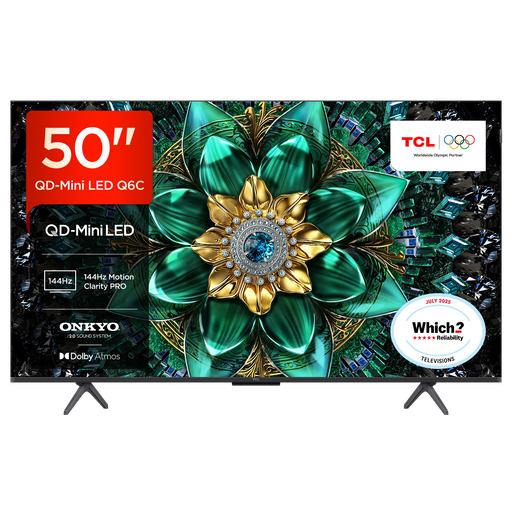
Why This Fits Their Persona: This model suits viewers who want advanced picture hardware, stronger built-in audio and gaming features in a manageable 50-inch size.
The specification identifies QD-Mini LED backlighting, up to 144Hz VRR gaming and four HDMI inputs, making the premium features easier to verify.
Onkyo 2.1 audio system, Dolby Atmos and DTS Virtual:X, plus Google TV and HDMI 2.1 connectivity.
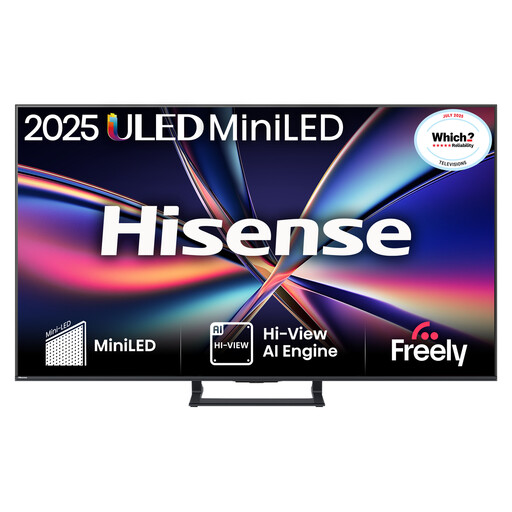
Why This Fits Their Persona: This is suited to households combining films, sport and serious console or PC gaming, with a 55-inch display and extensive picture, sound and connection specifications.
Its stated specifications separate native 144Hz refresh from gaming support, including VRR, ALLM, HDMI 2.1 and a listed input-lag figure.
Mini LED with quantum-dot colour, Dolby Vision IQ, Dolby Atmos and a built-in subwoofer.
We have compiled a complete, real-time list of products that fully satisfy these strict selection criteria and UK safety regulations.
Yes, it can be practical if you also use streaming services, games or 4K films. Freeview HD broadcasts are not always delivered in native 4K, so the benefit depends on the content source and the television’s upscaling performance.
Running cost depends on screen size, brightness, picture mode and hours of use. Larger displays generally use more power. Check the TV’s energy label and stated consumption per 1,000 hours, then compare that figure with your expected viewing time.
Many models can be wall-mounted, but compatibility depends on the VESA mounting pattern, wall type and bracket load rating. Confirm the TV’s mounting measurements, use suitable hardware and follow the manufacturer’s installation guidance. Large screens should be securely anchored to reduce tip-over risk.