
24/7 Customer Support

Free returns

Same-day & Next-day Delivery

Quality Guaranteed

Unlock Your Welcome Offers: FREE Delivery | Up to 80% OFF | Free 30-day JoyPlus trial
Download the APP
A 4K smart TV can bring sharper detail, easier streaming and more flexible connectivity to your living room. However, model names and promotional features can make comparison confusing. A television described as “smart”, “HDR” or “gaming-ready” may not offer the same experience as another model with similar wording.
Before choosing a screen, focus on the features that affect everyday use: size, picture technology, smart platform, ports, refresh rate and energy consumption. The following guide highlights common buying traps and matches selected models to different UK households.
HDR compatibility means a television can process certain high dynamic range formats. It does not guarantee identical brightness, contrast or picture quality across models. Check the supported formats, such as HDR10, HLG, HDR10+ or Dolby Vision, alongside the panel and backlight technology.
A QLED TV uses a quantum-dot layer to produce colour, while standard LED and Crystal UHD models use different picture-processing and backlight systems. The result depends on the complete display specification rather than one feature name.
A 75 inch 4K TV or 85 inch 4K TV can create an impressive viewing area, but it also requires suitable wall or furniture space. Measure the television’s full width, depth with its stand and VESA mounting pattern before ordering.
For many UK bedrooms, kitchens or smaller lounges, a 43 inch 4K TV may offer a more practical fit. A 50 inch 4K TV or 55 inch 4K TV can work well in a medium-sized lounge, while 65 inch and larger screens usually need more viewing distance.
Most modern televisions include Wi-Fi, but platforms differ in navigation, catch-up services and app support. A smart TV with Wi-Fi still depends on a reliable broadband connection. Check whether the services you use most are available on the television’s operating system.
For UK households, features such as Freely smart TV access can be useful where live and on-demand television is delivered over the internet rather than through a traditional aerial. Availability of individual apps may change, so verify the current platform listing before purchase.
4K Ultra HD normally means 3,840 × 2,160 pixels, providing four times the pixel count of Full HD. Native 4K content from streaming services, games and compatible discs can show fine detail clearly.
Most television viewing is still mixed-resolution content, so processing matters. Features such as Samsung’s Crystal Processor 4K, Q4 AI processing, Hisense AI upscaling or LG’s α7 AI Processor are designed to improve the appearance of lower-resolution sources. Upscaling cannot create identical detail to native 4K, but it can affect how older programmes and broadcast content appear.
A QLED TV can be a suitable choice for shoppers prioritising colour volume and brightness. LED-based models, including a Crystal UHD TV, may offer a slimmer or more cost-conscious route to 4K resolution. Look at the full specification rather than relying on the panel label alone.
For films and television, HDR support and contrast control are important. For console gaming, check for ALLM, VRR, HDMI 2.1 and a suitable refresh rate. A listed 50 or 60Hz panel is different from a television supporting 100Hz or higher native refresh rates.
Count the HDMI ports you need for a games console, soundbar, set-top box or Blu-ray player. eARC is useful for passing higher-quality audio to a compatible soundbar or AV receiver. Bluetooth can connect selected headphones and accessories, while Ethernet provides a wired alternative to Wi-Fi.
Built-in speakers are convenient, but a slim television may have limited physical space for bass. Technologies such as Dolby Atmos, Object Tracking Sound Lite and virtual surround processing can change the presentation, but they do not replace a dedicated soundbar in every room.
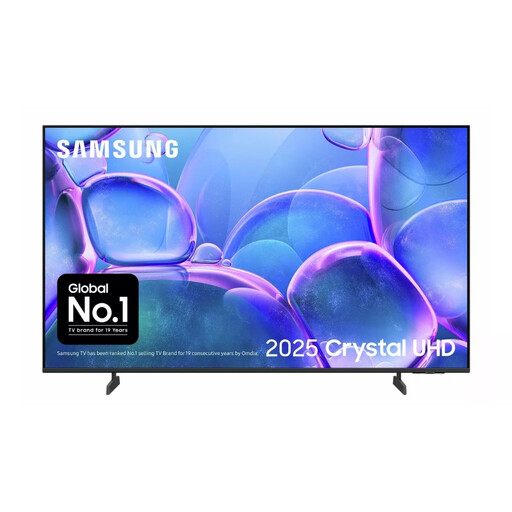
Why This Fits Their Persona: A compact option for a first lounge television, flatshare or bedroom, with Tizen Smart Hub, built-in Wi-Fi and three HDMI ports.
The specification clearly lists 4K resolution, HDR10+, HLG, Wi-Fi, Bluetooth and HDMI connectivity rather than relying only on general “smart TV” wording.
43-inch screen, AirSlim profile, Tizen OS and 20W two-channel audio with Adaptive Sound.
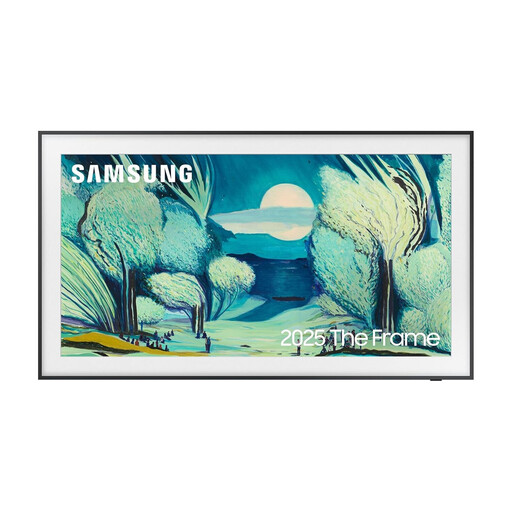
Why This Fits Their Persona: Designed for households that want the television to integrate with their interior when not being watched.
Its listed Matte Display and anti-glare screen address reflections, while the Art Mode and frame-style design provide a use beyond conventional viewing.
QLED panel, 4K resolution, Tizen OS, four HDMI ports and Wi-Fi 5 connectivity.
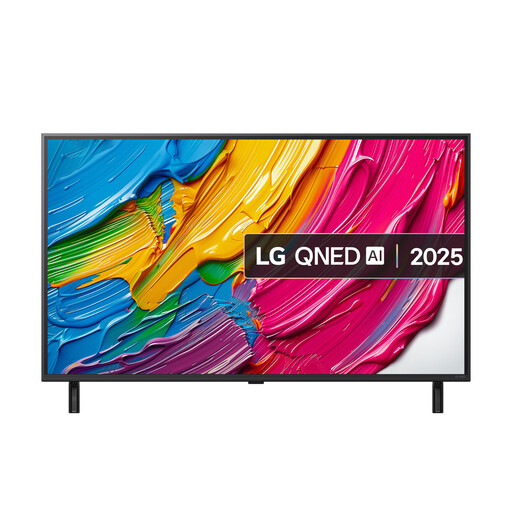
Why This Fits Their Persona: A practical choice for console gamers and viewers who need responsive connections for several external devices.
The specification identifies VRR up to 60Hz, ALLM and three HDMI 2.1 ports, making the gaming claims easier to assess against your console’s requirements.
QNED display, webOS 25, eARC, Game Optimiser and 60Hz native refresh rate.
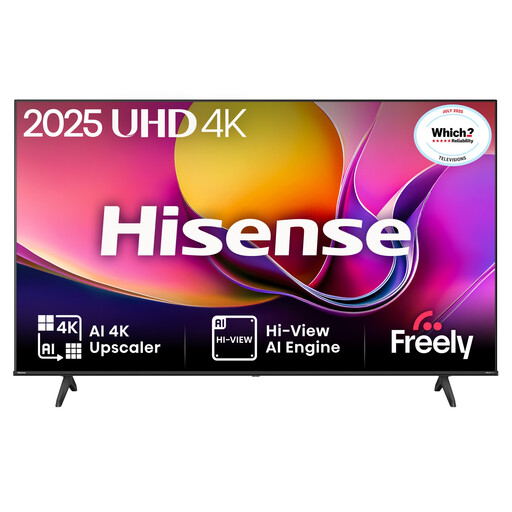
Why This Fits Their Persona: Suitable for households wanting streaming, live UK television and console connectivity in a compact format.
It lists the VIDAA platform and Freely access separately, helping shoppers check the difference between general internet connectivity and UK live-TV services.
Direct LED backlighting, Dolby Vision, HDR10, HLG, ALLM and Dolby Audio.
We have compiled a complete, real-time list of products that fully satisfy these strict selection criteria and UK safety regulations.
Yes, provided the television’s operating system supports the services you use and your broadband connection is reliable. Check individual app availability, as platforms such as Tizen, VIDAA and webOS do not necessarily offer identical content libraries.
There is no single compulsory distance. A 43 inch model generally suits closer viewing, while 55 inch, 65 inch and larger screens need more space to remain comfortable. Sit far enough away to view the whole screen without regularly turning your head, and consider subtitles and sports viewing when choosing the size.
Screen size, brightness settings, content type and energy rating all affect consumption. Larger screens commonly use more electricity; product energy labels provide a more useful comparison than size alone. Energy-saving modes and sensible brightness settings can help reduce ongoing use.