
24/7 Customer Support

Free returns

Same-day & Next-day Delivery

Quality Guaranteed

Unlock Your Welcome Offers: FREE Delivery | Up to 80% OFF | Free 30-day JoyPlus trial
Download the APP
Buying a 4K smart TV involves more than choosing the largest screen that fits your wall. A model may advertise HDR, high refresh rates or an advanced smart platform, yet still be unsuitable for your room, viewing habits or connected devices.
Before comparing a smart TV UK shoppers can buy online, check three common pitfalls:
A television’s quoted size refers to the diagonal measurement, not its width. As a practical guide:
Measure the complete product dimensions with the stand fitted, rather than relying only on the screen size. If you are wall mounting, check the VESA pattern, television weight and the mount’s maximum load. A 26–65-inch fixed mount rated for up to 50 kg, for example, still needs to match the TV’s precise VESA measurements and be secured to a suitable wall.
Standard Direct LED panels can provide a straightforward 4K HDR experience. QLED TV models use quantum-dot technology for colour reproduction, while QNED TV models combine quantum-dot colour features with a different LED panel and processing arrangement. Mini LED TV models use smaller backlight zones to provide more precise control of bright and dark areas.
The term HDR TV is not a guarantee of identical performance between models. Check which formats are supported, such as HDR10, HLG, HDR10+ or Dolby Vision, and consider the television’s brightness and dimming system. A TCL QD-Mini LED model, for instance, lists up to 512 dimming zones and HDR Premium 1000, while a Direct LED model may prioritise simpler construction and lower complexity.
Console gamers should look for HDMI 2.1, ALLM and VRR support, but also verify how many ports offer these functions. A 120Hz or 144Hz mode can make supported gameplay appear smoother, although the console, cable and game must also support the relevant output.
For sound, built-in speakers may be adequate for everyday viewing. A Dolby Atmos TV can process compatible audio, but the result depends on the speaker layout and content. Check whether the television supports eARC if you intend to connect a soundbar or AV receiver.
Energy labels also deserve attention. Current UK energy ratings run from A to G, so compare the stated SDR and HDR consumption figures if the television will be used for several hours each day.
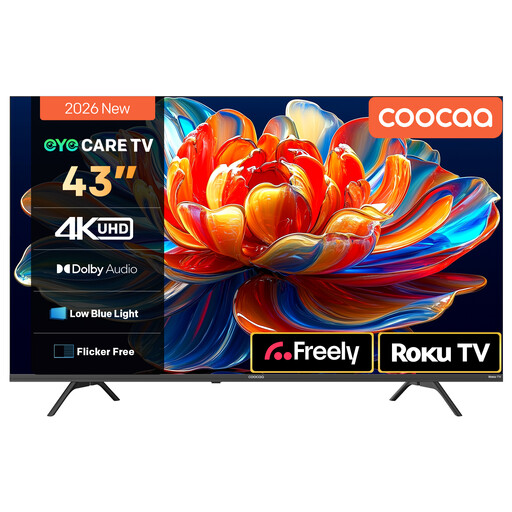
Why This Fits Their Persona: Its 43-inch format suits compact UK lounges, bedrooms and first-time upgrades where space and budget matter. Roku TV brings supported streaming services together on one home screen.
The product listing identifies 4K resolution, HDR10/HLG support and MEMC, while its Direct LED design avoids paying specifically for a more complex backlight system.
Roku platform; Dolby Audio with two 10W speakers; voice-assistant compatibility listed for Siri, Alexa and Hey Google.
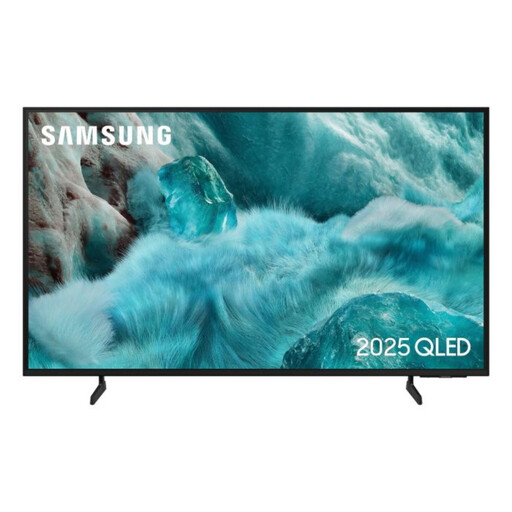
Why This Fits Their Persona: This 50-inch QLED TV is suited to viewers who want a larger home-cinema screen, a familiar smart interface and colour-focused display technology.
The specification lists QLED, Quantum HDR, HDR10+, three HDMI ports and a 20W audio system, making the core hardware easier to compare directly.
Tizen OS; built-in Wi-Fi and Bluetooth; five-year manufacturer warranty upon registration, according to the listing.
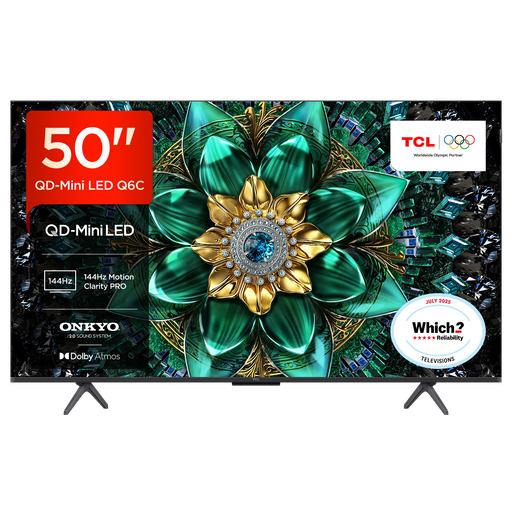
Why This Fits Their Persona: Designed for households combining streaming, films and console or PC gaming, particularly where smooth motion and external audio are priorities.
Its listed gaming specification separates HDMI 2.1, ALLM, VRR and AMD FreeSync Premium Pro from general picture-processing claims.
QD-Mini LED display; up to 144Hz VRR; 30W Onkyo audio with Dolby Atmos and DTS Virtual:X support.
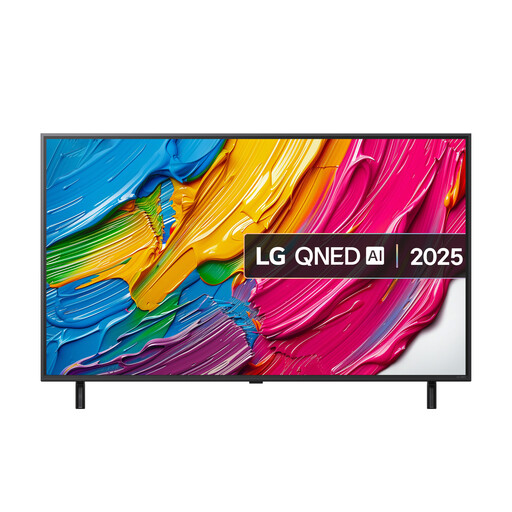
Why This Fits Their Persona: A practical match for families who need streaming access, voice control and gaming features in one 50-inch set.
The listing specifies a 60Hz native refresh rate, so buyers can distinguish its VRR and ALLM functions from televisions with higher native refresh rates.
webOS 25; α7 AI Processor Gen8; three HDMI 2.1 ports with eARC, ALLM and VRR listed.
We have compiled a complete, real-time list of products that fully satisfy these strict selection criteria and UK safety regulations.
If using a TV wall mount, confirm the VESA pattern before ordering. The mount must be fixed into suitable masonry or structural timber, not simply plasterboard without appropriate reinforcement. Leave ventilation space around the television and ensure cables do not pull against the HDMI ports.
For a stand-mounted television, use a stable unit with a stated load limit. A TV unit should be secured with its anti-tip restraint, particularly in homes with children or pets. Keep the screen centrally positioned and avoid placing heavy equipment on shelves with a lower weight rating.
It can be worthwhile if you watch 4K content, sit relatively close to the screen or want a television that can accommodate future devices. Streaming quality also depends on your broadband connection, subscription plan and the content’s available resolution.
A 43 inch 4K TV can suit a compact room, while a 50 inch or 55 inch 4K TV may be more appropriate for a larger seating area. Measure your viewing distance and the available furniture or wall width before deciding.
Not usually. Roku TV, Google TV, Samsung Smart TV platforms and webOS provide built-in app access. A separate streaming device may still be useful if you prefer a particular interface, need an app unavailable on the television or want to use one device across several screens.