
24/7 Customer Support

Free returns

Same-day & Next-day Delivery

Quality Guaranteed

Unlock Your Welcome Offers: FREE Delivery | Up to 80% OFF | Free 30-day JoyPlus trial
Download the APP
A 4K Smart TV can improve streaming, gaming and everyday television viewing, but the specification sheet does not always tell the full story. A large screen may be unsuitable for a narrow room, a television labelled “gaming-ready” may only support 60Hz, and smart features can vary considerably between platforms.
The following guide highlights the main buying traps and the specifications worth checking before you choose a television for your home.
A larger display is not automatically more suitable. A 75 inch or 85 inch 4K TV needs sufficient wall or furniture width, a suitable viewing distance and careful delivery planning. Conversely, a 43 inch 4K TV may be more practical for a bedroom, flat or smaller lounge.
Measure the available space, including the stand width and depth. If you are considering wall mounting, also check the wall construction and the required bracket.
HDR10, HDR10+, Dolby Vision and HLG are formats that can affect compatible content, but the label alone does not determine overall picture performance. Brightness, contrast control, panel type and the content source all matter.
For example, the Toshiba 55UV1563DB supports Dolby Vision, HDR10 and HLG, while the Samsung Q7F range lists HDR10+ and Quantum HDR support. These are useful compatibility details, but they should be assessed alongside the television’s display technology and room lighting.
Features such as ALLM, VRR, HGiG and a dedicated game menu can make setup more convenient. However, buyers should check the supported refresh rate and HDMI specification. Some televisions support VRR up to 60Hz, which may suit standard console play but will not provide the same range as a higher-refresh gaming display.
Also count the HDMI ports if you plan to connect a console, soundbar, set-top box and media player at the same time.
Common choices include a 43 inch 4K TV for compact lounges, a 55 inch 4K TV for general family viewing and a 65 inch 4K TV for a more cinema-like presentation. A 75 inch 4K TV or 85 inch 4K TV can create a substantial home cinema display, but check the product dimensions rather than relying on the diagonal measurement alone.
For example:
A QLED TV uses a quantum-dot layer to produce colour, while a QNED TV combines quantum-dot colour technology with an LED-based display system. Direct LED and edge LED arrangements can also affect the television’s physical design and how the backlight is distributed.
Do not choose solely by the technology name. Check the listed resolution, HDR formats, refresh rate and any dimming features that matter for your room.
A TV with Wi-Fi allows streaming services and internet-based live television without a separate streaming stick, although a wired Ethernet connection can be useful where Wi-Fi is unreliable. Samsung Smart TV models use Tizen, LG Smart TV models use webOS, and Toshiba Smart TV models listed here use VIDAA.
For UK households, Freely Smart TV compatibility may be useful if you want live and on-demand television delivered through Wi-Fi. The Toshiba 55UV1563DB includes Freely, while its VIDAA platform provides access to several mainstream streaming applications.
Finally, compare the energy label and quoted consumption in kWh per 1,000 hours. Larger screens generally use more electricity. For example, the listed Samsung Q7F 55-inch model specifies 79kWh per 1,000 hours in SDR use, while the 75-inch version specifies 135kWh.
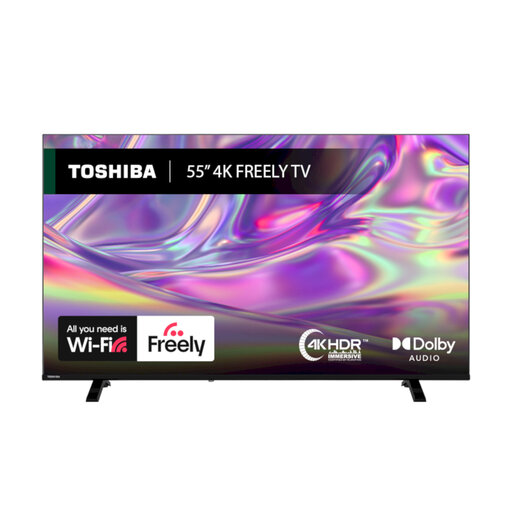
Why This Fits Their Persona: This 55-inch model suits households wanting a straightforward family television with Wi-Fi streaming and Freely built in, without adding a separate live-TV box.
The specification states the screen size, 4K resolution, HDR formats and 1-year manufacturer warranty clearly, rather than relying on vague picture claims.
Dolby Vision, HDR10 and HLG support; Freely over Wi-Fi; VIDAA smart platform; 200 x 200mm VESA compatibility.
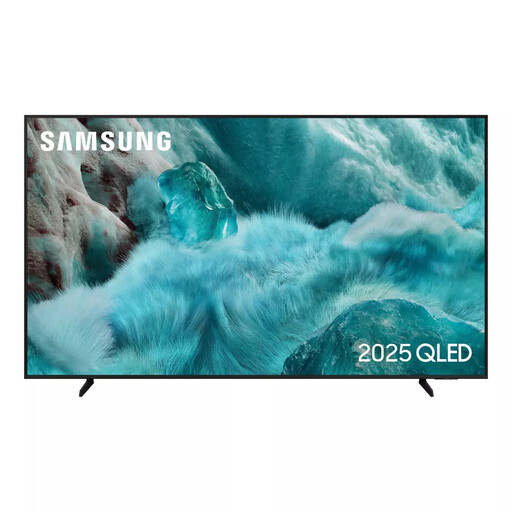
Why This Fits Their Persona: A suitable option for viewers who value a slim design, quantum-dot display technology and an integrated Samsung entertainment ecosystem.
Its listed specifications identify the 50Hz native refresh rate, three HDMI ports and G-rated energy classes, helping buyers set realistic expectations.
QLED display; Tizen smart platform; HDR10+ support; ALLM, HGiG and Game Motion Plus features.
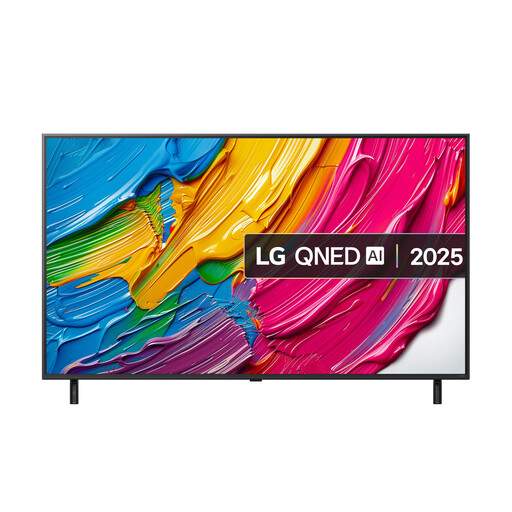
Why This Fits Their Persona: The 65-inch screen and gaming-focused connections suit larger lounges, home cinema viewing and console owners who need responsive modes.
The product specification states that VRR operates up to 60Hz, avoiding the assumption that every HDMI 2.1-labelled television supports higher refresh rates.
Three HDMI connections with VRR, ALLM and eARC; Game Optimiser dashboard; 300 x 300mm VESA mounting pattern.
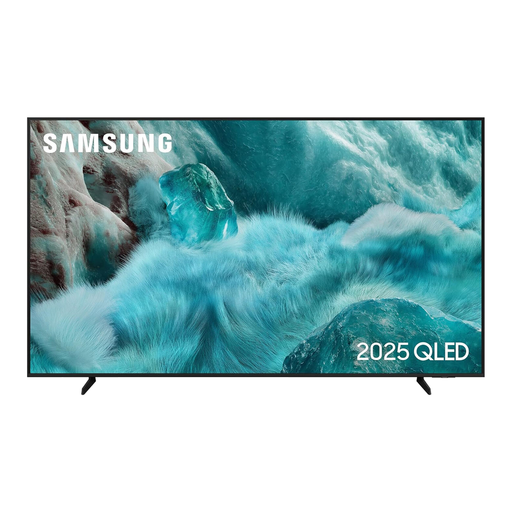
Why This Fits Their Persona: This very large display is designed for dedicated viewing spaces where screen scale is more important than compact installation.
The listed dimensions, 33.1kg stand weight and 400 x 400mm VESA pattern make delivery, furniture and wall-support planning easier.
QLED display; Tizen platform; three HDMI ports; ALLM, HGiG and Gaming Hub features.
We have compiled a complete, real-time list of products that fully satisfy these strict selection criteria and UK safety regulations.
Before ordering a TV wall mount, compare four details:
Do not install a heavy television on plasterboard alone unless an appropriate structural mounting solution is confirmed. Leave ventilation space around the television and arrange assistance when lifting large screens.
It can be useful if you watch 4K content from compatible streaming services, games consoles or UHD media. Upscaling can also improve the appearance of some HD content, but results depend on the source and the television’s processing.
Consumption varies by screen size, brightness, picture mode and HDR use. Check the energy label’s SDR and HDR figures in kWh per 1,000 hours. A smaller model generally uses less electricity than a comparable larger screen.
No. Confirm the TV’s VESA mounting pattern, weight and the bracket’s supported screen range. Also check the wall structure, cable clearance and whether the mount allows enough ventilation behind the television.