
24/7 Customer Support

Free returns

Same-day & Next-day Delivery

Quality Guaranteed

Unlock Your Welcome Offers: FREE Delivery | Up to 80% OFF | Free 30-day JoyPlus trial
Download the APP
Buying a 4K Smart TV in the UK involves more than choosing the largest screen within your budget. Resolution, HDR performance, refresh rate, HDMI connectivity, sound and smart-TV software can all affect how suitable a television feels after installation.
A model that looks impressive on a product page may still be unsuitable for a small bedroom, bright lounge or modern gaming console. This guide explains the practical specifications to check, common marketing traps to avoid and our top recommendations for 2026.
Nearly all current televisions in this category advertise 4K HDR, but the label does not describe brightness, contrast or local dimming performance by itself. A basic Direct LED panel and a QD-Mini LED television may both support HDR formats while producing noticeably different results.
Check the underlying display technology:
A “144Hz TV” can be useful for compatible PC gaming and fast-moving content, but the advertised figure may apply only to a specific gaming mode or resolution. Some models quote a higher accelerator rate than their native panel refresh rate.
For console gaming, check whether the television has:
The TCL P8K range, for example, lists a 120Hz panel with up to 144Hz VRR for gaming. The TCL V6C range lists a 120Hz Game Accelerator mode at Full HD, so it should not be compared directly with a native 144Hz TV.
Thin televisions have limited space for speaker hardware. A model carrying a Dolby Atmos TV label may support the format, but its built-in speakers may not create the same room-filling effect as a separate sound system.
Compare the audio layout and output:
Measure both the wall or furniture and the route into the room. An 85-inch TV can measure roughly 1.9 metres wide, while a 75-inch model may be around 1.67 metres wide. Include the stand footprint, wall-mount position and ventilation space.
Useful starting points for UK homes include:
Viewing distance, seating angle and personal preference matter as much as the diagonal measurement. Avoid choosing a screen that dominates the room simply because its price appears attractive.
A standard LED television can be practical for Freeview, catch-up services and general streaming. QLED models add quantum-dot colour technology, while Mini LED models typically offer more detailed backlight control.
Look beyond the headline specification and check:
Energy labels run from A to G. Large, bright screens can consume more electricity, so compare the stated kWh figures when running costs matter.
The operating system determines how you access apps, voice control and smart-home functions. Google TV brings content and applications together with Google Assistant and casting features. Tizen Smart TV offers an app-based interface with services such as BBC iPlayer, Netflix, Prime Video and Disney+, depending on model and availability. VIDAA Smart TV focuses on a streamlined interface and voice-enabled navigation.
Also count the ports. Three HDMI connections may be sufficient for a set-top box, console and soundbar, while four HDMI 2.1 TV inputs are useful for several gaming devices and high-bandwidth equipment. Confirm whether eARC is included on the particular HDMI port you plan to use.
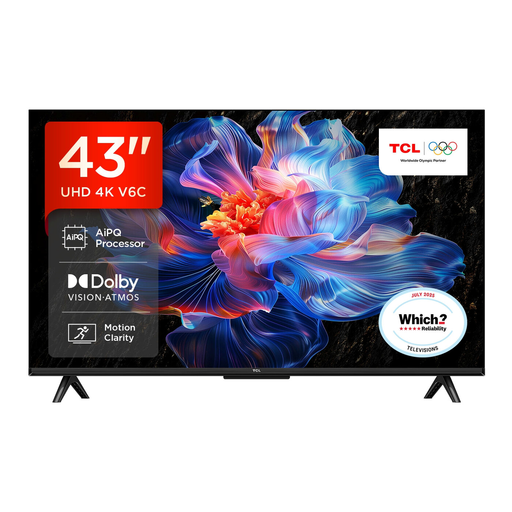
Why This Fits Their Persona: Its 43-inch format suits a bedroom, smaller lounge or first smart television, while Google TV provides access to streaming apps and Google Assistant.
The compact size avoids paying for an oversized panel, while its listed 4K UHD resolution and HDR format support go beyond a basic Full HD set.
Direct LED display, Dolby Atmos support, Game Master features, VRR and ALLM.
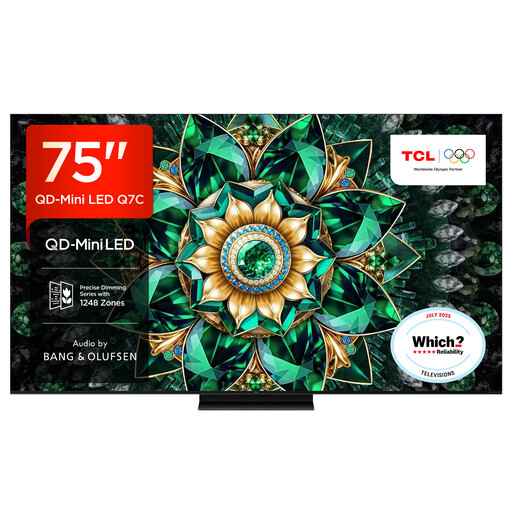
Why This Fits Their Persona: The 75-inch panel is designed for larger living rooms and film-focused setups where screen scale, brightness and integrated audio are priorities.
QD-Mini LED technology and listed local-dimming zones address the limitations of treating every HDR television as identical.
144Hz native refresh rate, Google TV, HDMI 2.1 connectivity and audio by Bang & Olufsen.

Why This Fits Their Persona: This 55-inch gaming TV combines a compact living-room size with a listed 165Hz refresh rate, HDMI 2.1 inputs and gaming-focused functions.
Its specification separates native refresh rate from a general accelerator claim and lists HDMI 2.1, VRR and ALLM for compatible devices.
Mini LED backlight, QLED colour technology, 165Hz native refresh rate and 2.1.2-channel Dolby Atmos audio.
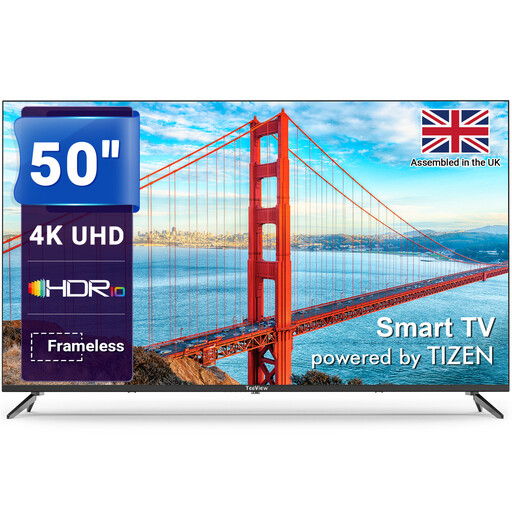
Why This Fits Their Persona: A 50-inch screen with Tizen OS, built-in streaming access and three HDMI ports suits family viewing in a typical UK lounge.
The listing specifies 3840 × 2160 resolution, HDR support and separate HDMI, USB, optical, Wi-Fi and Ethernet connections.
Tizen smart platform, 4K HDR display, three HDMI ports and Gaming Hub access.
We have compiled a complete, real-time list of products that fully satisfy these strict selection criteria and UK safety regulations.
Usually, yes, provided the screen size matches the viewing distance and furniture. A 43-inch TV can provide detailed 4K pictures without overwhelming a bedroom or compact lounge. Measure the space and check the stand width before ordering.
Lifespan depends on usage, ventilation, software support and component reliability. Keep the ventilation openings clear, install the set securely and apply manufacturer software updates. Check the warranty period and retailer terms before purchase, particularly for large or premium models.
Consumption varies by screen size, brightness, display technology and viewing hours. Large 75-inch and 85-inch models generally use more power than 43-inch or 55-inch sets. Compare the energy label and kWh information, then use available energy-saving settings when suitable.