
24/7 Customer Support

Free returns

Same-day & Next-day Delivery

Quality Guaranteed

Unlock Your Welcome Offers: FREE Delivery | Up to 80% OFF | Free 30-day JoyPlus trial
Download the APP
Buying a 4K smart TV in the UK involves more than choosing the largest screen or the lowest price. A television may advertise QLED colour, HDR, 144Hz gaming and Dolby Atmos, yet still be unsuitable for your room, viewing habits or connected devices.
The practical approach is to check the specifications that affect everyday use rather than relying on promotional labels. The following guide explains the main traps, the measurements that matter and a selection of TVs matched to different households.
A QLED TV uses a quantum-dot layer to enhance colour reproduction, but QLED alone does not describe brightness, contrast or black-level performance. Two QLED televisions can look noticeably different because of their backlight, panel type, processor and local-dimming system.
A Mini-LED TV generally uses many smaller backlight zones than a conventional LED model. This can provide more precise control of bright and dark areas, although the result still depends on the number of zones, processing and room conditions.
An HDR smart TV may support HDR10, HLG, Dolby Vision or HDR10+. However, compatibility does not guarantee the same HDR impact across every model. Brightness, contrast and the quality of the content source all influence what you see.
Check which HDR formats are supported and whether your preferred streaming services, console or media player can output them. Also remember that some broadcast and streaming content remains lower quality, so effective upscaling is useful for everyday viewing.
A 144Hz TV can make compatible PC games and selected high-frame-rate content appear smoother. Most current consoles do not output 144 frames per second in the same way a gaming PC can. A television may also have different refresh-rate capabilities depending on the HDMI input and resolution.
For console gaming, look for HDMI 2.1, VRR and ALLM. For PC gaming, check the supported resolution, refresh rate and graphics-card compatibility. A high refresh rate is less important if you mainly watch films, Freeview or standard streaming programmes.
A large-screen TV needs suitable wall and floor space, as well as a sensible viewing distance. Measure the television with its stand, not just the diagonal screen size. For example, an 85-inch model can be approximately 1.9 metres wide, while a 75-inch TV is usually around 1.67 metres wide.
Before ordering, check:
A 43-inch or 55-inch set may suit a bedroom or smaller lounge, while a 75-inch, 85-inch or 98-inch model needs a larger room and careful delivery planning.
A genuine 4K Ultra HD television has a resolution of 3840 × 2160 pixels. This provides greater detail than Full HD, particularly on larger screens and with native 4K content. However, a 32-inch or 40-inch television may use HD or Full HD resolution instead, which can be perfectly practical for a bedroom or kitchen.
For picture technology, compare:
Do not treat a “billion colours” statement as a complete picture-quality assessment. It is only one part of the display specification.
The operating system affects app availability, search and updates. Google TV provides Google Assistant and casting features, while Samsung smart TV models use Tizen and Hisense smart TV models commonly use VIDAA. TiVo OS models may offer Freely integration, which can be useful for households wanting internet-delivered live and on-demand television without an aerial or external box.
For audio, Dolby Atmos TV branding indicates format support, not that the built-in speakers will recreate a full cinema speaker system. Check the number of channels, rated output and whether eARC is available for a soundbar or AV receiver.
Finally, count the ports. Gamers and home-cinema users may need several HDMI connections, including HDMI 2.1, while USB, Bluetooth, Ethernet and optical audio can be useful for other equipment.
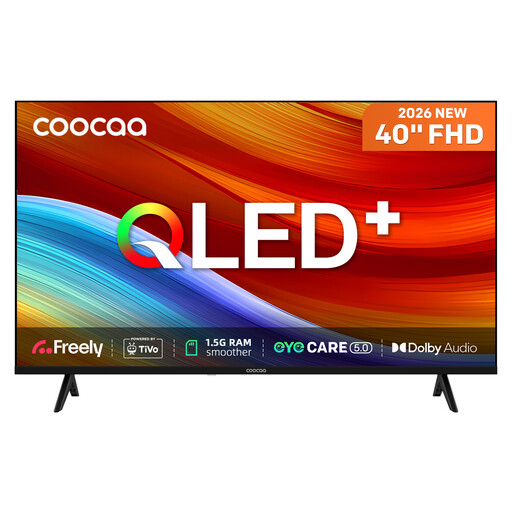
Why This Fits Their Persona: A compact 40-inch television for smaller lounges, flats, studios or spare rooms where 4K resolution is not essential.
Its Full HD resolution is clearly specified, avoiding the mistake of assuming every QLED model is 4K.
40-inch Direct-LED display, TiVo OS, Freely over Wi-Fi, Dolby Audio and two HDMI ports.
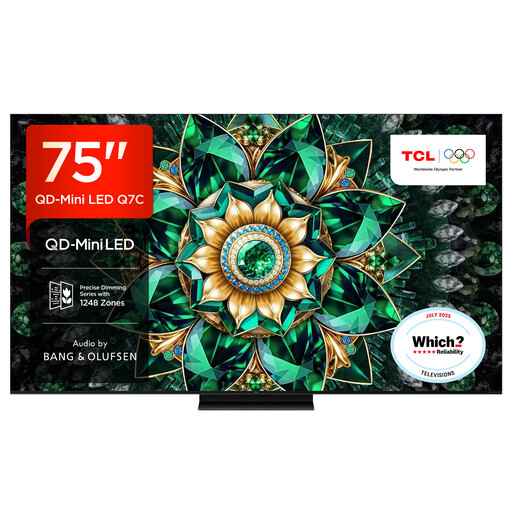
Why This Fits Their Persona: A substantial living-room screen for films, streaming and sport, with Google TV and built-in audio by Bang & Olufsen.
QD-Mini LED, local dimming and a stated 144Hz native refresh rate provide more useful detail than a generic “premium” label.
75-inch 4K resolution, up to approximately 2,048 dimming zones, 144Hz refresh rate and HDMI 2.1 connectivity.

Why This Fits Their Persona: Designed for console and PC gamers, sports viewers and households wanting a 55-inch screen with extensive motion and HDR support.
The specification lists native 165Hz, VRR, ALLM and HDMI 2.1 rather than relying on a general “gaming TV” description.
Mini-LED local dimming, Dolby Vision IQ, HDR10+ Adaptive, 165Hz VRR and a 2.1.2-channel Dolby Atmos audio system.
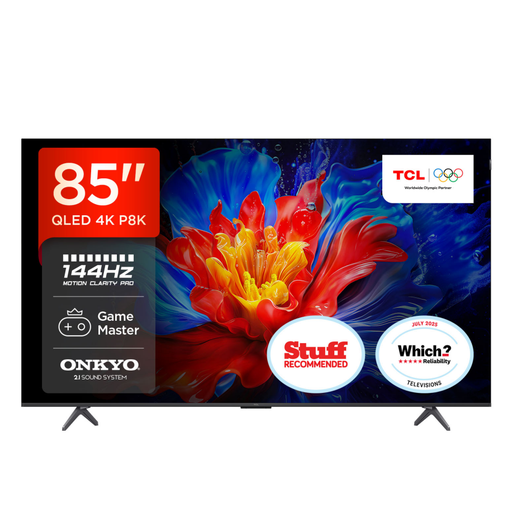
Why This Fits Their Persona: A large lounge or dedicated media room where a wide viewing area, built-in bass and high-refresh gaming are priorities.
Its 85-inch dimensions, four HDMI 2.1 ports and native refresh information help you assess room fit and equipment compatibility before purchase.
85-inch 4K QLED panel, up to 144Hz VRR, FreeSync Premium, Google TV and a 2.1 Onkyo system with Dolby Atmos support.
We have compiled a complete, real-time list of products that fully satisfy these strict selection criteria and UK safety regulations.
It can be, particularly if you sit close enough to notice the added detail or regularly watch 4K streaming content. For a smaller bedroom, a 32-inch or 43-inch model may be more practical than a large-screen TV. If your viewing is mainly Freeview or standard HD content, Full HD may meet your needs at a lower cost.
It can improve motion when paired with compatible output, VRR and a suitable HDMI connection. Many consoles are designed around up to 120Hz, so a 144Hz specification may offer greater value to PC gamers than console-only users. Check the console, cable and TV input together.
Running costs depend on screen size, brightness, HDR use, viewing hours and standby consumption. Read the TV’s UK energy label and compare the stated kWh usage. Larger 75-inch, 85-inch and 98-inch televisions generally use more electricity than bedroom-sized models, so screen size should match the room and your actual viewing habits.