
24/7 Customer Support

Free returns

Same-day & Next-day Delivery

Quality Guaranteed

Unlock Your Welcome Offers: FREE Delivery | Up to 80% OFF | Free 30-day JoyPlus trial
Download the APP
A 4K Smart TV can transform films, sport, streaming and gaming, but choosing one based only on screen size or a large discount can lead to an expensive mismatch. Some televisions advertise advanced picture processing that only benefits compatible content, while others use impressive refresh-rate figures that apply only in specific gaming modes.
Before you buy, focus on the features you will actually use: screen size, viewing distance, panel technology, smart platform, connections and sound.
A television may quote a refresh rate of 120Hz, 144Hz or more, but the practical benefit depends on the source. Most broadcast television and many streaming programmes remain 24Hz, 50Hz or 60Hz. Higher refresh rates are more relevant to compatible consoles and gaming PCs.
Likewise, HDR TV performance depends on brightness, contrast and supported formats. HDR10, HLG, HDR10+ and Dolby Vision compatibility is useful, but the label alone does not guarantee a dramatic improvement in every scene.
A larger screen is not automatically more suitable. An 85-inch TV can dominate a compact lounge, while a 32-inch model may feel undersized for a main viewing area. Measure the wall or furniture first, then consider your usual seating distance and viewing angle.
Remember to check the television’s full dimensions with its stand. A narrow cabinet may not support a wide base, and a wall-mounted screen still needs suitable ventilation.
A smart TV is only convenient if it provides the apps and connections you need. Google TV, Tizen smart TV and VIDAA smart TV each offer different interfaces and app ecosystems. Check access to your preferred streaming services, voice controls and catch-up platforms.
For gaming or external equipment, count the HDMI ports. A soundbar may need HDMI eARC, while a console may require HDMI 2.1, ALLM and VRR for responsive gameplay.
A 4K Ultra HD TV normally has a resolution of 3840 × 2160 pixels, offering four times the pixel count of Full HD. It is suitable for mainstream streaming, films, sport and compatible games.
Common UK sizes include:
A standard Direct LED television uses LEDs behind the panel and can offer consistent everyday performance. QLED TV models add a quantum-dot layer designed to produce a wider colour range and stronger colour volume.
Mini LED TV models use smaller backlight zones, allowing more precise control of bright and dark areas. This can be useful for HDR films, sport and gaming, although results vary by panel, processing and local-dimming implementation.
Also check the native resolution rather than relying on upscaling claims. Upscaling can improve lower-resolution content, but it does not create the same detail as native 4K material.
Built-in speakers are convenient, but slim televisions have limited space for large speaker chambers. A model with Dolby Atmos TV support can process compatible audio formats, but the result depends on the content and speaker arrangement. If you want stronger bass or wider sound, check for HDMI eARC or optical audio output for a soundbar.
For UK viewing, check whether the television includes the tuner or live-TV service you require. Some models include Freeview HD, while selected televisions provide Freely TV access through an internet connection.
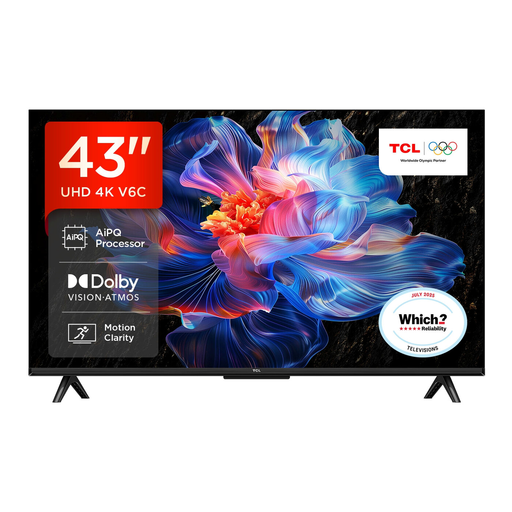
Why This Fits Their Persona: A practical 43-inch choice for a first living-room TV, flat or bedroom where 4K resolution and broad streaming access matter.
It lists 4K HDR resolution, Google TV and multiple HDR formats rather than relying on screen size alone.
Google Assistant, Dolby Atmos support, HDMI 2.1, ALLM and VRR are listed features.

Why This Fits Their Persona: Suits viewers who want advanced contrast, colour technology and a strong feature set without moving to a very large screen.
Its specification lists Mini LED local dimming and HDR formats, giving shoppers clearer information than a generic HDR label.
Native 165Hz refresh rate, four HDMI 2.1 ports, VRR and a 2.1.2-channel Dolby Atmos audio system.
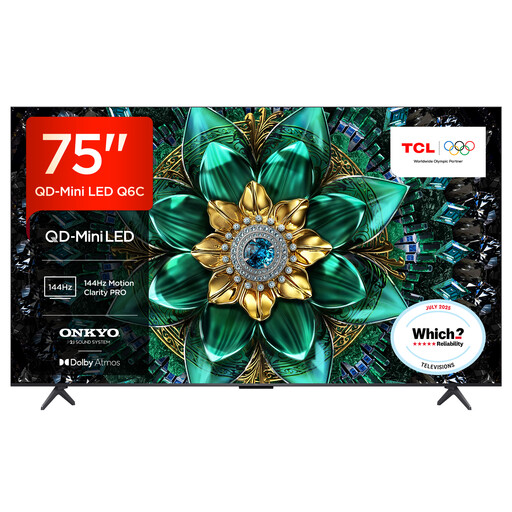
Why This Fits Their Persona: Designed for a spacious lounge where a large screen, HDR films, sport and console gaming are central to home entertainment.
The QD-Mini LED design and stated dimming zones provide more useful detail than simply selecting a larger diagonal measurement.
4K HDR, 144Hz native display, Google TV, Dolby Vision IQ and HDMI 2.1 gaming features.
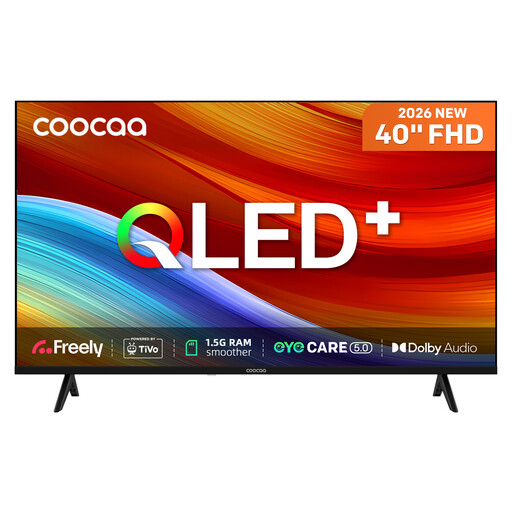
Why This Fits Their Persona: A compact option for bedrooms, studios or a small-footprint living area where Freely access and flexible connections are important.
Its Full HD resolution is clearly stated, avoiding confusion for shoppers who might assume every QLED model is 4K.
Built-in Freely, TiVo OS, QLED technology, two HDMI ports and USB connectivity.
We have compiled a complete, real-time list of products that fully satisfy these strict selection criteria and UK safety regulations.
It can be useful for streaming, films, sport and gaming, particularly on screens of 43 inches or larger. Standard-definition broadcasts will not become native 4K, but compatible services and devices can display the television’s full resolution.
Lifespan depends on usage, ventilation, software support and component quality. Keep the set updated, avoid blocking ventilation openings and use a surge-protected power setup where appropriate. Check the manufacturer’s warranty and support terms before ordering.
Running costs depend on screen size, brightness, energy rating and daily viewing time. Larger screens generally consume more power than compact models. Use the UK energy label and the stated consumption figures to compare models, then enable automatic brightness or energy-saving modes if available.