
24/7 Customer Support

Free returns

Same-day & Next-day Delivery

Quality Guaranteed

Unlock Your Welcome Offers: FREE Delivery | Up to 80% OFF | Free 30-day JoyPlus trial
Download the APP
Buying a 4K smart TV is no longer simply a question of choosing the largest screen that fits your room. Display technology, HDR compatibility, refresh rate, smart platform and built-in sound can all affect how much value you receive from your purchase.
Marketing terminology can also make comparisons difficult. A television may advertise a high refresh rate that only applies to a particular gaming mode, while a “cinematic” display may still require a soundbar for clear dialogue. Use the following guide to separate useful specifications from features that may not suit your household.
A 4K panel has a resolution of 3840 × 2160 pixels, but resolution alone does not determine contrast, brightness or colour. A basic Direct LED television, QLED TV and OLED TV can all display 4K content while producing noticeably different results.
For example, QLED uses a quantum-dot layer to enhance colour, whereas Mini LED uses many smaller backlight zones to improve brightness and contrast control. OLED panels illuminate individual pixels and do not use a conventional backlight. Each technology involves different strengths and compromises, so consider your room lighting, viewing habits and budget rather than relying on the resolution label alone.
A 120Hz TV can refresh the image up to 120 times per second, which may help with sports and compatible console gaming. Some models offer 144Hz gaming TV support through a compatible PC input or a variable refresh rate mode. Others advertise a higher figure through a game accelerator mode that may use a different resolution.
Check the specification carefully. Look for native refresh rate, supported resolution, HDMI 2.1 ports, VRR and ALLM. A television that supports 4K at 120Hz is a different proposition from one that reaches 120Hz only at Full HD.
A smart TV with Dolby Atmos can process compatible audio and create a wider, more spacious presentation. However, the result depends on speaker placement, power output, room acoustics and the content source. Built-in speakers may be suitable for everyday viewing, while a separate soundbar or AV system can still be preferable for dedicated home cinema use.
A large-screen TV can make films, sport and games more engaging, but it needs appropriate space. Measure the wall, TV stand and access route before ordering. Include the feet in your measurements, not only the panel.
As a practical starting point:
A 4K panel allows closer viewing than older HD televisions without the same level of visible pixel structure, but an oversized screen can still feel uncomfortable if seating is very close.
4K HDR TV specifications may list HDR10, HLG, HDR10+ or Dolby Vision. These formats are not interchangeable in every streaming service or device. If you use a particular streaming platform, games console or 4K Blu-ray player, check which HDR formats it supports.
Brightness also matters. Direct LED models can provide consistent everyday viewing, while QLED and Mini LED models may offer higher brightness and more controlled highlights. Local dimming can improve contrast, although the number of zones does not alone guarantee uniform performance.
Console and PC gamers should check:
For sound, compare speaker configuration and output power. A 2.1-channel system with a built-in subwoofer may offer more bass than basic stereo speakers. eARC is useful when connecting a compatible soundbar or AV receiver.
The smart platform is another daily consideration. Google TV brings apps, recommendations, Google Assistant and casting features into one interface. Samsung TV models typically use Tizen, LG TV models use webOS, and Hisense TV models commonly use VIDAA. Check that your preferred UK streaming services and casting functions are available before purchase.
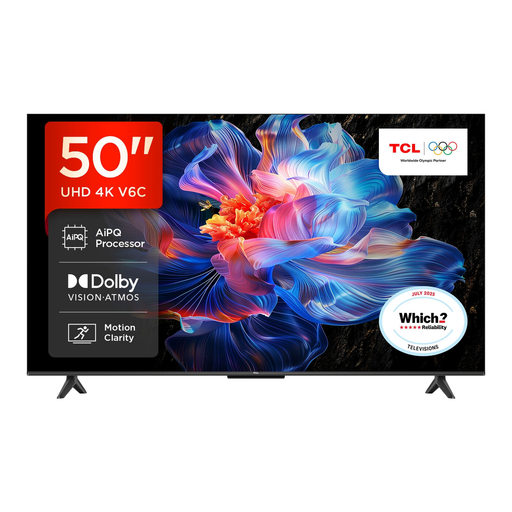
Why This Fits Their Persona: A practical 50-inch size for smaller UK living rooms, bedrooms or first-time smart TV buyers. Google TV provides access to streaming apps and voice control.
The listing identifies its Direct LED backlight, HDR format support, HDMI 2.1, VRR and the stated 120Hz Game Accelerator mode rather than presenting one vague refresh-rate claim.
4K HDR display, Google TV, Dolby Atmos processing and Game Master features.
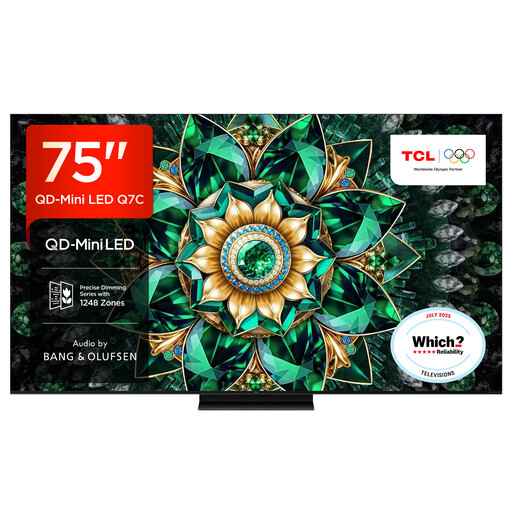
Why This Fits Their Persona: Designed for a spacious lounge or dedicated viewing room where a large screen, high HDR brightness and integrated audio are priorities.
It specifies QD-Mini LED, up to approximately 2,048 local dimming zones and a 144Hz native refresh rate, making the display architecture clearer than a generic HDR label.
75-inch 4K panel, Google TV, 144Hz native refresh rate and audio by Bang & Olufsen.
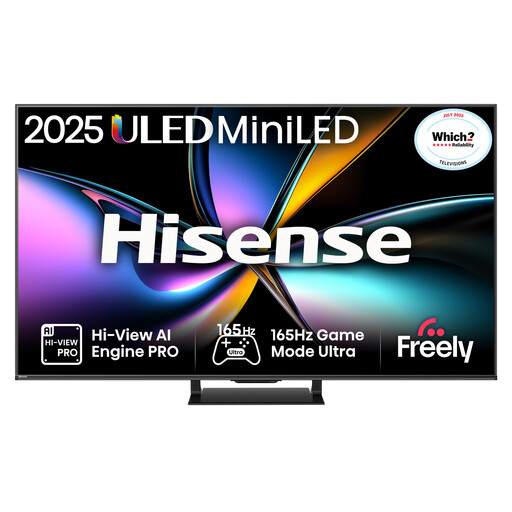
Why This Fits Their Persona: A 65-inch option for users prioritising fast motion, gaming connections and built-in spatial audio for sport, action films and PC play.
The specification separates its 165Hz native refresh rate from gaming functions and lists VRR, ALLM and HDMI 2.1 connectivity for compatible equipment.
Mini LED with QLED colour, 165Hz native refresh rate, four HDMI 2.1 ports and 2.1.2-channel Dolby Atmos audio.
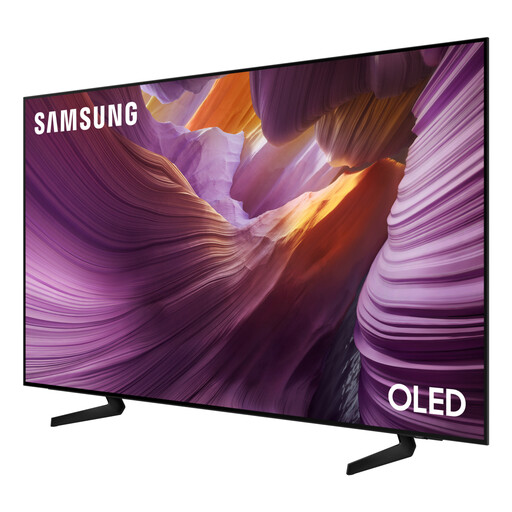
Why This Fits Their Persona: The 83-inch OLED format suits a sizeable media room where a wide viewing area and a slim, wall-mountable design are important.
Its listing clearly identifies OLED technology, a 100Hz native refresh rate, support for up to 120Hz, four HDMI ports and VRR gaming functions.
83-inch OLED display, Tizen smart platform, Dolby Atmos decoding and 120Hz motion support.
We have compiled a complete, real-time list of products that fully satisfy these strict selection criteria and UK safety regulations.
Before installation, confirm the VESA mounting pattern, wall strength and ventilation clearance. Do not block the rear vents, and use a stable surface if the TV is not wall-mounted. Large televisions may require two people for safe positioning.
Check the UK energy label and the stated kWh consumption for SDR and HDR use. A brighter Mini LED or very large screen can consume more electricity than a smaller Direct LED model. Using an energy-saving mode, reducing brightness and switching the set fully off when not needed can help manage running costs.
Yes, but check for HDMI 2.1, 4K at 120Hz, VRR and ALLM. These features depend on the television, console, cable and game. A 144Hz specification is more relevant to compatible PC gaming than to consoles limited to lower frame rates.
Lifespan depends on usage, ventilation, software support and component reliability. Keep the set updated, avoid blocking ventilation and follow the manufacturer’s mounting and electrical instructions. OLED owners should also use the panel-care features supplied with the television.
It can, particularly when the screen is large or brightness is high. Compare the energy label and consumption figures rather than assuming that every 4K model has the same running cost. Smaller screen sizes and energy-saving settings generally require less power.