
24/7 Customer Support

Free returns

Same-day & Next-day Delivery

Quality Guaranteed

Unlock Your Welcome Offers: FREE Delivery | Up to 80% OFF | Free 30-day JoyPlus trial
Download the APP
A new 4K Smart TV can improve streaming, gaming and everyday television, but the specification sheet does not always tell the whole story. Screen size, HDR compatibility and smart features are often promoted prominently, while practical limitations such as refresh rate, port type and sound output receive less attention.
Before buying, watch for these common pitfalls:
The right size depends on your seating position, room layout and viewing habits. A 43-inch TV can suit a bedroom, study or smaller lounge. A 50-inch TV often works well as an all-purpose family screen, while a 55-inch TV offers a more cinematic image without requiring the wall space of a much larger model.
For larger rooms, consider a 65-inch TV, 75-inch TV or 85-inch TV, but measure both the wall and the route into the room. Check the television’s width with its stand, the stand depth and the VESA mounting pattern if you plan to wall-mount it. A large panel may also need two people for safe installation.
A 4K HDR TV can display a broader range between dark and bright areas when the content and panel support it. Look for the HDR formats you actually use, such as HDR10, HLG, HDR10+ or Dolby Vision. Format support alone does not guarantee a dramatic HDR effect; peak brightness and local dimming also influence what you see.
A QLED TV uses quantum-dot technology to expand colour reproduction. A Mini-LED TV uses smaller backlight elements and local dimming zones to control brightness more precisely. These technologies can be useful for films, sports and bright rooms, but panel performance still varies between models.
Direct LED televisions remain a practical option for everyday viewing and can offer useful 4K HDR support at a lower price. For UK households watching BBC iPlayer, Netflix, Prime Video, Disney+ and live broadcasts, compare the complete picture specification rather than choosing by the technology label alone.
The operating system affects app availability, navigation and voice control. Google TV integrates streaming recommendations and Google Assistant. Samsung Tizen TV models provide access to Samsung’s smart interface, selected streaming apps and features such as Gaming Hub. A VIDAA smart TV offers a straightforward interface with popular services, although app availability can vary by platform and region.
For traditional UK television, check whether the set includes a suitable digital tuner and Freeview smart TV functionality. You should also count the HDMI ports before buying. Console and PC gamers should look for HDMI 2.1 TV specifications, ALLM and VRR, rather than relying only on a “gaming TV” label. A 144Hz TV or 165Hz model may be useful for compatible gaming hardware, but the console or graphics card must also support the relevant resolution and refresh rate.
Audio is another important consideration. Built-in speakers may be adequate for news and casual viewing, while a model with eARC can simplify connection to a soundbar. Features such as Dolby Atmos TV support are most useful when paired with compatible content and audio equipment.
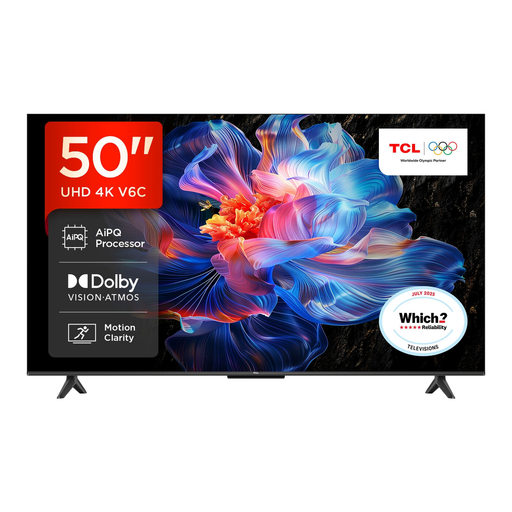
Why This Fits Their Persona: A practical 50-inch size for a main lounge, with Google TV for streaming and voice control without moving into a larger-screen price bracket.
Its listing identifies 4K HDR, multiple HDR formats, HDMI 2.1, ALLM and VRR, making the connectivity details clearer than a generic gaming label.
Google TV, Dolby Atmos support, AiPQ processing and a bezel-less design.
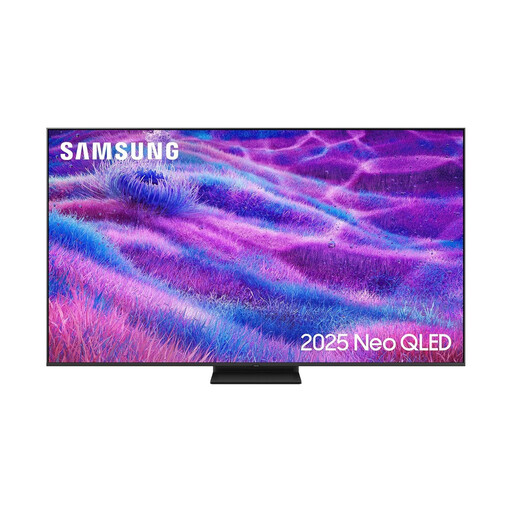
Why This Fits Their Persona: Suited to spacious lounges and home cinema setups where a large Mini-LED screen, smart features and higher refresh-rate support are priorities.
The specification lists Mini-LED backlighting, Quantum Matrix technology and a native 100Hz rate with support up to 144Hz, rather than presenting refresh rate without context.
Four HDMI ports, Dolby Atmos decoding, VRR, FreeSync Premium Pro and Tizen.

Why This Fits Their Persona: Designed for households combining streaming, sport and demanding console or PC gaming on one 55-inch display.
Its specification separates the native 165Hz rate, HDMI 2.1 connectivity, VRR and ALLM, helping buyers assess gaming compatibility more accurately.
Mini-LED local dimming, QLED colour, four HDMI 2.1 inputs and 2.1.2-channel Dolby Atmos audio.
We have compiled a complete, real-time list of products that fully satisfy these strict selection criteria and UK safety regulations.
Yes, provided the model includes a compatible digital tuner. Check the product listing for Freeview or DVB-T2 support, then connect an aerial and complete the channel-tuning process during setup.
Running costs depend on screen size, brightness, picture mode and hours of use. Larger panels generally consume more power. Check the EU energy label information supplied with the product and use automatic brightness or energy-saving settings where available.
A television’s service life depends on usage, ventilation, software support and component reliability. Keep the set well ventilated, install updates when offered and switch it off rather than leaving it running unnecessarily. Also check the warranty and returns information before purchase.