
24/7 Customer Support

Free returns

Same-day & Next-day Delivery

Quality Guaranteed

Unlock Your Welcome Offers: FREE Delivery | Up to 80% OFF | Free 30-day JoyPlus trial
Download the APP
Choosing a 4K smart TV involves more than picking the largest screen or the lowest price. Marketing terms such as HDR, QLED, AI processing and high refresh rates can sound impressive, but their practical value depends on the content you watch, the size of your room and the devices you plan to connect.
A suitable TV should also work with your UK viewing habits, including streaming services, live television, catch-up apps and gaming consoles. This guide explains the specifications worth checking and highlights options for different household needs.
HDR can improve contrast and colour range, but the result varies between panels, brightness levels and supported formats. An affordable HDR TV may accept HDR10 content without producing the same visible impact as a brighter QLED or Mini LED model.
Check which formats are supported. HDR10, HLG, HDR10+ and Dolby Vision are common standards, but not every television includes all of them. Also remember that the content itself must be available in HDR through your streaming service, console or player.
Some televisions promote motion-processing or gaming figures that differ from the panel’s native refresh rate. For everyday UK broadcasts and most films, a 50Hz or 60Hz panel may be adequate. Console and PC gamers should check for HDMI 2.1, VRR, ALLM and the native refresh rate, rather than relying only on a headline gaming number.
A 75-inch TV can create an engaging home cinema setup, but it may dominate a smaller lounge. Conversely, a compact bedroom TV can look too small when viewed from the opposite end of a large living room. Measure the available furniture or wall area, including the stand, and consider viewing distance before ordering.
A 4K Ultra HD TV normally has a resolution of 3840 × 2160 pixels, providing four times the pixel count of Full HD. It is widely available in 43-inch, 50-inch, 55-inch, 65-inch and 75-inch formats.
For smaller rooms, a 43-inch TV can provide detailed images without overwhelming the space. A 50-inch or 55-inch TV suits many UK living rooms, while 65-inch and 75-inch models are more appropriate where viewers sit further away.
If you are buying for a kitchen, bedroom or student room, HD Ready or Full HD may be sufficient. For example, the Toshiba 32-inch VIDAA Smart TV offers 1366 × 768 HD Ready resolution, HDR10 and built-in Freely, making it more suitable for secondary viewing than a main home cinema display.
A standard LED TV uses an LED backlight behind or around the panel. Direct LED can provide consistent illumination across the screen, while QLED TVs use quantum-dot technology to produce a wider range of colours.
QLED does not automatically mean perfect black levels or cinema-grade contrast. Compare the complete specification, including backlight type, dimming technology, brightness information and viewing angle. Mini LED models use many smaller LEDs and local dimming zones; these can offer more precise control, although the price and power consumption may be higher.
The operating system affects app access and ease of use. Google TV brings streaming services and recommendations together, while Tizen TV provides Samsung’s smart interface and Gaming Hub. VIDAA Smart TV models focus on simple navigation and include selected streaming services. Check the exact app list before purchase, as availability can vary by platform and region.
Built-in speakers are convenient, but slim televisions have limited room for powerful audio hardware. A Dolby Atmos TV may support immersive audio formats, but a compatible soundbar or home cinema system may still be needed for a larger soundstage. Look for eARC if you plan to connect a soundbar.
Finally, count the ports. Three or four HDMI connections may be useful for a console, soundbar, set-top box and Blu-ray player. USB, optical audio, Ethernet, Wi-Fi and Bluetooth can also affect how easily the TV fits into your existing setup.
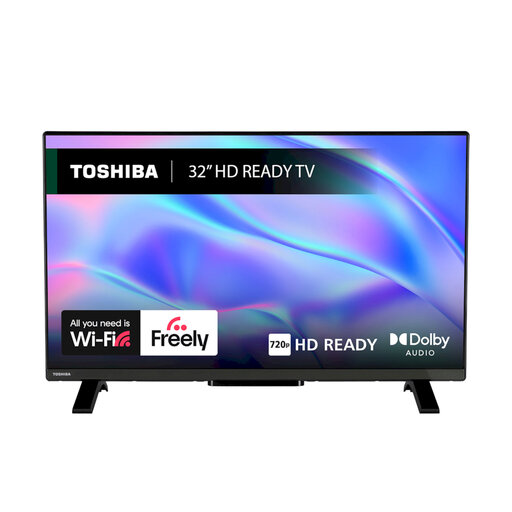
Why This Fits Their Persona: A compact choice for bedrooms, student accommodation or a second room where a 4K panel is not essential.
Its 32-inch format avoids paying for unnecessary screen size, while VIDAA OS, Freely and Wi-Fi support everyday viewing.
HDR10 and HLG support; two HDMI ports, USB, Ethernet and Dolby Audio.
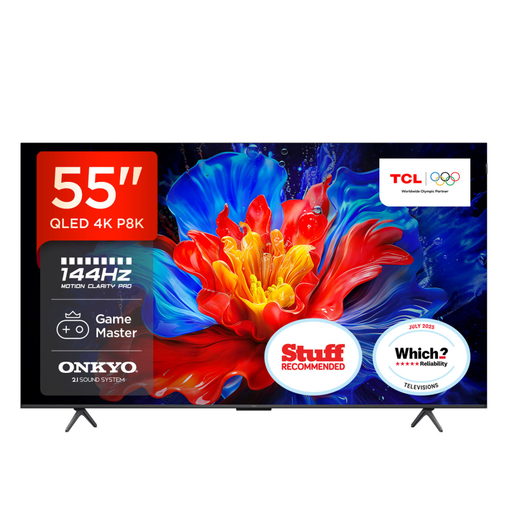
Why This Fits Their Persona: Suits film fans and households wanting a 55-inch QLED display with integrated audio and Google TV.
The specification states its native refresh rate and gaming features separately, helping shoppers distinguish everyday viewing from VRR performance.
QLED display with 4K HDR PRO; 35W 2.1-channel audio and Dolby Atmos support.
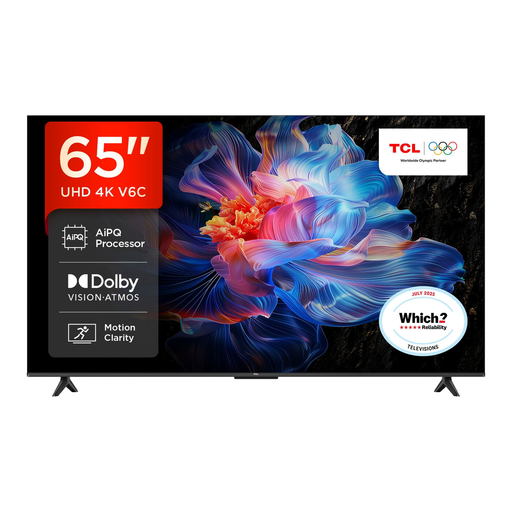
Why This Fits Their Persona: A 65-inch option for living rooms, sports viewing, films and console gaming where viewers sit further from the screen.
It lists HDMI 2.1, ALLM and VRR, so gamers can check relevant connectivity instead of judging performance by a single advertised figure.
4K HDR with HDR10+, Dolby Vision and HLG; Google TV, Dolby Atmos and Game Master features.
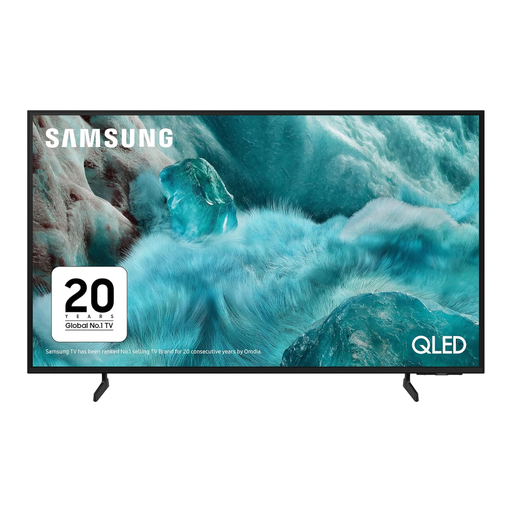
Why This Fits Their Persona: A practical 43-inch TV for flats, smaller lounges or viewers wanting QLED colour without moving to a larger screen.
Its 43-inch dimensions make room planning easier, while the listed 50Hz native refresh rate clarifies what to expect from the panel.
QLED 4K resolution; Tizen OS, Gaming Hub, VRR and three HDMI ports.
We have compiled a complete, real-time list of products that fully satisfy these strict selection criteria and UK safety regulations.
It can be, particularly if you sit relatively close to the screen or want detailed console and streaming content. A 43-inch TV often suits a smaller lounge, while a 32-inch HD Ready or Full HD model may be more proportionate for a bedroom or kitchen.
No. Streaming services generally work through Wi-Fi or Ethernet. However, an aerial remains useful for live terrestrial channels and traditional programme guides. Some models include Freely TV, which provides compatible live and on-demand content through an internet connection, but check the listed services and broadband requirements before buying.
Consumption depends on screen size, brightness, picture mode and viewing time. Larger displays generally use more power. Check the UK energy label, including SDR and HDR consumption where provided, and use automatic brightness or energy-saving modes if available. Also leave ventilation space around the set and secure it properly, particularly in homes with children or pets.