
24/7 Customer Support

Free returns

Same-day & Next-day Delivery

Quality Guaranteed

Unlock Your Welcome Offers: FREE Delivery | Up to 80% OFF | Free 30-day JoyPlus trial
Download the APP
Buying a 4K smart TV can seem straightforward until you compare screen sizes, operating systems, HDR formats and connection options. A lower price may be attractive, but the wrong television can leave you with limited apps, weak built-in sound or a screen that feels too large for the room.
The most useful approach is to ignore inflated marketing language and check the features that affect everyday viewing. Whether you need a compact 43-inch 4K TV, a flexible 50-inch 4K TV or a larger 55-inch 4K TV, the following points can help you narrow the choice.
A 4K display has a resolution of 3840 × 2160 pixels, but resolution alone does not determine how a screen handles dark scenes, bright highlights or fast movement. Check whether the television supports HDR10, HLG or Dolby Vision, and remember that HDR content is required to see the full benefit.
It is also worth checking the refresh rate. Many affordable televisions use a 60Hz panel, which is suitable for general streaming, television and casual gaming. However, a higher refresh rate may be more relevant for demanding console gaming.
Smart TV platforms vary in layout, app availability and live-TV access. A Roku TV is designed around streaming channels and a simple home screen, while a Tizen smart TV organises apps, connected devices and content through its own interface. Other models use VIDAA or Freely.
Do not assume that a television includes every service you use. Check support for BBC iPlayer, ITVX, Channel 4, Channel 5, Netflix, Prime Video, Disney+ and YouTube before ordering. Also distinguish between Freely TV, which delivers supported live and on-demand television over Wi-Fi, and a Freeview HD TV, which normally uses a compatible aerial and built-in tuner.
Slim televisions often have limited space for speakers. A television advertised as a Dolby Audio TV may process sound compatibly, but that does not necessarily mean it will replace a soundbar in a large room.
Count the available ports as well. Three HDMI inputs can be useful for a games console, soundbar and set-top box, while USB, optical audio, Ethernet and Bluetooth provide additional flexibility. Buyers planning to wall-mount a TV should also check the VESA mounting pattern, not just whether the product is described as wall-mountable.
A 43-inch model can suit a bedroom, student accommodation or smaller lounge. A 50-inch screen offers a practical middle ground for family viewing, while a 55-inch model may work well as a main living-room display.
Measure the furniture and wall before ordering. Account for the stand width, cable clearance and ventilation space. If wall mounting, verify the VESA specification and use a mount rated for the television’s weight.
Look for clearly stated HDR support rather than relying on phrases such as “cinematic picture”. HDR10 and HLG are common formats for films, streaming and broadcast content. Dolby Vision can provide additional format compatibility where supported by both the television and the content source.
For sport and action films, motion processing such as MEMC or a manufacturer’s motion system may help reduce visible judder. These features do not turn a 60Hz TV into a high-refresh-rate gaming display, so console users should also check input lag, HDMI specifications and gaming modes.
A Wi-Fi smart television should have reliable access to your home network, but wired Ethernet can be useful if the TV is close to your router. Check whether the operating system includes the apps and catch-up services your household actually uses.
For gaming, look for a dedicated game mode, low-lag settings and enough HDMI ports. A gaming TV does not automatically include advanced features such as 120Hz playback or HDMI 2.1, so these should be confirmed in the specification rather than inferred from the product title.
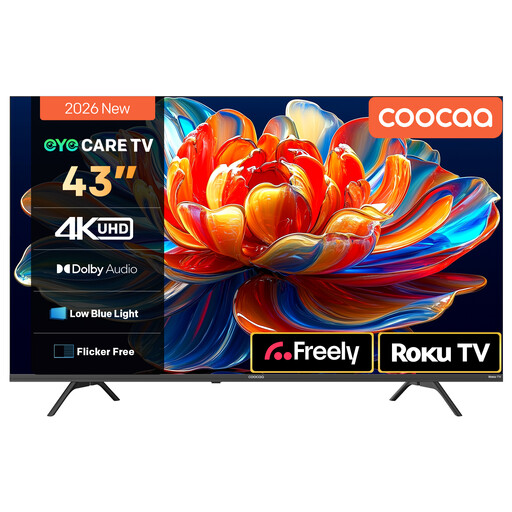
Why This Fits Their Persona: Its 43-inch format suits smaller UK rooms, bedrooms and student flats where space and budget are important.
Roku provides a central home screen for streaming apps, while HDR10 and HLG support are stated in the product details.
4K resolution, Wi-Fi streaming, two 10W speakers, Dolby Audio and three stated HDR formats.
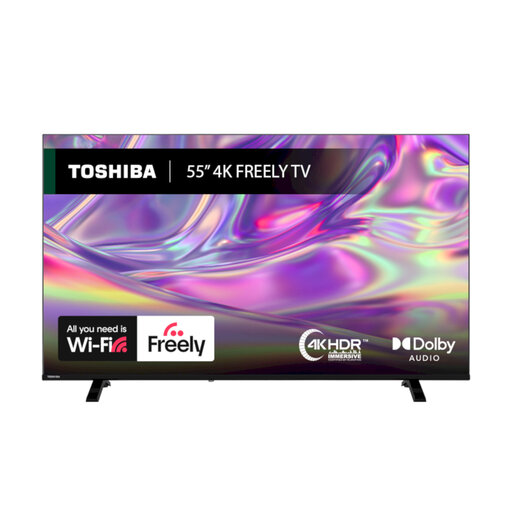
Why This Fits Their Persona: This 55-inch model is suited to households prioritising broad HDR compatibility and integrated live-TV streaming.
Freely access is specified for Wi-Fi live television, reducing reliance on a separate set-top box where compatible services are available.
Dolby Vision, HDR10 and HLG support, VIDAA OS, Dolby Audio, Bluetooth and a 200 × 200mm VESA mount.
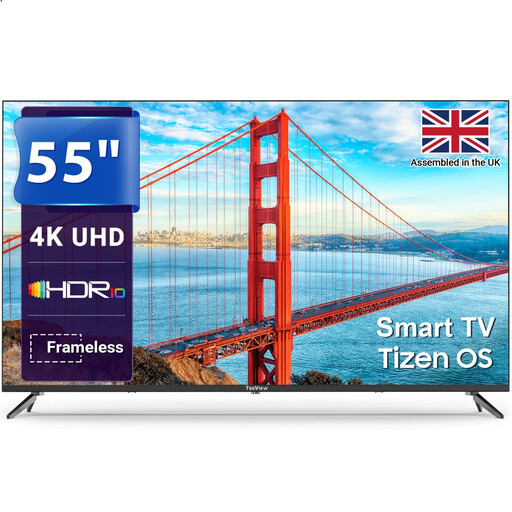
Why This Fits Their Persona: Its 55-inch screen, Tizen platform and Gaming Hub suit shared family viewing, streaming and console use.
The listing identifies the smart platform, HDR support and three HDMI inputs, making compatibility easier to check before purchase.
Tizen OS, 4K HDR, Gaming Hub, three HDMI ports, two USB ports, Ethernet and optical audio output.
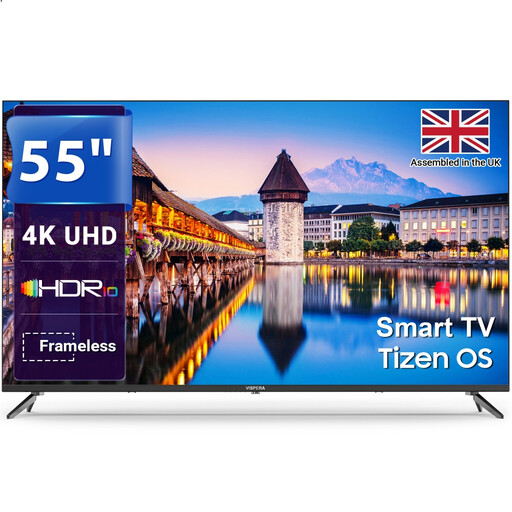
Why This Fits Their Persona: A suitable option for viewers who want a large screen with both stand placement and wall-mounting flexibility.
The specification lists Freeview HD, multiple HDMI and USB ports, plus VESA 200 × 200mm compatibility.
Tizen OS, Freeview HD tuner, three HDMI ports, optical and headphone outputs, and a stated 60Hz refresh rate.
We have compiled a complete, real-time list of products that fully satisfy these strict selection criteria and UK safety regulations.
Before installation, confirm that the stand is secured and the television is placed on a stable, level unit. Leave ventilation space around the rear panel and avoid positioning the screen near water or a direct heat source.
For streaming, connect to a reliable Wi-Fi network and update the TV software during setup. If you use an aerial, run the channel-tuning process and check the available Freeview HD services. If you use Freely, follow the television’s Wi-Fi-based setup instructions instead.
For wall mounting, use a compatible VESA bracket and ensure the wall can support the combined weight of the TV and mount. Do not rely on a generic bracket without checking measurements.
Often, yes. A 43-inch screen can provide a detailed picture without dominating a smaller room. Measure your intended viewing distance and furniture first, particularly if the TV will sit on a desk or narrow cabinet.
Not always. Streaming services and Freely-compatible live television can work over Wi-Fi, while Freeview HD channels generally require a suitable aerial connection. Check the tuner and live-TV features before purchase.
Running costs depend on screen size, brightness, usage hours and the model’s energy label. A larger screen generally uses more power than a smaller one, although the exact figure varies. Compare the product’s energy information and use automatic brightness or power-saving settings where appropriate.